





Last updated on September 7, 2026
How Do I Set a Brought Forward Policy?
"Brought Forward" is Vacation Tracker's term for rollover — the number of unused leave days or hours that carry over from one year to the next. Without it, any leave your employees don't use by year-end is lost. With it, they can bank some (or all) of their unused balance.
How to Configure Brought Forward
- Sign in at app.vacationtracker.io.
- In the left-hand menu, expand Leave Setup and click Locations.
- Click Edit Leave Policies on the Location you want to configure.
- Click the edit icon next to the leave policy you want to update.
- Scroll down to Brought Forward Settings.
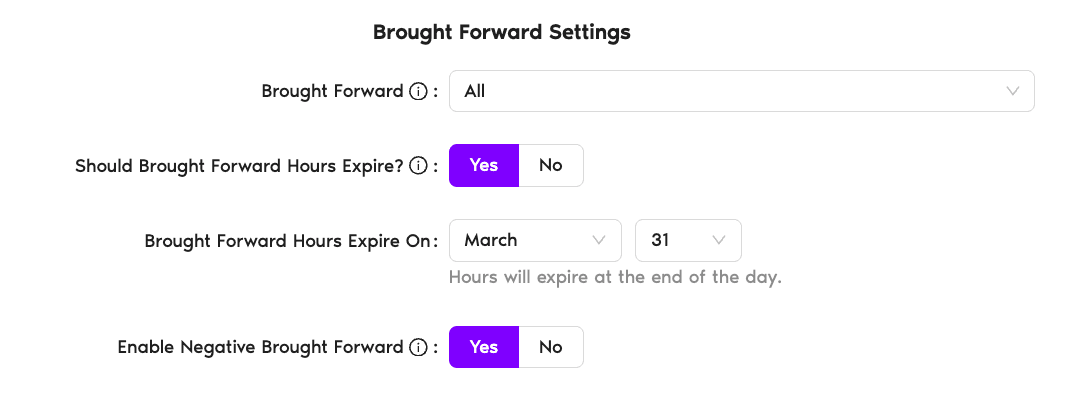
Brought Forward Settings
Once you're in the Brought Forward section, you'll see several settings to configure. Click any setting below for details.
Rollover is disabled. Any unused days or hours are lost at the end of the year. Employees start fresh with their full quota.
Caps the number of days or hours that carry over. If the employee's unused balance exceeds the limit, only the capped amount rolls forward — the rest is lost.
The full unused balance carries over with no cap. Nothing is lost at year-end.
- Click Update to save your changes.
 Book a Call