



Last updated on June 17, 2026
What Is My Leave Recommendation Based On?
The dates you see in the Your Next Best Moves section are AI-powered suggestions designed to give you the best stretch of rest for the fewest PTO days. They're not random picks; they take a few things into account at once and put forward the windows that fit your real situation.
What Goes Into a Suggestion
How Each Card Reads
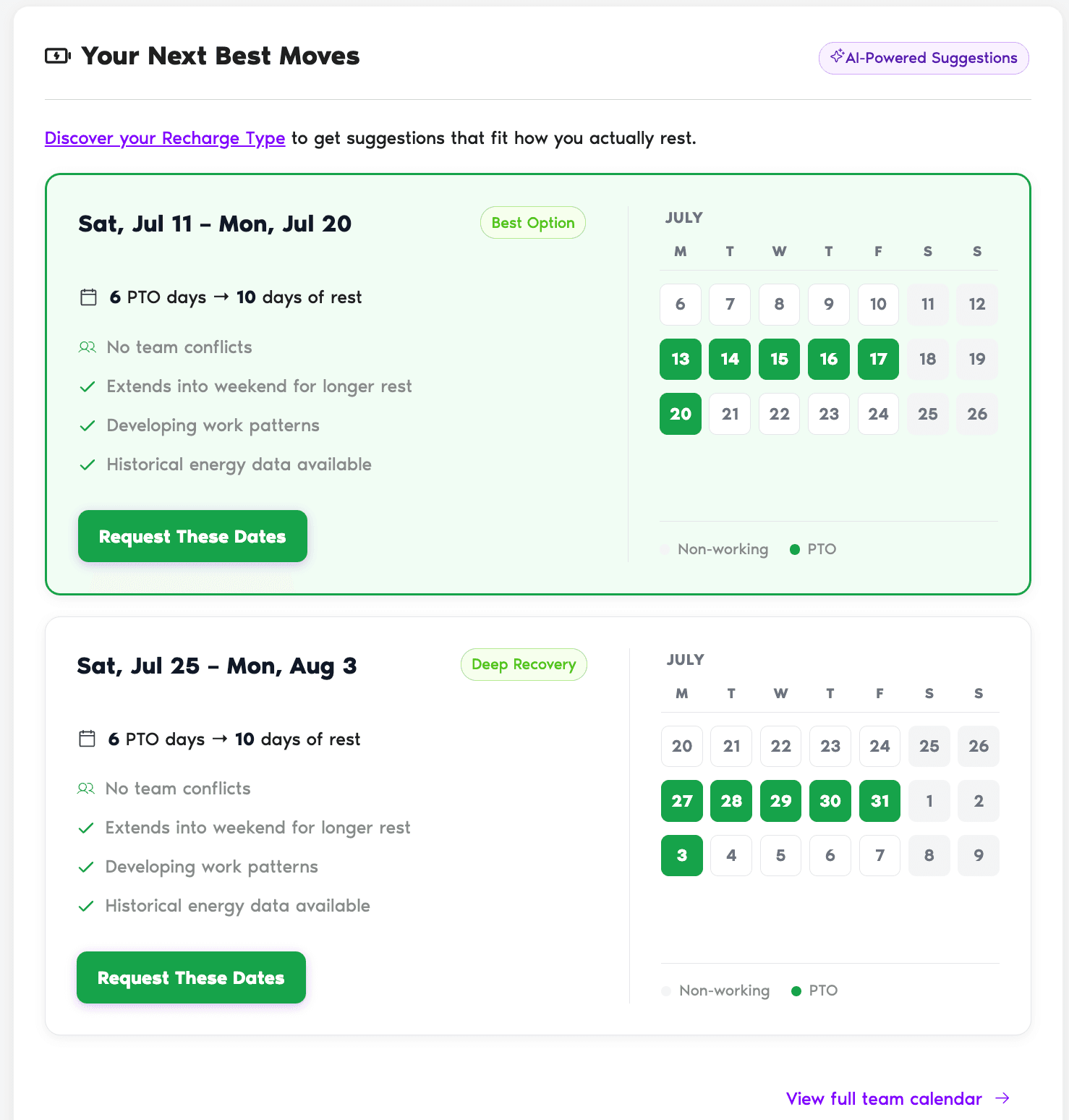
Each suggestion is a card with the date range at the top, a label (for example, Best Option or Deep Recovery), the cost in PTO days, the resulting days of rest, and the bullets that explain why the system picked it. A mini calendar on the right shades the PTO days in green and non-working days in light gray.
Common Questions
Suggestions stick to your real policies and balances, so they only offer days you have. If a leave type has limits (like notice period or blackout windows), the system tries to respect them, but it's still up to your Approver to approve the final request.
They refresh as your data changes: a new leave logged, a new team member added, a holiday added by your Admin, or an updated Recharge Type can all shift what shows up next time you open the page.
You still get suggestions; they're just based on the general factors above. Once you complete the quiz, the suggestions tune themselves to your Recharge Type and tend to be more tailored to you.
 Book a Call