



Last updated on January 26, 2026
How Do I Set a Custom Workday Schedule?
Some or all of your users may have a custom schedule (instead of the usual 8 hours a day; Monday to Friday), which means you may need to customize their working week(s). You can do so by customizing the working week and even their working day length.
Set the Workweek and Workday Length
If you'd like to customize a user's workday length (number of hours worked) and working week (Monday–Sunday) for the user, follow these steps:
- Go to the Vacation Tracker Dashboard — app.vacationtracker.io/signin.
- On the left-hand side of the dashboard, click Users.
- Once the page opens, click on the user's name or picture to enter their profile.
- On the user's profile, scroll down to the Working Days section and click Edit on the top right-hand corner of the section.
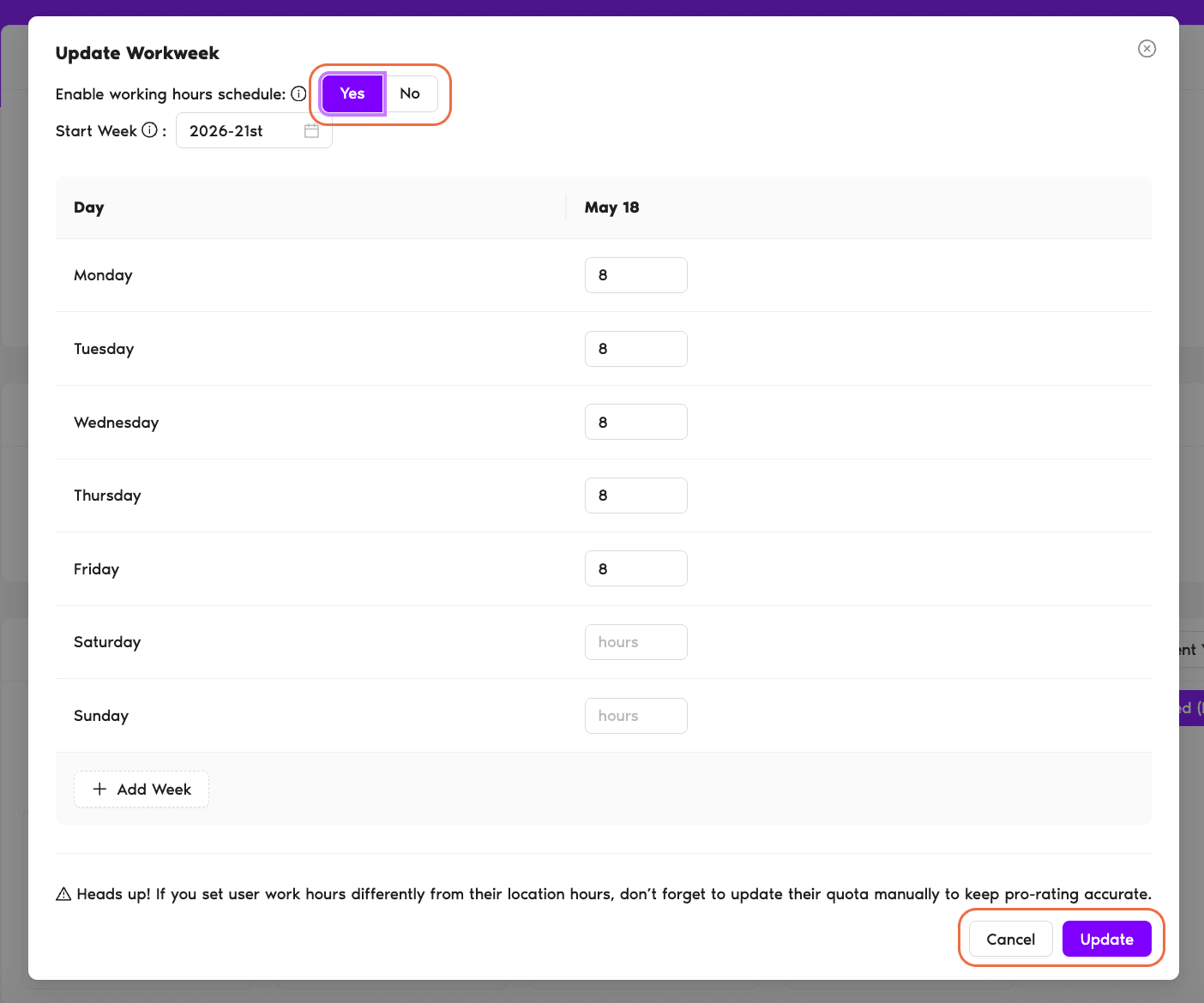
- A new pop-up will open where you will be able to edit the schedule and set the working days for that user.
- On the top of the pop-up you will see the option to Enable Working Hours Schedule — click Yes.
- A more detailed schedule will open where you will be able to edit both the working week and the length of the day for each working day. You can customize the hours and days as you'd like.
- Once you are satisfied with your edits, click Update and you're done!
Multi-Week Rotating Schedules
If your employees have more than one weekly schedule, you can simply click on the Add Week button on the bottom left-hand side of the pop-up — up to a total of 4 weeks. You can edit the days and hours for each of these weeks as you'd wish.
Once you click Update, you will be able to see all of these changes clearly in the Working Days section of the user's profile.
 Book a Call