



Last updated on October 23, 2026
Approver Training 5: Check Who's Off Before You Approve (Google Workspace)
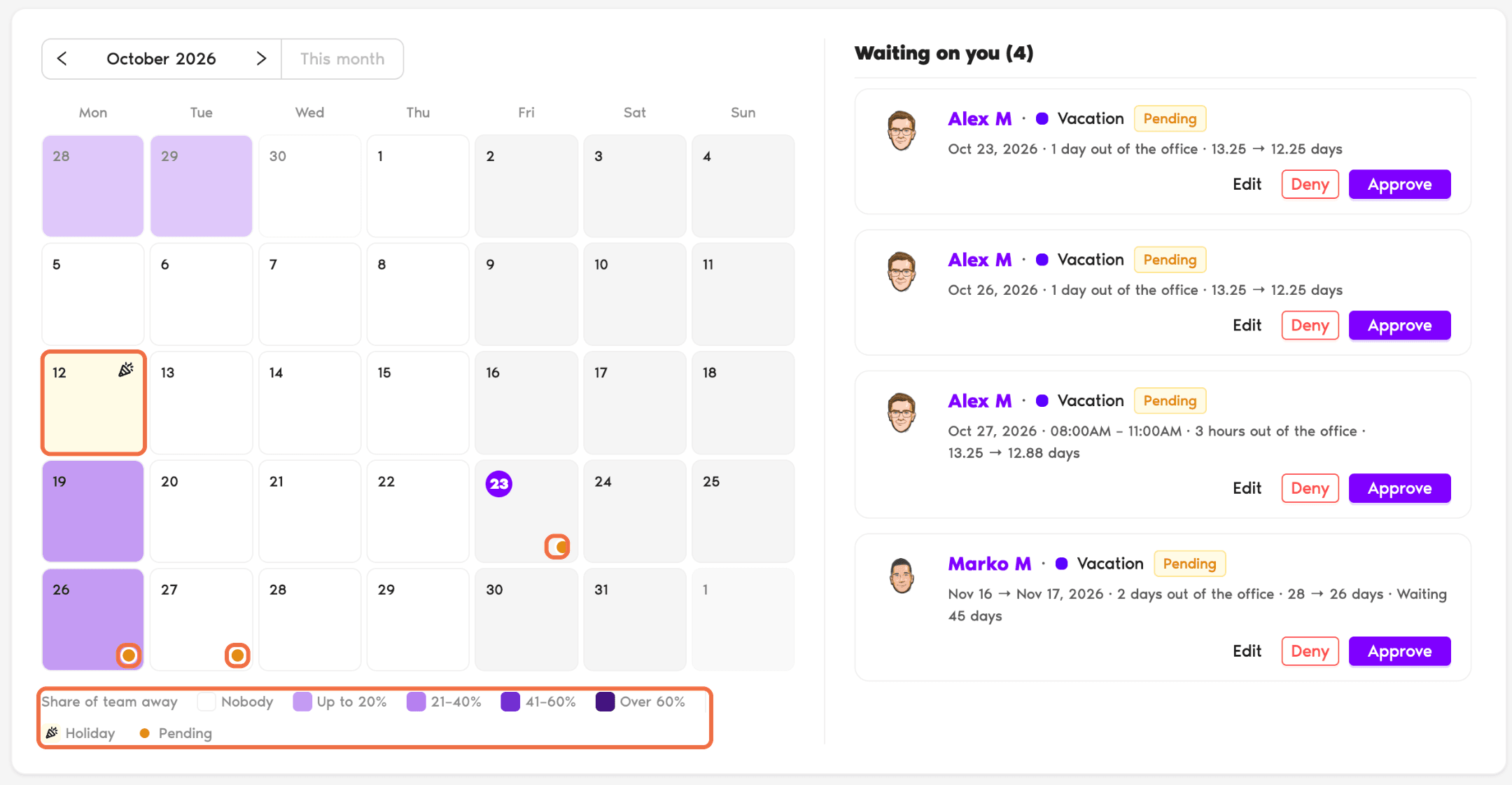
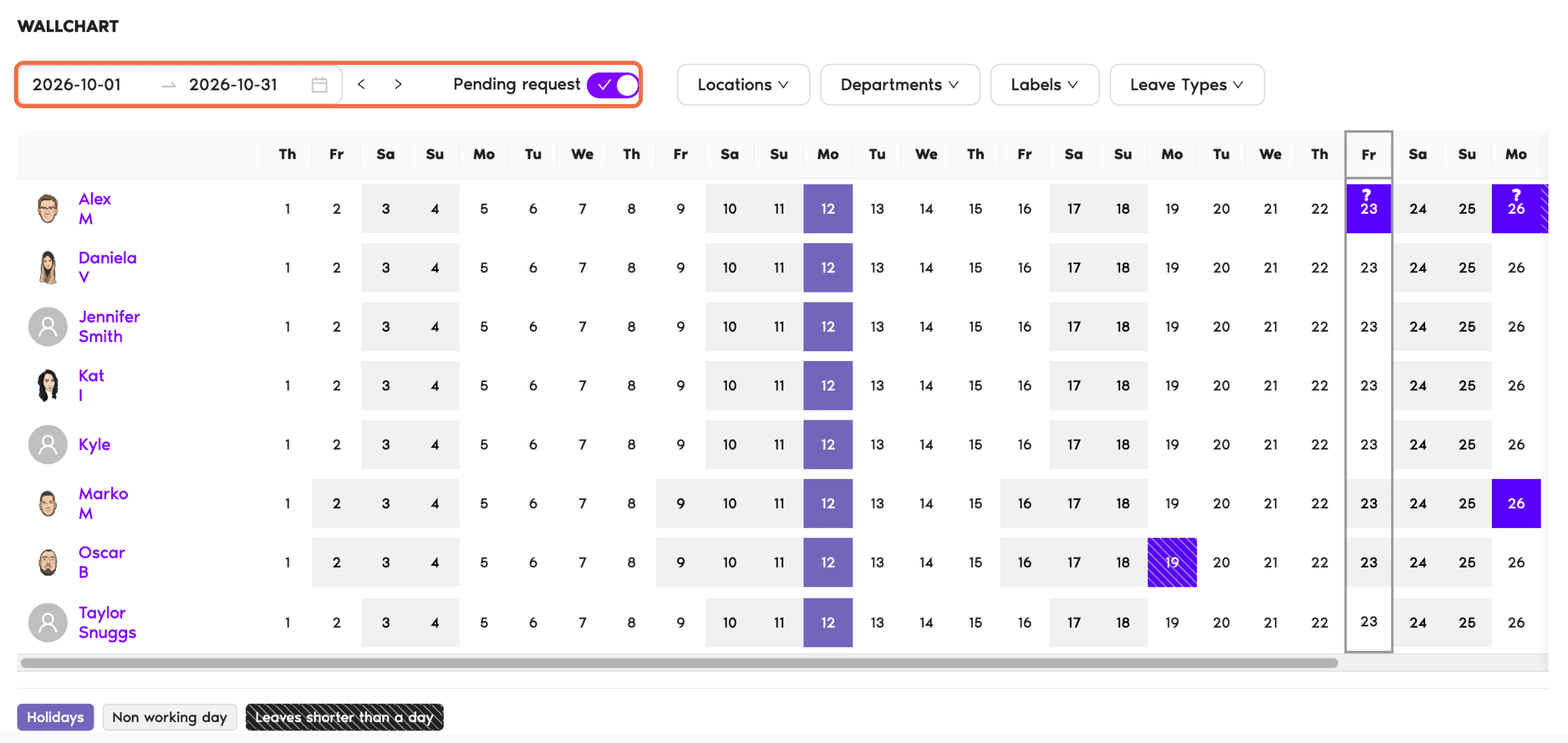
Check who's off before you approve a request, so your team stays covered.
In the Dashboard
In the Request Email
Every request email includes Department Leave Information, showing who else in the Department is away on those dates.
Check It Worked
You can see who's off on the dates you're checking, before you approve.
Common Questions
Your Administrator decides which roles can see the Wallchart. Ask them to give Approvers access.
Open Holidays in the left-hand menu. It lists the holidays for each Location. You can view them, but not change them.
 Book a Call