






Last updated on November 20, 2026
How Do I See My Future Leave Balance?
Open the balance projection under your leave quotas. It shows how many days you will have on any future date, the earliest dates you can take a longer leave, and every change to your balance until the end of next leave year. You'll find it at the bottom of a User's profile and on the Request Leave form, and you can ask Vacation Tracker to remind you on the day you can request your leave.
Open the Projection on a Profile
- Open your profile: click your name in the bottom-left of the sidebar and choose My Profile. Admins and Approvers can also go to Users and click a name.
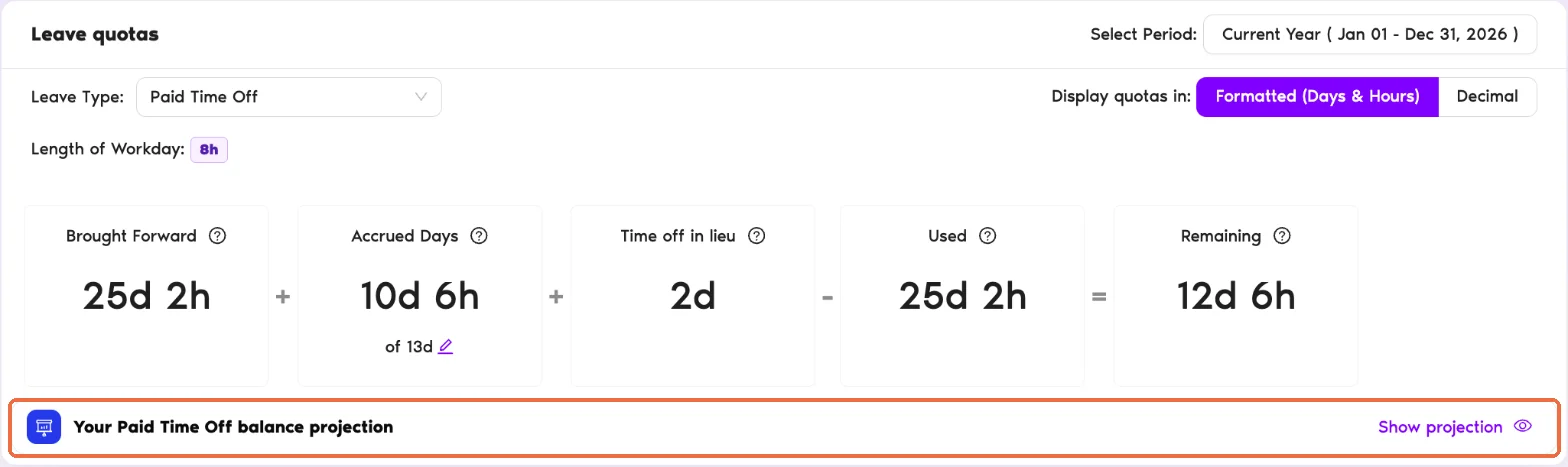
- Scroll down to Leave quotas and pick a Leave Type that accrues, for example Paid Time Off.
- On the Your Paid Time Off balance projection bar under the quota summary, click Show projection. Click Hide projection to close it again.
The top of the projection sums up the policy in one line, for example "You earn 1.1 days every month · unused days do not carry over to the next leave year".
Pick What You Want to See
Next to I want to see, choose one of three questions. The projection shows one answer at a time.
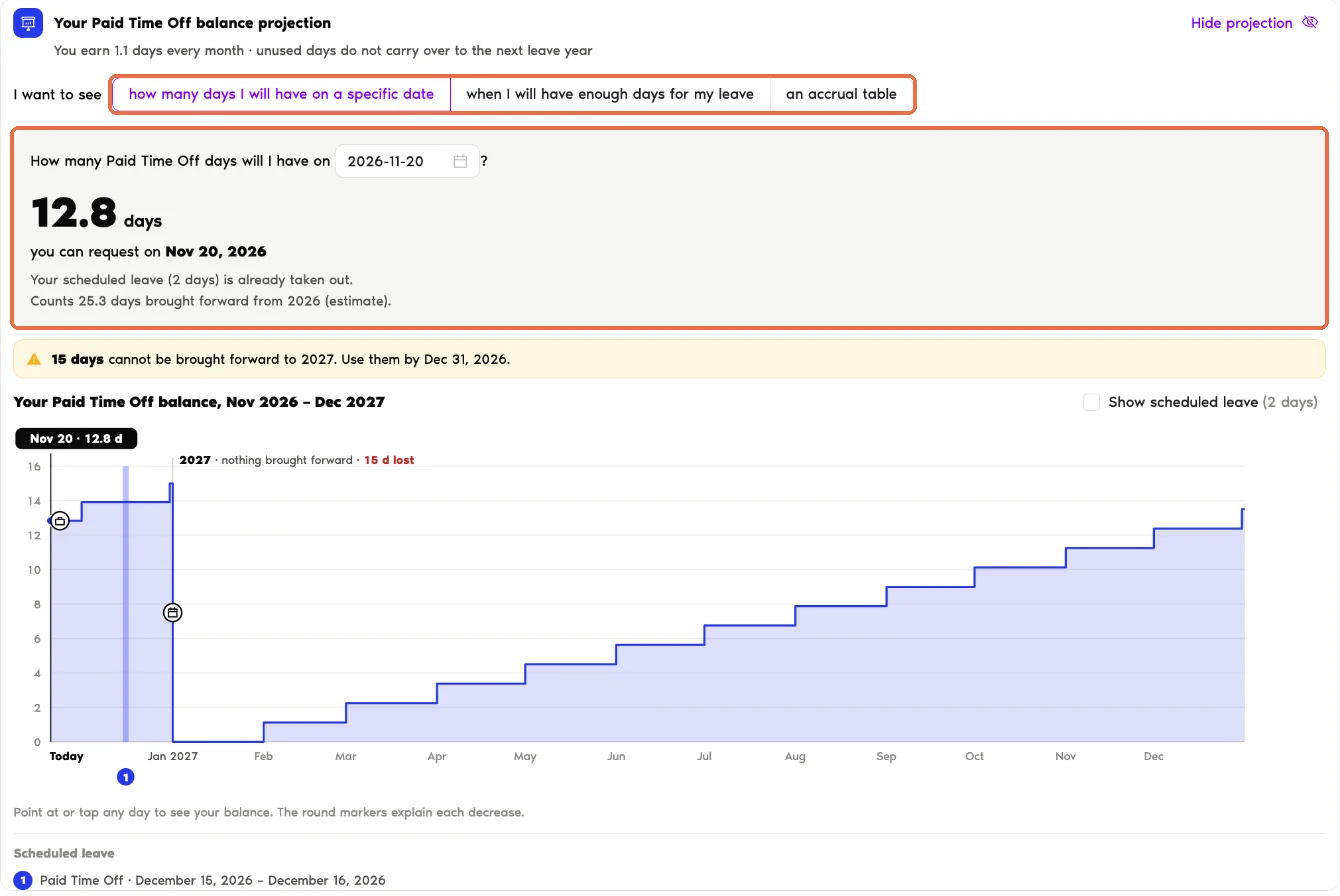
how many days I will have on a specific date
Pick a date in How many Paid Time Off days will I have on. You get the number of days you will have that day and the date you can request them. Leave you've already booked is taken out, and the answer says so.
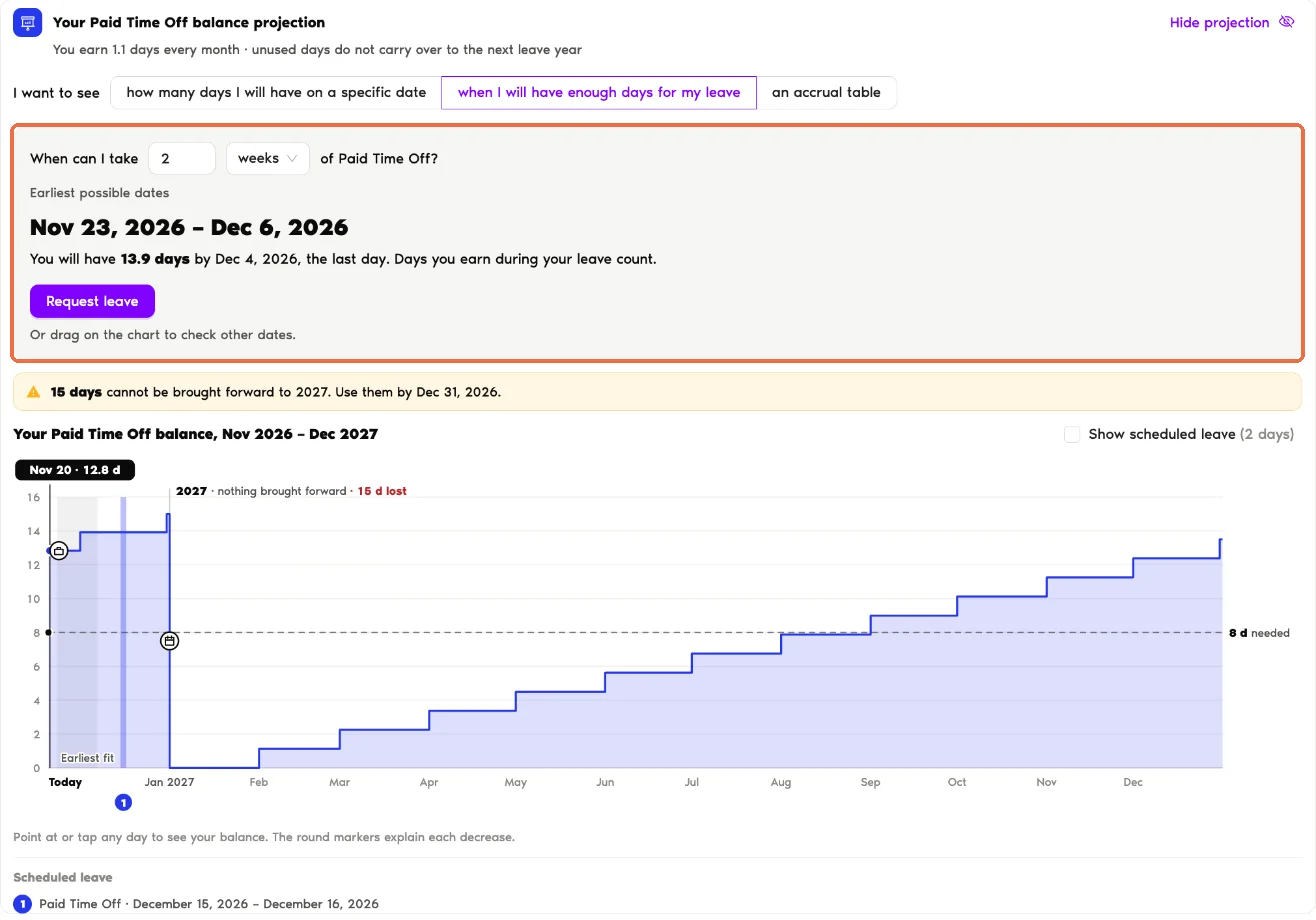
when I will have enough days for my leave
Fill in When can I take with a number and a unit: weeks, calendar days or working days. Vacation Tracker shows the Earliest possible dates that fit, how many days you will have by the last day, and a Request leave button. Only working days use up your balance, so the same two weeks cost fewer days when they include a public holiday. Dates that overlap leave you've already booked are skipped.
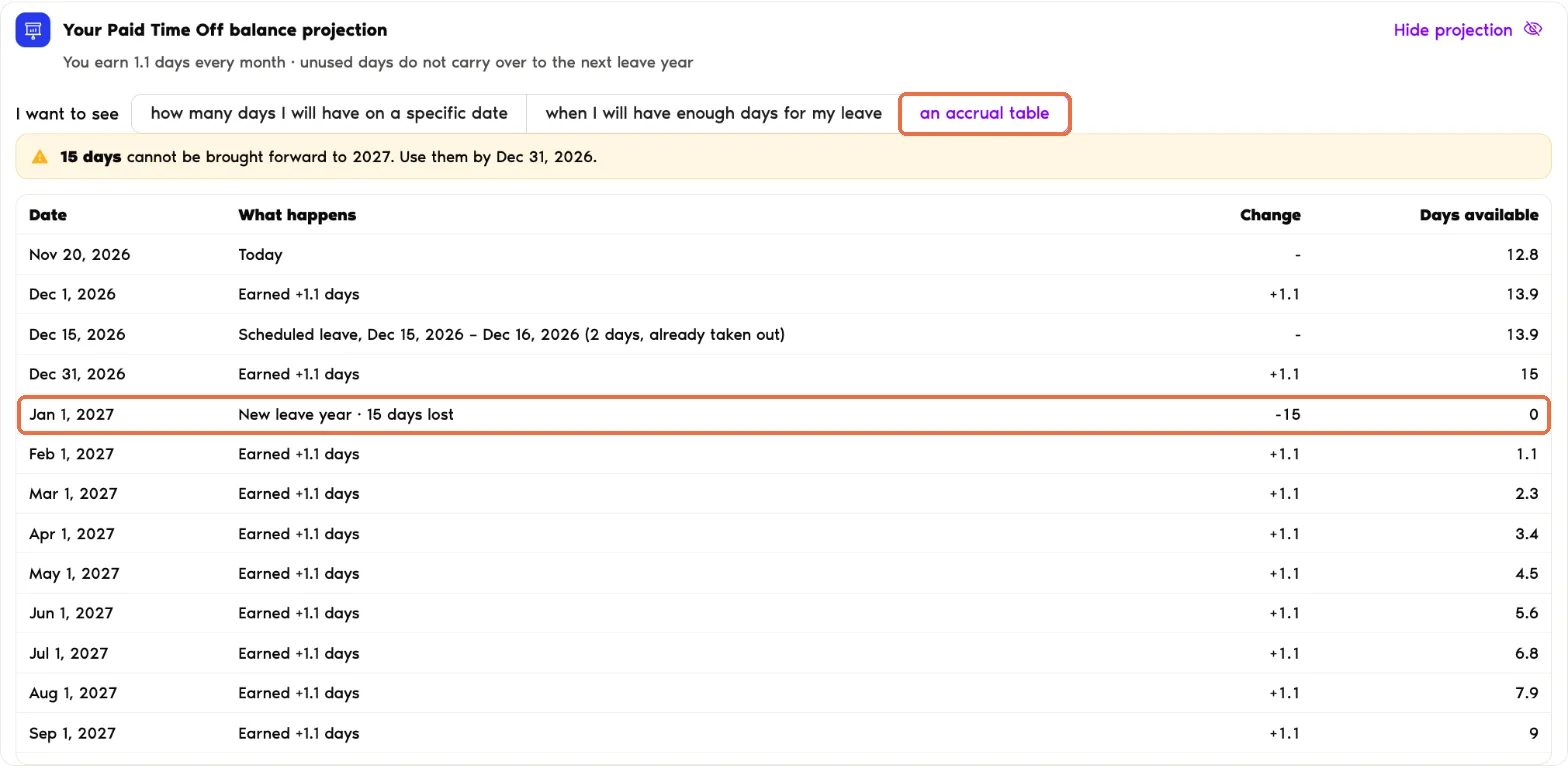
an accrual table
Lists every date your balance changes until the end of next leave year, with What happens (days earned, scheduled leave, a new leave year), the Change and the Days available after it.
Read the Balance Chart
Under the answer, the chart shows your balance from today to the end of next leave year.
See the Projection When You Request Leave
- Click Request Leave at the top of the sidebar, then Request Leave.
- Pick a Leave Type and your Start and End Date.
- Under Your leave balance, the projection bar gives a short answer for your dates. Click Show projection for the full view and the chart.
The answer is one of these:
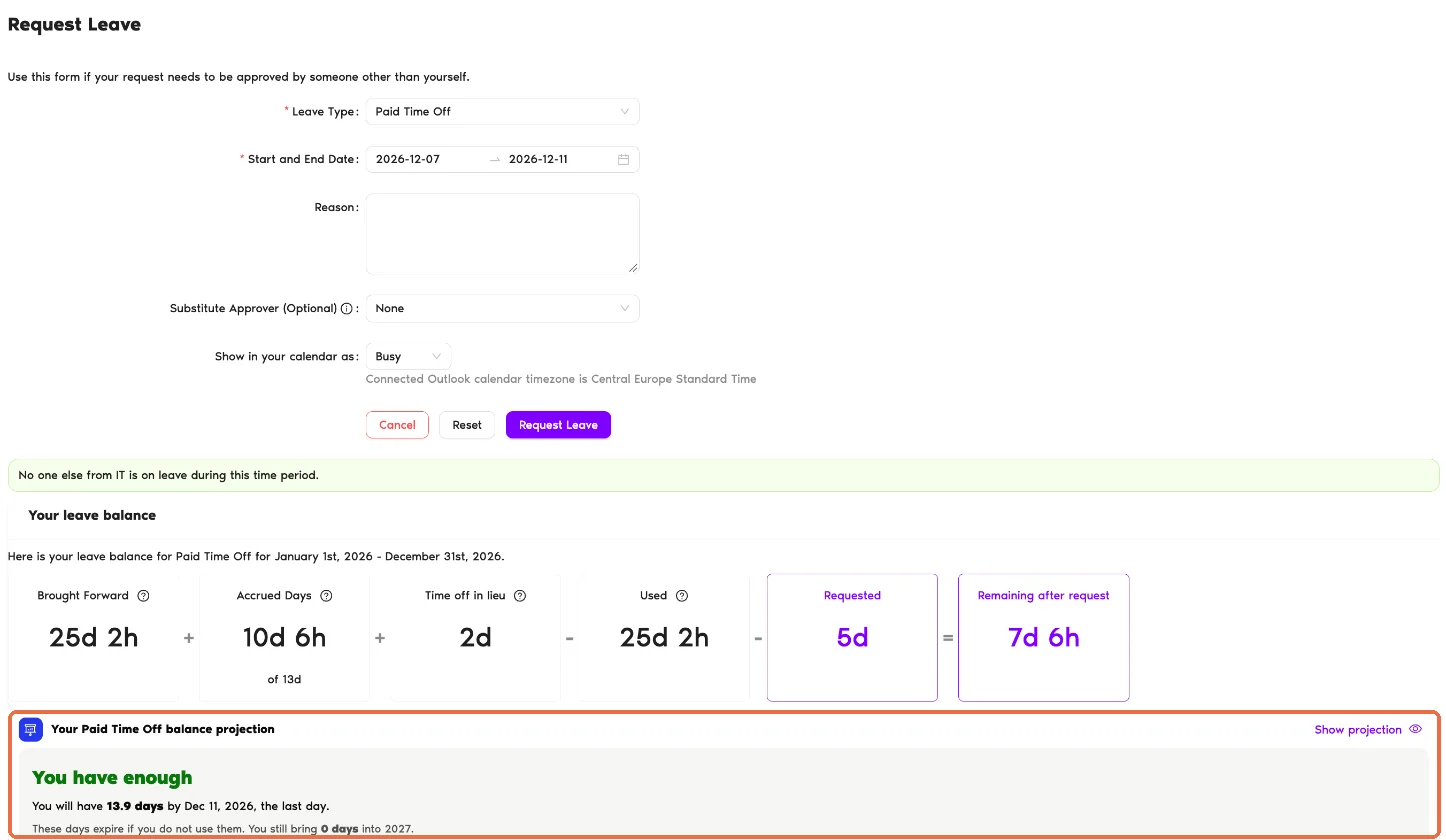
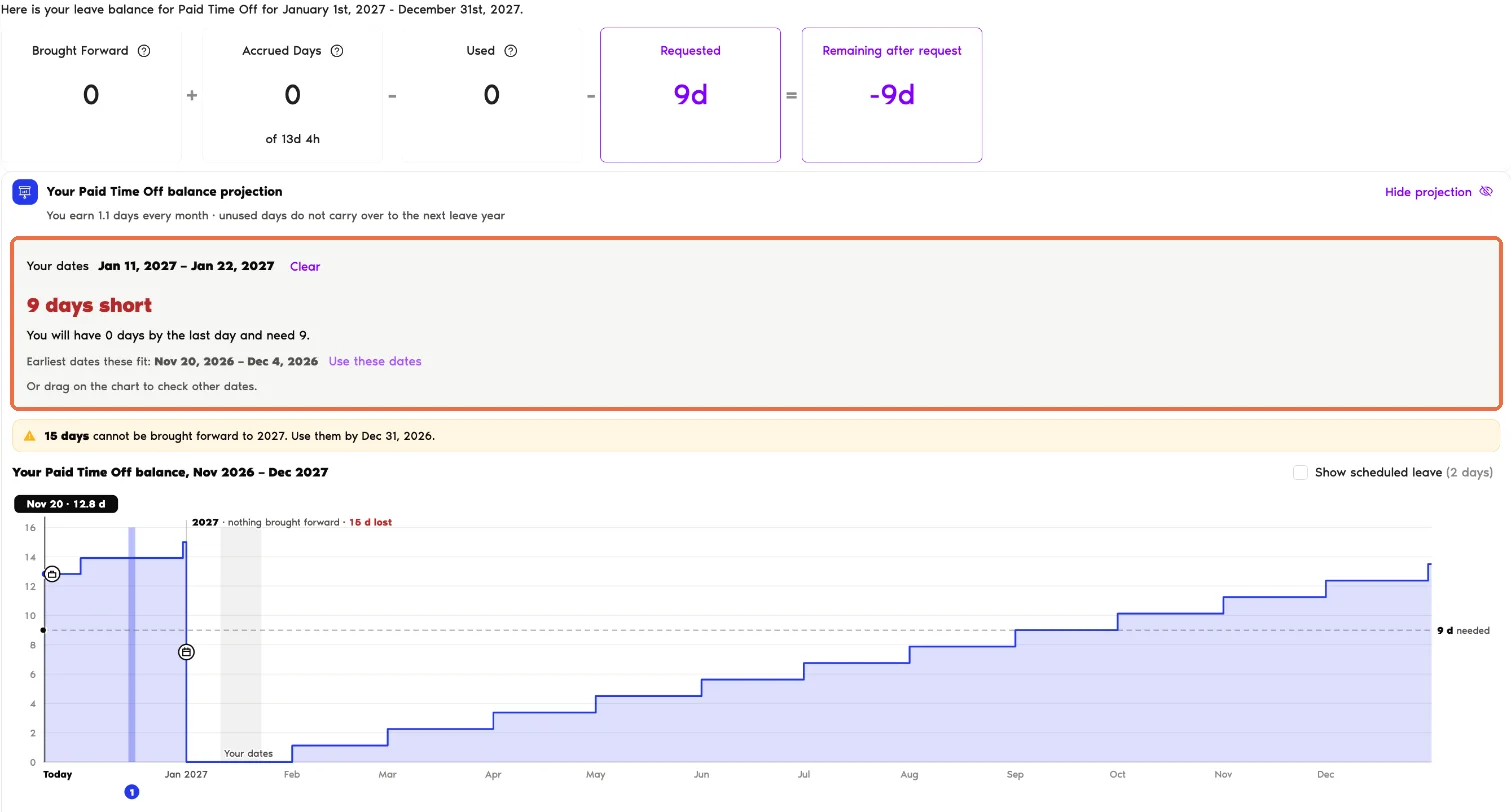
If your leave policy allows a negative balance, you can request the leave right away, and the projection tells you from which date you will have enough days.
Set an Accrual Reminder
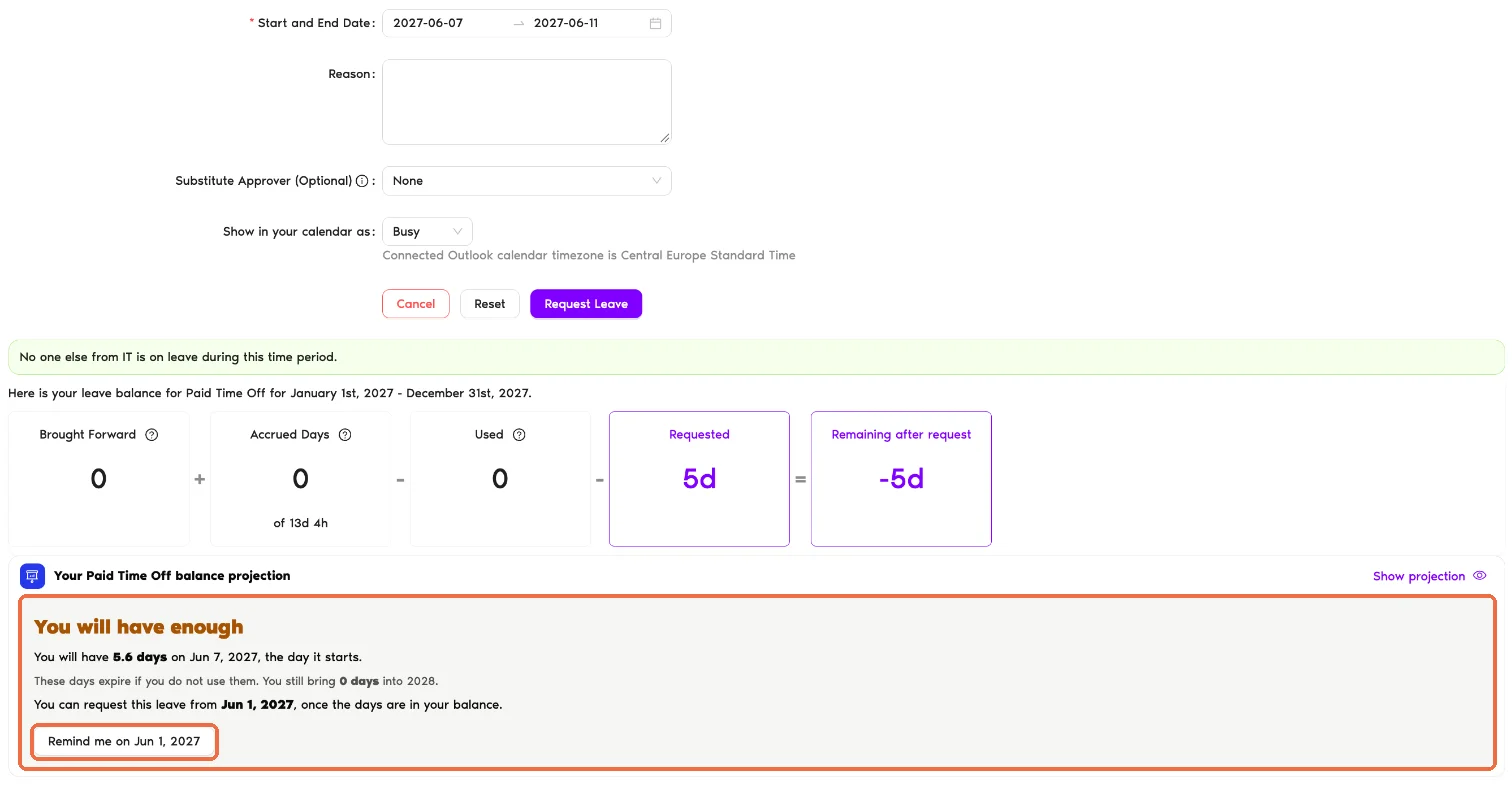
When the answer is You will have enough, click Remind me on and the date, for example Remind me on Jun 1, 2027. The reminder date is the first working day you can request the leave. A green line confirms it: "Reminder set for Jun 1, 2027. You can find it under your profile → My reminders."

Common Questions
No, it's an estimate based on today's settings and your approved leave. Pending requests are not taken out until they are approved. If your policy, your location or your holidays change, the projection changes with them.
Until the end of next leave year. If your leave doesn't fit before then, the projection tells you the most you will have and suggests trying fewer days.
Having enough days and being able to request them are not always the same. If your leave policy doesn't allow requesting accrual-based leave in advance, or the leave needs days brought forward into the next leave year, you can only send the request once the days are in your balance. Set a reminder for that day with Remind me on.
What's Next?
How Do I Check My Remaining Leave Balance? Can Users Request Their Accrued Leave in Advance? What is an Accrual Cap?Admins and Approvers: You can reach us via live chat Monday to Friday, 9 AM – 5 PM EST, or email us anytime at hello@vacationtracker.io.