



Last updated on October 23, 2026
Admin Training 4: Choose Who Approves Whose Leave With Departments (Slack)
A Department is an approval group. When someone requests leave, the request goes to the Approver(s) of their Department.
Decide First
Create the Department
- In the left-hand menu, under Team & Approval Flows, click Departments, then Create New Department.
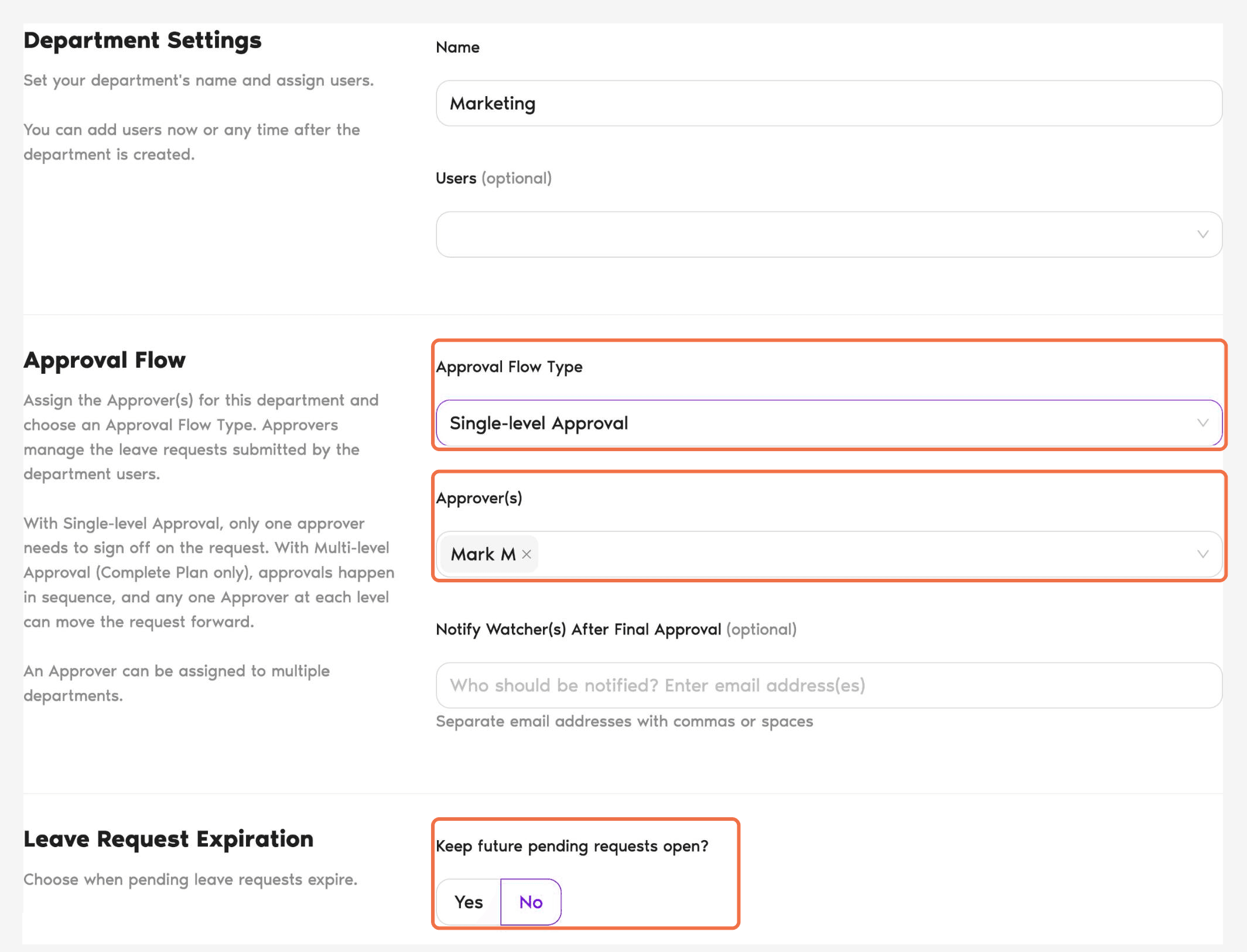
- Enter a Name and, optionally, add Users.
- Under Approval Flow, choose the Approval Flow Type and add one or more Approver(s).
- Optionally, add email addresses under Notify Watcher(s) After Final Approval.
- Set Keep future pending requests open? to Yes or No.
- Choose whether to Make This Department Default. All new users are added to the default Department automatically.
- Click Create Department.
Subdepartments don't inherit
You can nest a Department under a parent, but each Department still needs its own Users, Approvers and settings.Check It Worked
Common Questions
Yes. An Approver can be assigned to multiple Departments.
No. Approver is set on the Department, so the person's Role stays the same.
 Book a Call