



Last updated on October 23, 2026
Location Admin Training 5: Choose Who Approves Whose Leave With Departments (Google Workspace)
A Department is an approval group. When someone requests leave, the request goes to the Approver(s) of their Department.
Decide First
Create a Department
- In the left-hand menu, under Team & Approval Flows, click Departments, then Create New Department.
- Enter a Name and, optionally, add Users.
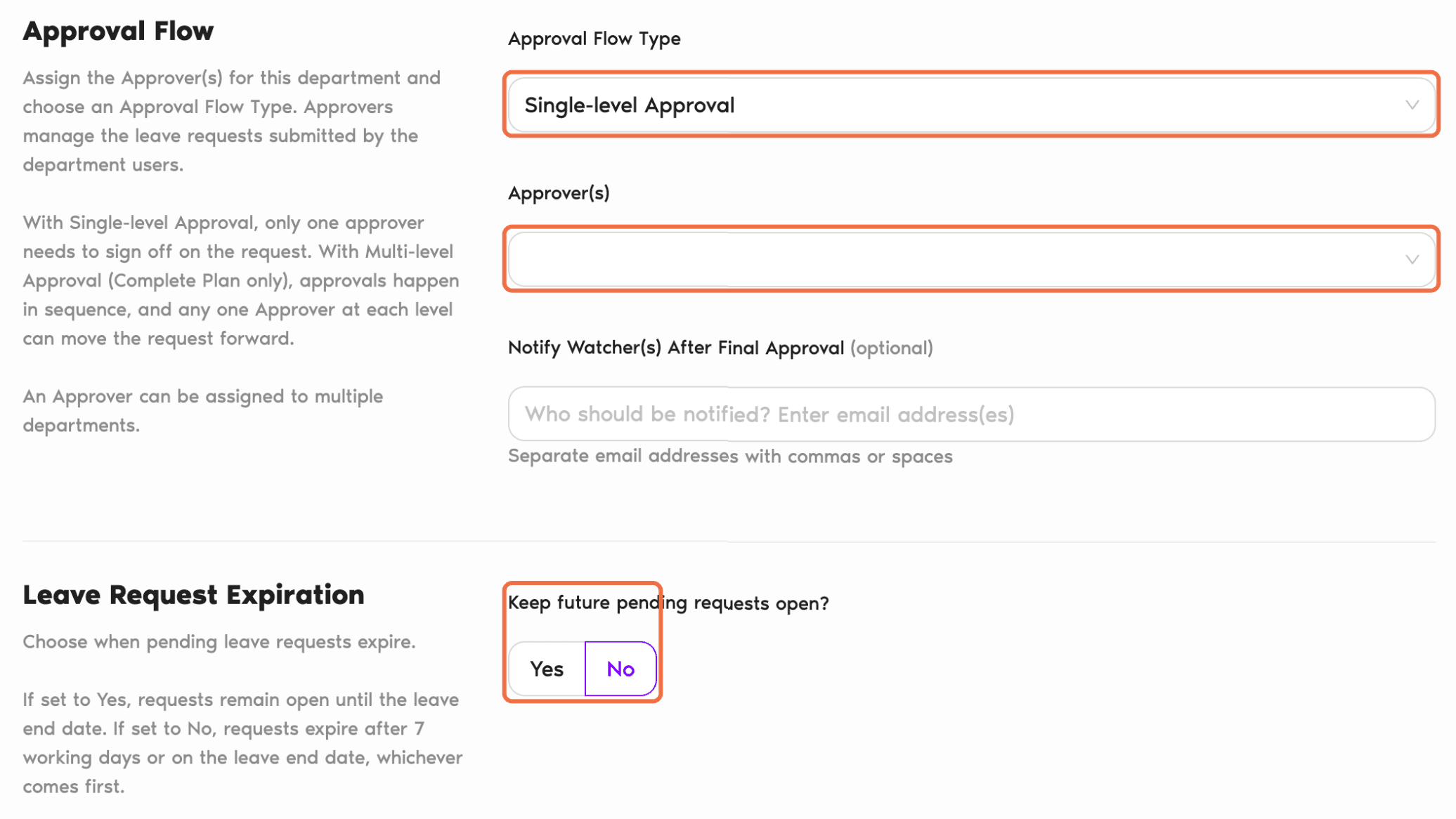
- Under Approval Flow, choose the Approval Flow Type and add one or more Approver(s).
- Set Keep future pending requests open? to Yes or No.
- Click Create Department.
Change a Department
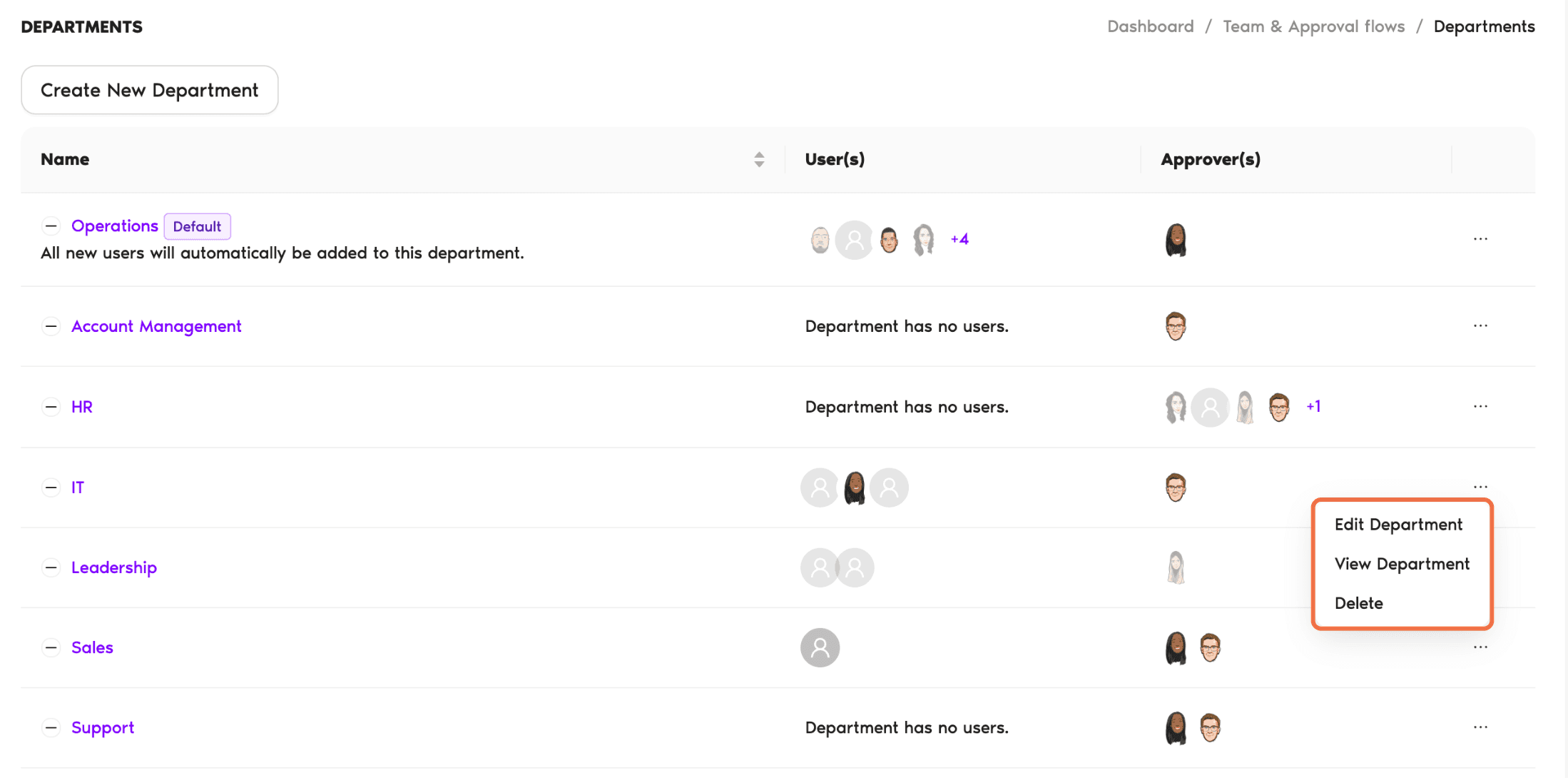
On the Departments page, click the three-dot menu on a Department and choose Edit Department. You can also View Department or Delete it.
Check It Worked
Every Department shows at least one Approver, and each user's profile shows the right names under Approvers.
Common Questions
No. Approver is set on the Department, so the person's role stays the same.
Yes. Add them as an Approver on each Department.
 Book a Call