





Last updated on October 15, 2026
How Do I Check My Leave History and Upcoming Leaves?
Open My Profile and go to the Leaves tab. It lists your requests in up to three sections: Pending Leave Requests, Scheduled Leaves, and History.
Steps
- Sign in at app.vacationtracker.io.
- In the left menu, click My Profile.
- Click the Leaves tab.
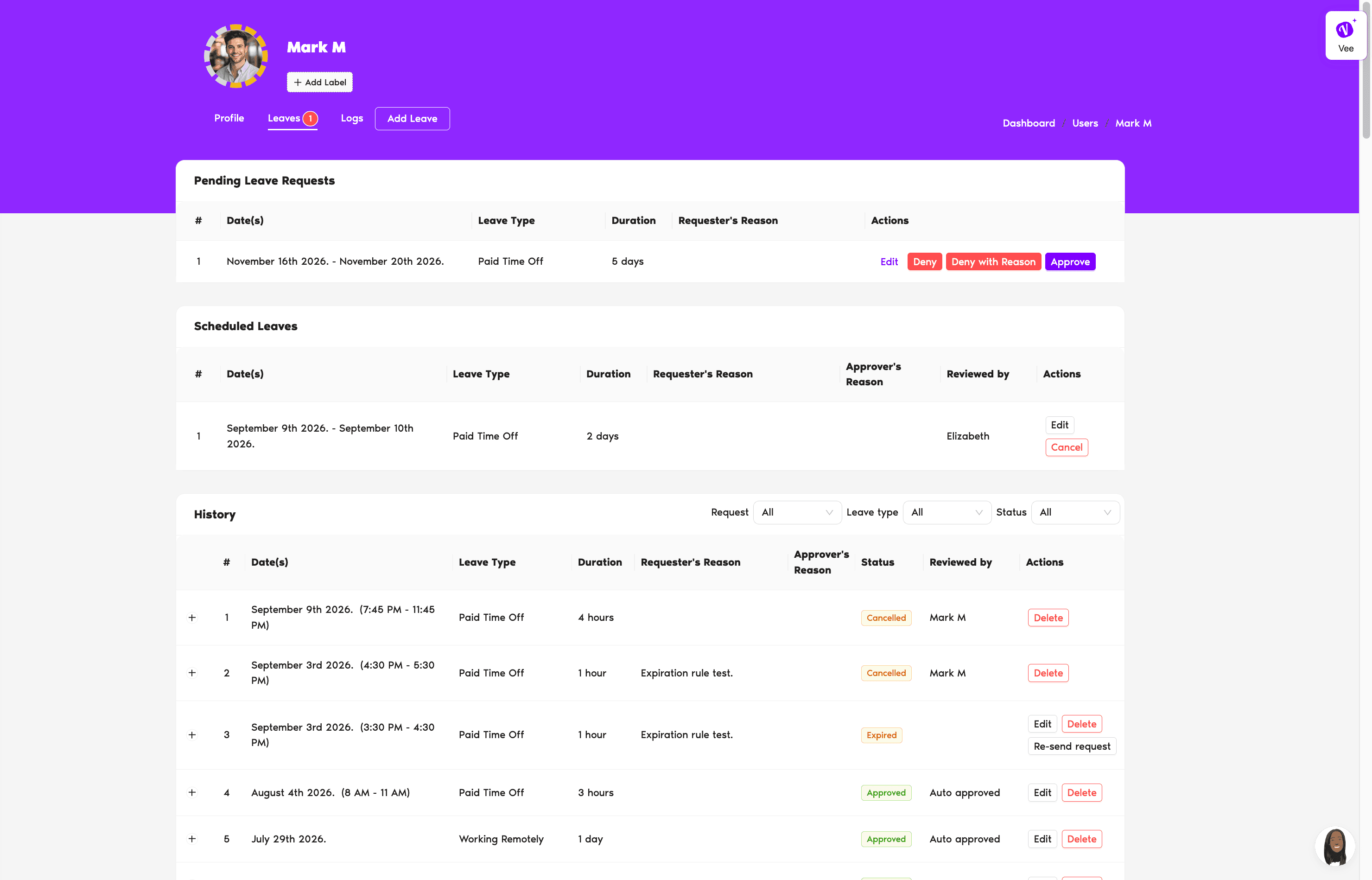
What You'll See
Pending Leave Requests
This section appears at the top only while you have requests waiting on an Approver. When it's there, the Leaves tab also shows a count badge next to its name. Each row shows:
Scheduled Leaves
Your approved leaves that haven't happened yet. Alongside the dates, Leave Type, Duration, and your reason, these rows also show:
History
Everything that's already been resolved: leaves you've taken, requests that were cancelled, and requests that expired without a response. History rows add a Status column, and the Reviewed by column names whoever acted on the request.
Click the + at the start of a row to expand it. That opens a dated timeline of what happened to the request, from when it was created to how it ended.
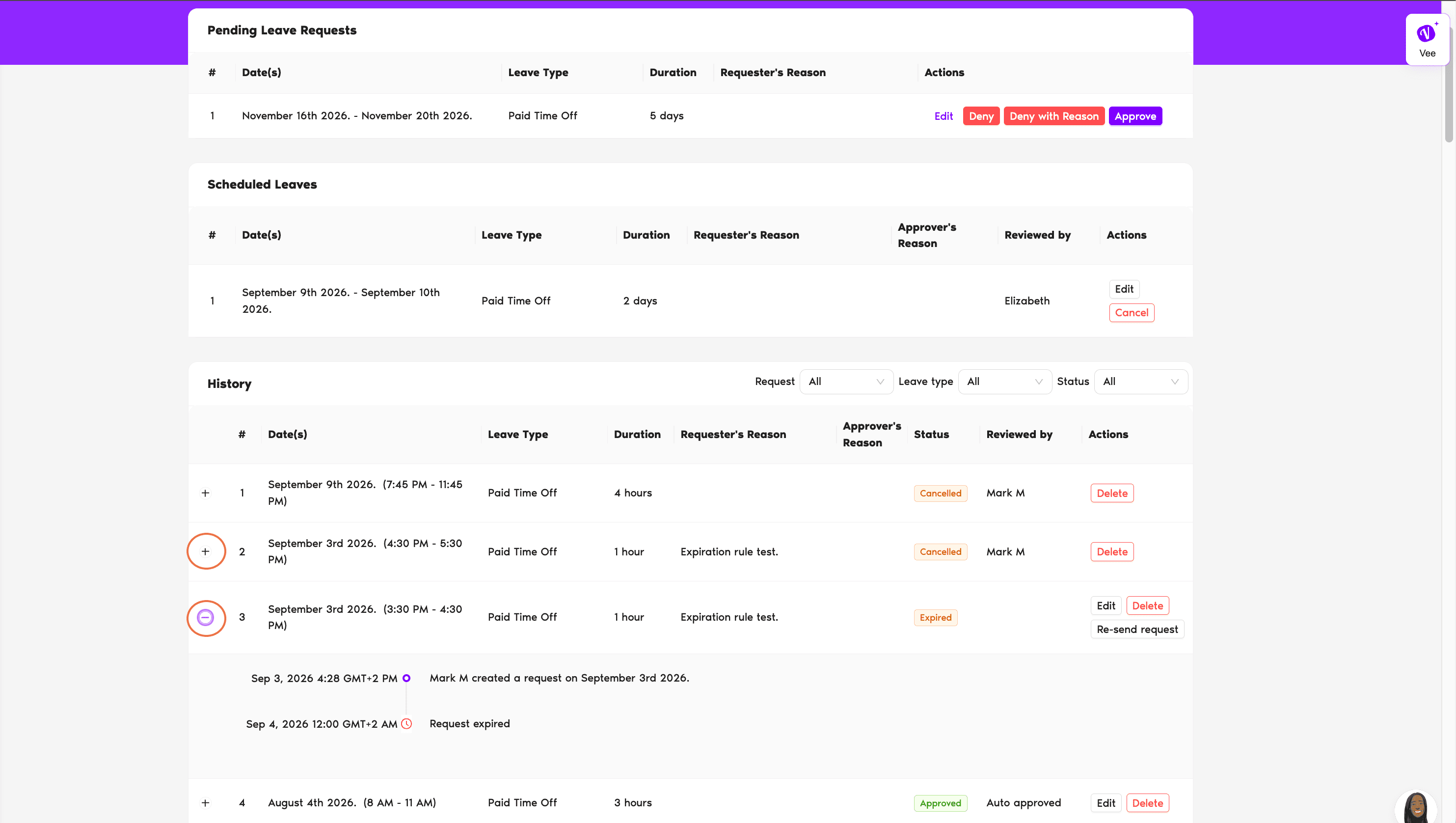
Filtering your History
Three dropdowns sit in the History header. They apply to History only, not to the sections above it:
The Leave type and Status dropdowns list only what's actually in your own records, so the options change as your history grows.
Common Questions
The section they're in is the status. Anything still waiting on an Approver sits in Pending Leave Requests, and anything approved sits in Scheduled Leaves. Only History has a Status column, because those requests have already been resolved. If you'd rather see the labels side by side, check the Upcoming Leaves card on your Dashboard.
Into History, with the status Cancelled. If you cancelled it before an Approver had responded, the Reviewed by column reads Cancelled before review rather than naming a person.
The Leave type and Status dropdowns are built from your own history, not from every option your workspace offers. A Leave Type you've never requested won't appear until you have a resolved request of that type.
 Book a Call