






Last updated on October 28, 2026
How Do I Edit My Pending or Upcoming Leave?
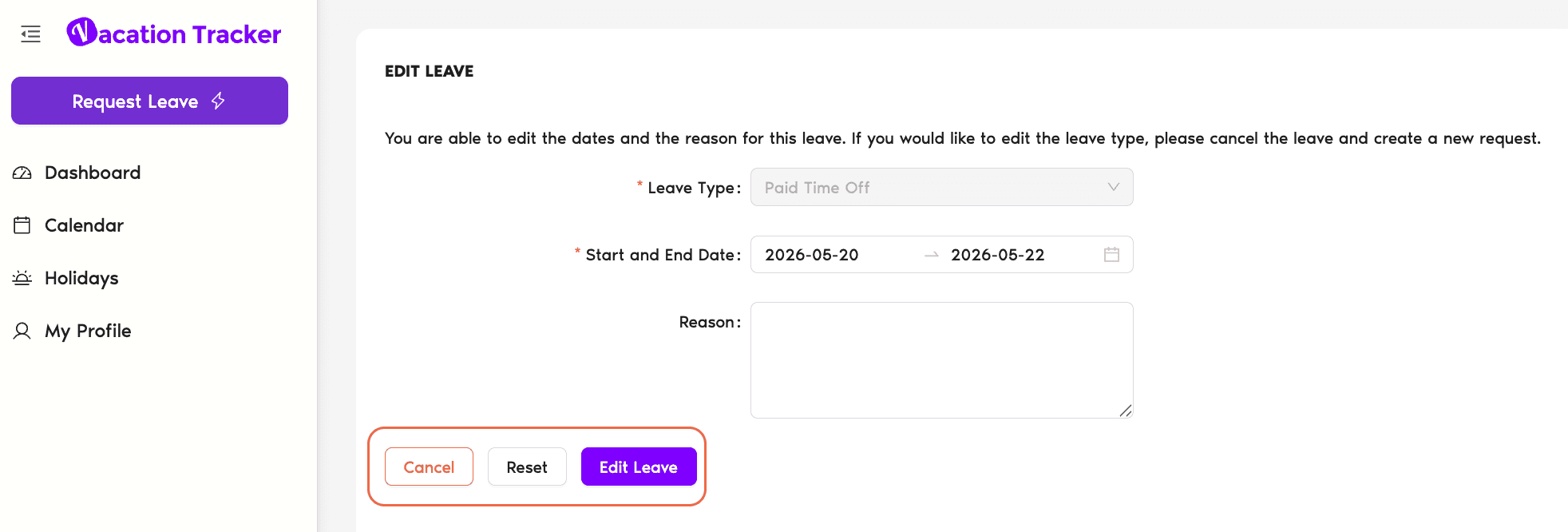
If your leave hasn't started yet, whether it's pending approval or already approved, you can change the dates, hours, or reason yourself from the Dashboard. The Leave Type and whether the leave is full-day, half-day, or hourly are locked once a request is created. To change either one, cancel the request and submit a new one.
Watch the tutorial
A short walkthrough of editing a pending or upcoming leave from the Dashboard:
Steps (Dashboard)
- Sign in at app.vacationtracker.io.
- On Home, find your leave in Pending Requests (if it's still awaiting approval) or Scheduled Leaves (if it's already approved).
- Click Edit on that leave's card.
- Change the dates, hours (for hourly / half-day leaves), or reason as needed. Leave Type is read-only on the Edit form, so you can't switch a Vacation request into a Sick Day. You also can't switch a full-day leave to a half-day or hourly leave, or the other way around.
- Click Save.
If the leave was already approved and you change its dates, the request goes back to pending and your Approver(s) need to re-approve it. The reminder schedule restarts from the beginning.
Common Questions
Each leave is bound to the Leave Type it was created with, the balance came from that Type's quota, the approval flow depends on it, and changing Leave Type mid-request would invalidate all of that. To switch Leave Type, cancel the existing request and submit a new one with the correct Type.
No. Switching between full-day and half-day or hourly counts as a different leave type, so you can't do it through Edit. Cancel the existing request and submit a new one with the duration you need.
Depends on what you change. Changing the dates sends the request back to pending, your Approver(s) need to re-approve. Changing just the reason typically doesn't re-trigger approval. The exact behavior is logged on the leave record so you can see whether re-approval is needed.
If the edit puts the request back into pending state, the reminder cycle restarts from step 1, your Approver gets the first reminder on the next business day after the edit. So a tiny edit can give the request another 7 business days of life before auto-expiring.
Admins and Approvers: You can reach us via live chat Monday to Friday, 9 AM – 5 PM EST, or email us anytime at hello@vacationtracker.io.
 Book a Call