



Last updated on October 23, 2026
Location Admin Training 4: Invite, Activate or Deactivate Users in Your Location (Email Only)
You can't add new users, but you can invite people in your Location who haven't joined yet, and activate or deactivate them.
Invite Someone
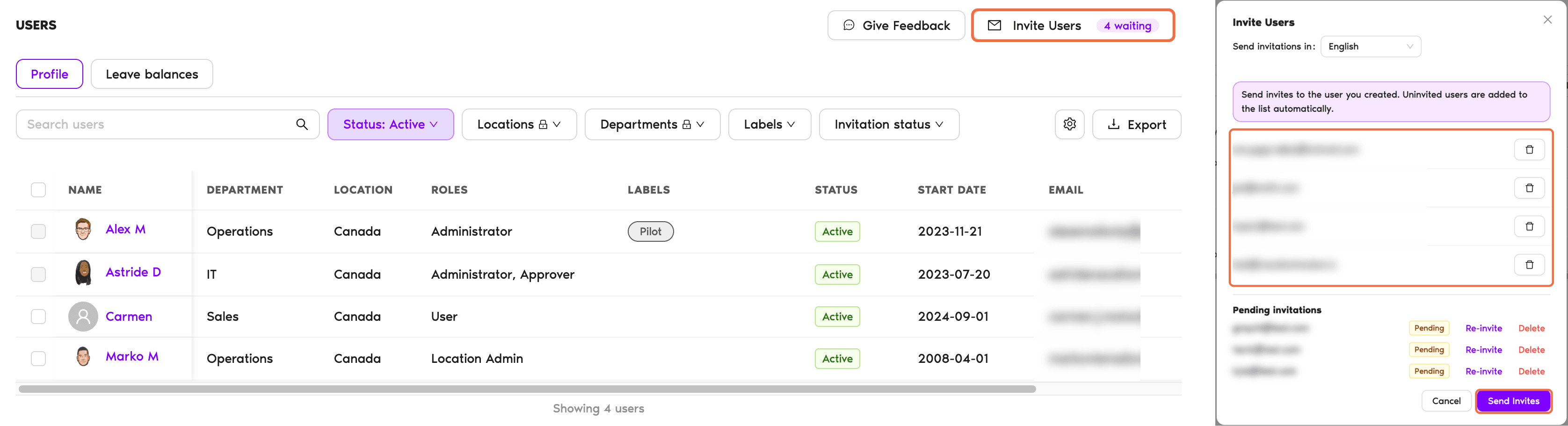
If someone in your Location hasn't joined Vacation Tracker yet, invite them from the Users page so they can sign in and request leave.
Deactivate a User
- Go to Users and find the person.
- Click the three-dot menu at the end of their row and choose Deactivate.
- Confirm with Deactivate.
To deactivate several people, tick them, then click Deactivate in the bar at the bottom of the page.
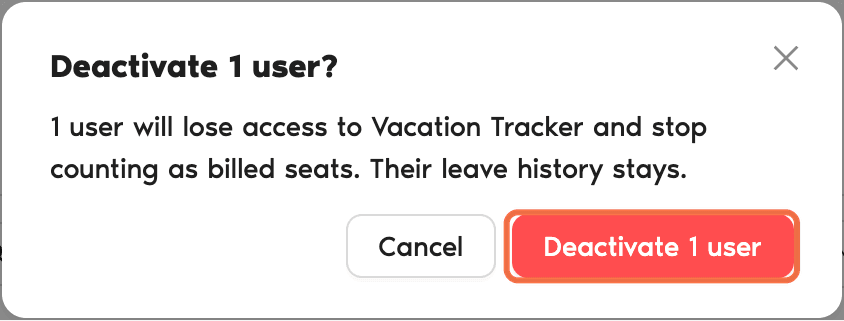
What Deactivating Does
Activate a User Again
- On Users, set the Status filter to Inactive.
- Click the three-dot menu on their row and choose Activate.
Check It Worked
The Status column shows Active or Inactive for the person.
Common Questions
Ask your Administrator. Only Administrators can add new users.
Administrators can't be deactivated directly. Ask an Administrator to change their role first.
 Book a Call