



Last updated on October 23, 2026
User Training 0: What You Do as a User (Slack)
Vacation Tracker is where you request time off, check your balance and see who's away. This training covers the essentials in 9 short articles. Start here.
What You Can Do
Who Approves Your Leave
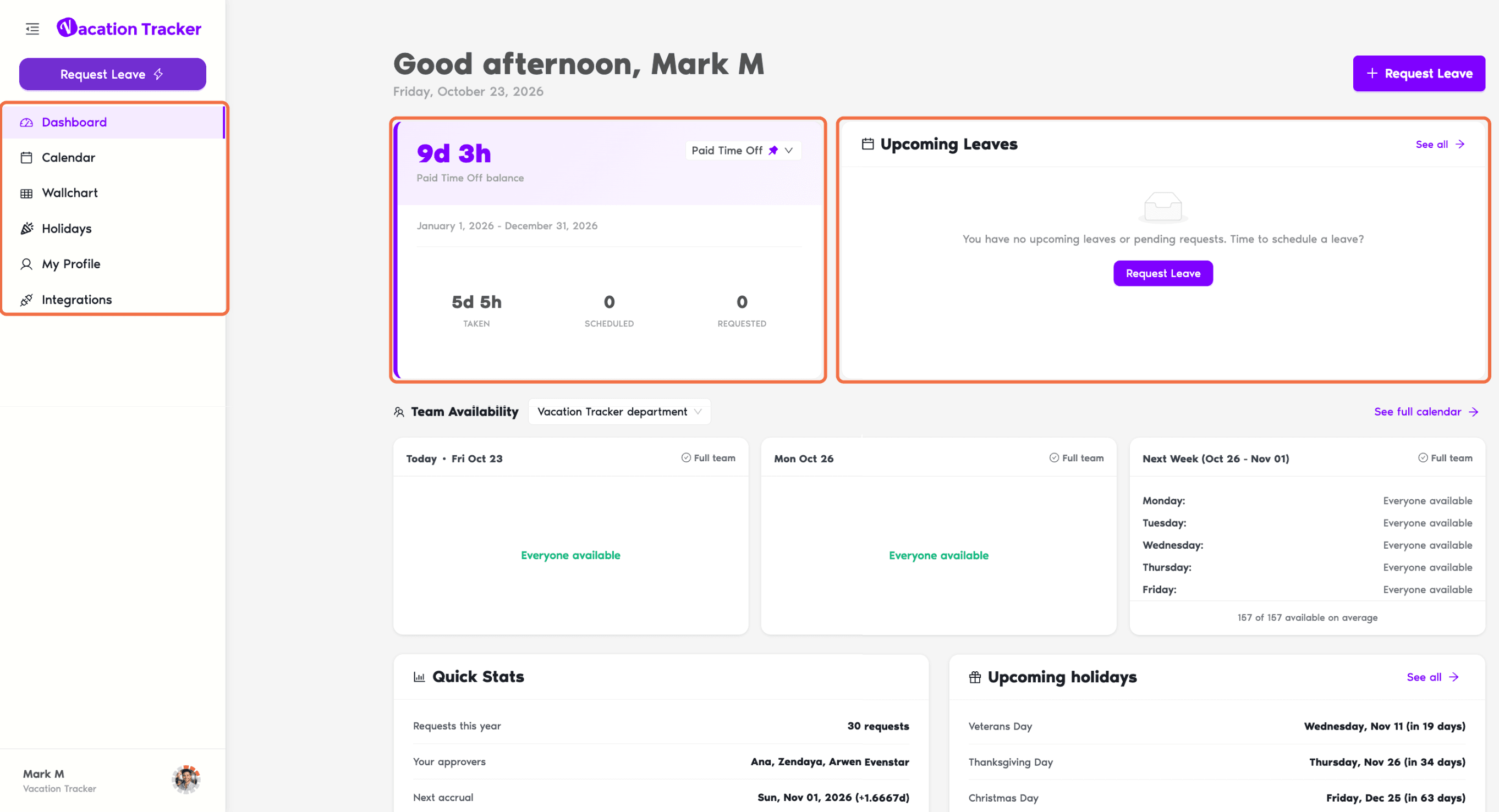
Your requests go to the Approver(s) of your Department. You'll find their names on your Dashboard under Quick Stats and on your profile under Approvers. Some leave types are approved automatically.
Find Your Way Around the Dashboard
Open the dashboard at app.vacationtracker.io, signing in with Slack. The left-hand menu has:
Click your name at the bottom of the menu for Account Settings, your language and color theme, and Log out.
In Slack
Type /vacation to request leave, check My status or open See more options. Vacation Tracker also messages you in the Vacation Tracker app in your direct messages when your request is answered.

Use Vacation Tracker From an AI Assistant
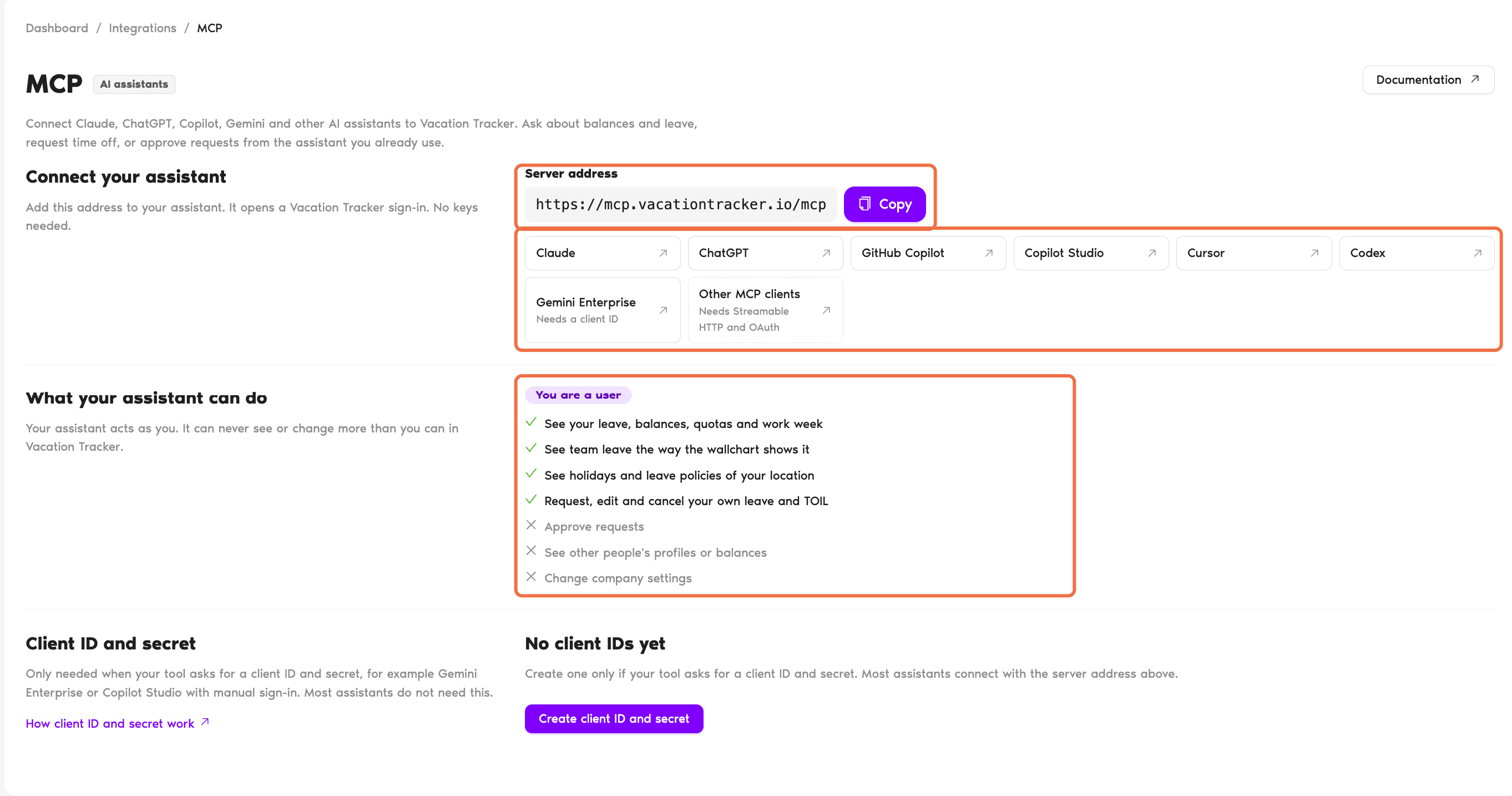
In the left-hand menu, click Integrations, then MCP. Copy the Server address and add it to Claude, ChatGPT, Copilot, Gemini or another AI assistant. It opens a Vacation Tracker sign-in, so no keys are needed. Then ask about your balance, check who's off or request time off from your assistant. It acts as you, so it can never see or change more than you can.
The Training Path
Each article covers one job. Follow them in order the first time.
- Request Leave in Slack: with /vacation.
- Request Leave in the Dashboard: and check your balance first.
- Check Your Leave Balance and History: and every request you've made.
- Change or Cancel Your Leave: when plans change.
- Know When Your Leave Is Approved or Denied in Slack: what Slack tells you at each step.
- See Who's Off and Upcoming Holidays: before you plan your time off.
- Ask the Vacation Tracker Bot in Plain Language in Slack: ask questions by chatting.
- Set Up Calendar Sync, Out-of-Office and Notifications: calendar, out-of-office and emails.
Common Questions
Your Administrator decides which features each role can see. If you need something that isn't in your menu, ask them.
Your Administrator or Location Admin sets your leave types, quotas and holidays. Your Approver answers your requests.
 Book a Call