



Last updated on October 23, 2026
User Training 1: Request Leave in Slack
Request time off right from Slack with /vacation.
Open the Menu
Type /vacation in any Slack message box and press Enter. Vacation Tracker replies with Request Leave, My status, See more options and Open dashboard. Only you can see this reply.

Send a Request
- Click Request Leave.
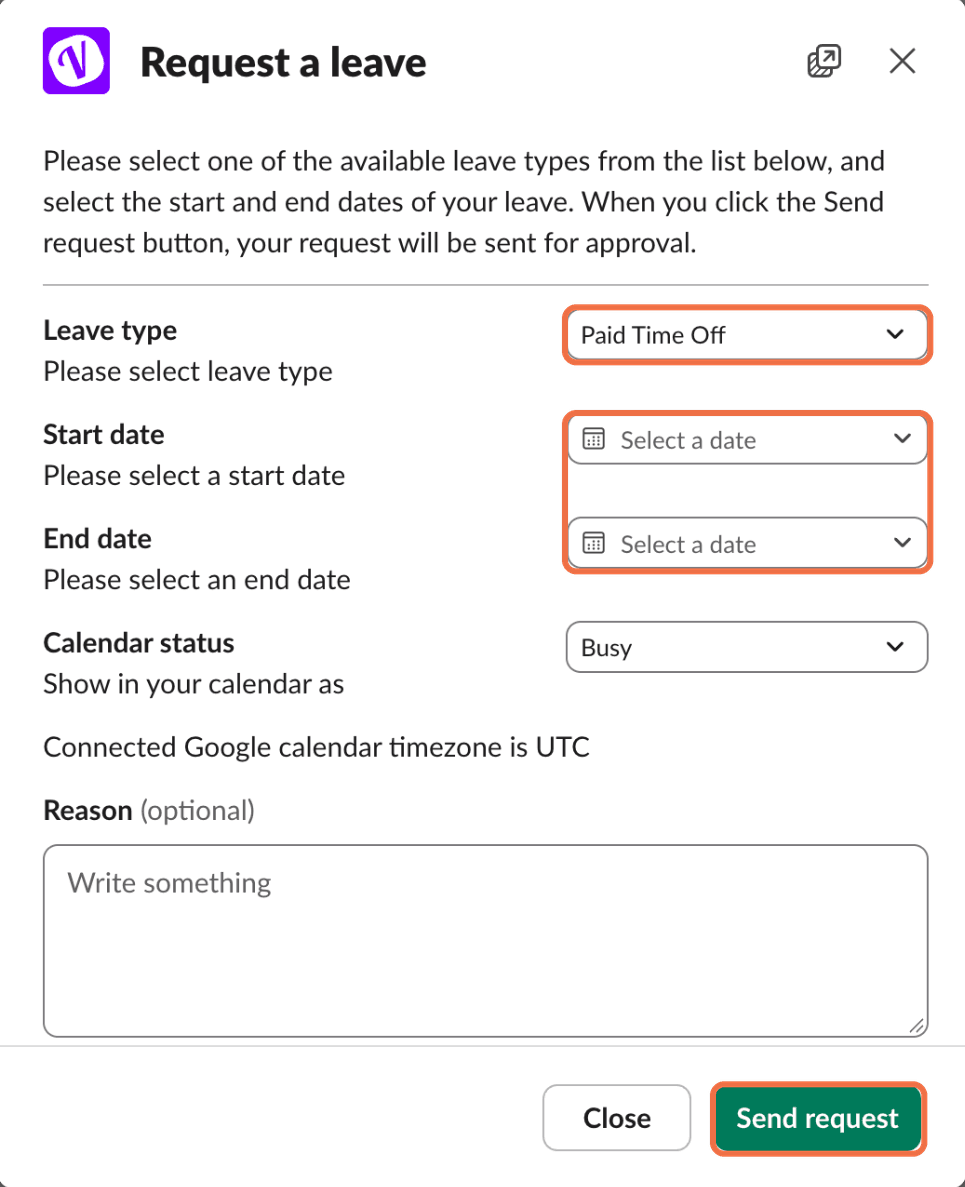
- In Request a leave, choose the Leave type.
- Choose the Start date and End date.
- If you've connected your personal calendar, choose the Calendar status.
- Add a Reason if you want.
- Click Send request.
For an hourly leave type, the form asks for a Date, Start Hour and End Hour with AM or PM instead.
Check It Worked
Vacation Tracker replies Your request is on its way to the approver with the details of your request.
Common Questions
Yes. Click My status in the /vacation reply.
No. Use the dashboard. The confirmation message has an Open dashboard button.
 Book a Call