Calamari, the HR software at calamari.io, combines leave management with time and attendance and other HR modules. Founded in Poland in 2014, the multilingual platform has gained users worldwide and praise from software review sites.
Companies looking for Calamari alternatives often want a dedicated leave tool, requests inside Microsoft Teams or Slack, or a different price structure from Calamari's per-module billing.
These six Calamari competitors cover different needs: multi-location policies, a shared holiday calendar, attendance in chat, and leave connected to AI tools.
We'd choose Vacation Tracker for multi-location teams on Microsoft Teams, Slack or Google Workspace; Timetastic for small UK businesses; and absentify for European companies on Microsoft 365. Leave Dates suits budget-conscious international teams, Day Off adds a basic time tracker, and AttendanceBot combines attendance and leave in chat.
Calamari alternatives compared
Monthly USD prices checked in November 2026. Paid prices are per user per month; minimum charges and taxes are shown where applicable.
| Tool | Best for | Monthly prices (every plan) | Free trial | Works in |
|---|---|---|---|---|
| Vacation Tracker | Multi-location teams with AI and HR connections | Core: $2; Complete: $4. Minimum 25 users on both plans | 14 days, no credit card | Microsoft Teams, Slack, Google Workspace, Outlook, web, iOS and Android |
| Timetastic | Small UK businesses | Business: $1.50; Pro: $2.50; Rota & Time Clock: $5.50 | 30 days, no credit card | Web and mobile; Microsoft Teams, Slack and Google Workspace integrations |
| absentify | European companies on Microsoft 365 | Free: $0; Mini: $1; Essentials: $2; Plus: $3.50, plus VAT | Paid test month on request | Microsoft Teams, Outlook and web; Slack notifications via webhooks |
| Leave Dates | Budget-conscious international teams | Starter: $1.40; Essential: $2.70; Plus: $3.40, excluding VAT | 30 days | Web and mobile; Slack daily summary on Essential |
| Day Off | Small teams needing leave and a basic time tracker | Free: $0, up to 10 users; Pro: $2, minimum $20/month; Pro + Time Tracker: $3, minimum $30/month | Yes, no credit card | Web and mobile; Microsoft Teams and Slack integrations |
| AttendanceBot | Attendance and leave inside chat | Free: $0, up to 5 users; Standard: $6; Pro: $9; Premium: $15 | 14 days, no credit card | Microsoft Teams and Slack |
1. Vacation Tracker
Best for multi-location teams on Microsoft Teams, Slack or Google Workspace.
Vacation Tracker connects leave to Claude, ChatGPT, Copilot and Gemini through an MCP connector and Open API on every plan, plus Vee, its built-in AI assistant. It connects to multiple HR and payroll systems, so you can keep leave data connected to the rest of your HR work.
The tool helps employees request leave and managers approve it. You can keep your team informed with daily or weekly notifications, create locations, set up leave policies and configure multiple leave types. The dashboard also lets you export reports and sync your calendar.
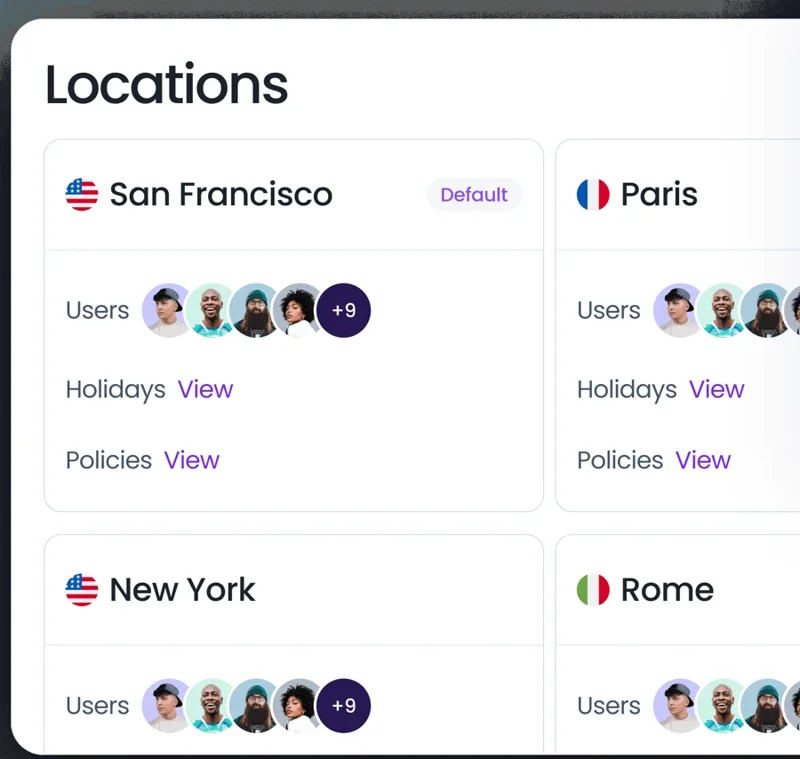
Each location can have its own country and state or province, holidays, time zone and workweek. Leave policies cover accruals, carryover, hourly leave and time off in lieu. Multi-level approvals and substitute approvers help route requests when a manager is away.
Microsoft Teams has a bot and tabs, including the Wallchart. The Slack AI bot accepts plain-language requests, and managers can approve in chat. Vee works in the dashboard, Microsoft Teams, Slack and mobile.
Monthly pricing and trial
Core is $2 and Complete is $4 per user per month. Both plans have a minimum of 25 users. Complete includes advanced policies, accruals, TOIL, multi-level and substitute approvals, and automations such as Blackout Period, Maximum Users Away and Probation Period. Both include MCP and the Open API.
The free trial lasts 14 days, with no credit card required. You can also request a free demo.
For a feature-by-feature view, see Calamari vs Vacation Tracker.
2. Timetastic
Best for small UK businesses that want a shared view of holidays and absences.
Timetastic suits small and medium businesses. Its live, interactive wall chart shows your team's work schedules, who's in, who's out and when. Managers handle absence requests and approvals, and can set up departments and leave types.
Timetastic now also lists a Rota & Time Clock option for businesses that need scheduling and attendance.
Its integrations include Microsoft Teams, Slack and Google Workspace. We compare it plan by plan in Timetastic vs Vacation Tracker.
Monthly pricing and trial
Business costs $1.50, Pro $2.50 and Rota & Time Clock $5.50 per user per month. The free trial lasts 30 days, with no credit card required.
3. absentify
Best for European companies that work in Microsoft 365.
absentify manages absences in Microsoft Teams and Outlook. It connects to Entra ID, supports Outlook out-of-office replies and has an in-app AI assistant. EU hosting, ISO 27001 certification and German-language support make it worth evaluating for European buyers with those requirements.
Microsoft Teams is its main chat environment. Slack receives webhook notifications; requests and approvals stay in Microsoft Teams, Outlook or the web app.
Multiple approvers, recurring absences and customizable notifications require Essentials or Plus; MCP and API access require Plus.
Monthly pricing and trial
Free costs $0, Mini $1, Essentials $2 and Plus $3.50 per user per month, plus VAT where applicable. You can request a free test month of a paid plan by emailing support. Billing includes inactive and archived users.
4. Leave Dates
Best for budget-conscious international teams.
Leave Dates manages leave balances and absences, with holiday calendars for more than 230 countries. Its wall chart and year chart show time off, while web and mobile apps let employees use the service away from a desk.
Slack receives a daily summary on Essential, and Essential also syncs leave to Outlook or Google Calendar.
Monthly pricing and trial
Starter costs $1.40, Essential $2.70 and Plus $3.40 per user per month, excluding VAT. The free trial lasts 30 days. Plus includes API, webhooks, Zapier and SSO.
5. Day Off
Best for small teams that want leave plus a basic time tracker.
Day Off combines leave types, balances and a calendar view with an optional time tracker. The time-tracking plan includes clock-in and clock-out mode, task tracking, projects and attendance review.
We'd shortlist it when you want to manage absences and recorded work time together.
Day Off connects to Microsoft Teams and Slack. Its Microsoft Teams integration handles leave requests, approvals and team updates.
Monthly pricing and trial
Free is $0 for up to 10 users. Pro costs $2 per user per month, with a $20 monthly minimum. Pro + Time Tracker costs $3 per user per month, with a $30 monthly minimum.
A free trial is available without a credit card.
6. AttendanceBot
Best for attendance and leave inside Microsoft Teams or Slack.
AttendanceBot combines time tracking and leave requests in the chat tools employees already use. It is worth comparing with Calamari HR software when your requirements include both absences and timesheets. For more options, see our AttendanceBot alternatives.
Its native Microsoft Teams and Slack integrations suit teams that want daily attendance work in chat.
Accruals are included on Pro; TOIL, probation and location-based rules require Premium, which matters when you replace Calamari software for a team with several offices.
Monthly pricing and trial
AttendanceBot is free for up to 5 users. Paid plans cost $6 (Standard), $9 (Pro) and $15 (Premium) per user per month. The free trial lasts 14 days, with no credit card required.
How to choose a Calamari alternative
Choose the tool that handles your leave policy and daily workflow. When comparing leave management systems, check:
- Where your team works. Look for requests and approvals inside Microsoft Teams or Slack, not just notifications.
- Locations. Each office may need its own holidays and policies, including different states or provinces.
- Time tracking. Decide whether you need clock-ins and timesheets in the same subscription as leave.
- Price at your headcount. Include minimum charges, the plan that has the features you need and any applicable tax.
Use our guide to switching leave tracking systems to plan the move.
Manage leave across every location.
Connect policies, approvals and balances to Microsoft Teams, Slack, Google Workspace and your AI tools.