AttendanceBot is a Microsoft Teams and Slack attendance bot for leave, time tracking and shift scheduling. Teams looking for AttendanceBot alternatives may need leave across several offices, Google Workspace support, or connections to AI tools and HR systems.
The right time off tracker depends on how you manage requests, office-specific policies and working hours. A shared absence calendar, a chat-based approval process and a timesheet solve different problems.
These five apps like AttendanceBot cover those needs, with monthly prices, free options and trials. The comparison distinguishes apps that handle requests in chat from integrations that send notifications.
Choose Vacation Tracker if you manage leave across offices in Microsoft Teams, Slack or Google Workspace; choose Calamari if you want leave, clock-ins and timesheets in one HR suite; choose Day Off if your small team needs leave plus a basic time tracker; choose Timetastic if your small UK business needs a shared view of absences; choose absentify if you're a small European team that wants a simple leave planner with German-language support.
AttendanceBot alternatives compared
Monthly USD prices checked in November 2026. Paid prices are per user per month; minimums and taxes are shown where applicable.
| Tool | Best for | Monthly prices (every plan) | Free trial | Works in |
|---|---|---|---|---|
| Vacation Tracker | Leave across offices with AI and HR connections | Core: $2; Complete: $4. Minimum 25 users | 14 days, no credit card | Microsoft Teams, Slack, Google Workspace, Outlook, web, iOS and Android |
| Calamari | Leave, clock-ins and timesheets in one HR suite | Time Off: $2.50; Time & Attendance: $3.00; Core HR: $2.50; Performance: $3.00; Scheduling: $3.00. Minimum 10 seats | 14 days, no credit card | Microsoft Teams and Slack integrations |
| Day Off | Small teams needing leave and a basic time tracker | Free: $0, up to 10 users; Pro: $2, minimum $20/month; Pro + Time Tracker: $3, minimum $30/month | Yes, no credit card | Web and mobile; Microsoft Teams and Slack integrations |
| Timetastic | Small UK businesses | Business: $1.50; Pro: $2.50; Rota & Time Clock: $5.50 | 30 days, no credit card | Web and mobile; Microsoft Teams, Slack and Google Workspace integrations |
| absentify | Small European teams; simple leave planning with German-language support | Free: $0; Mini: $1; Essentials: $2; Plus: $3.50, plus VAT | Free month of a paid plan on request | Microsoft Teams, Outlook and web; Slack notifications via webhooks |
| AttendanceBot (reference) | Attendance and leave in chat | Free: $0, up to 5 users; Standard: $6; Pro: $9; Premium: $15 | 14 days, no credit card | Microsoft Teams, Slack and web dashboard |
1. Vacation Tracker
Best for leave across several offices in Microsoft Teams, Slack or Google Workspace.
Vacation Tracker connects leave to AI tools through its Claude connector, ChatGPT plugin, MCP connector and Open API on every plan, plus Vee, its built-in AI assistant. Employees can request, change or cancel leave, approvers can approve requests, and admins can manage users, locations and policies within their permissions.
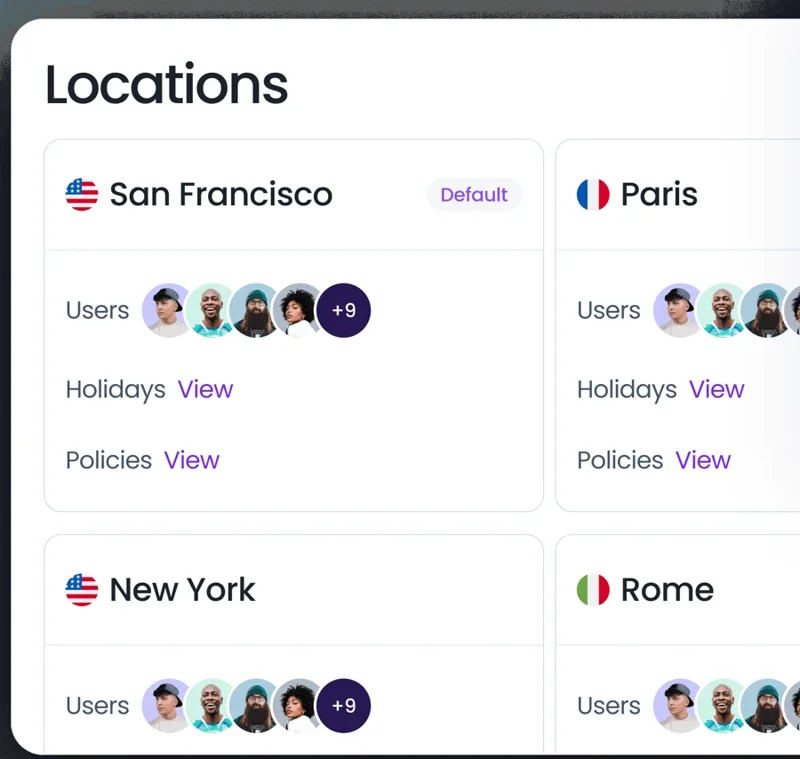
Each location has its own country and sub-location, public holidays, time zone and workweek. Leave policies cover accruals, rollover with expiry, hourly leave and time off in lieu. Requests go to approvers per department and sub-department, with multi-level and substitute approvals.
The AI bot in Microsoft Teams and Slack accepts plain-language requests and answers balance and policy questions. Microsoft Teams also has tabs, including the Wallchart; Vee works in the dashboard, Microsoft Teams, Slack and mobile. Daily or weekly who's-out summaries go to a channel or by email.
Vacation Tracker connects to multiple HR and payroll systems, including ADP Workforce Now, BambooHR, HiBob and Remote, and to Deputy for scheduling. Other connections include Linear, Google Calendar, Outlook Calendar, iCal, Claude connector, ChatGPT plugin, Zapier (7,000+ apps), Open API and MCP.
Monthly pricing and trial
Vacation Tracker pricing has a minimum of 25 users: Core is $2 and Complete is $4 per user per month. The 14-day free trial requires no credit card. You can also request a free demo.
Moving from AttendanceBot or a spreadsheet? Follow our guide to switching leave tracking systems.
For a feature-by-feature view, see AttendanceBot vs Vacation Tracker.
2. Calamari
Best for leave plus clock-ins and timesheets in one HR suite.
Calamari combines leave management with time and attendance and other HR modules. Employees can request leave and managers can approve it in Microsoft Teams and Slack. Its clock-ins and timesheets support attendance work alongside absences, and it has an MCP server and public API for connections to other systems.
For the full comparison, see Calamari vs Vacation Tracker.
Monthly pricing and trial
Time Off costs $2.50, Time & Attendance $3.00, Core HR $2.50, Performance $3.00 and Scheduling $3.00 per user per month. Calamari has a 10-seat minimum. The free trial lasts 14 days, with no credit card required. Pricing is per module, so include each module your team needs.
3. Day Off
Best for small teams that want leave plus a basic time tracker.
Day Off combines leave types, balances and a calendar view with an optional time tracker. Time tracking covers clock-in and clock-out, task tracking, projects and attendance review. Day Off connects to Microsoft Teams and Slack; its Microsoft Teams integration handles leave requests, approvals and team updates.
See Day Off vs Vacation Tracker for the leave-management comparison.
Monthly pricing and trial
Free is $0 for up to 10 users. Pro costs $2 per user per month, with a $20 monthly minimum. Pro + Time Tracker costs $3 per user per month, with a $30 monthly minimum. A free trial is available without a credit card.
4. Timetastic
Best for small UK businesses that want a shared view of absences.
Timetastic has a wall chart showing who's in and who's off, with web and mobile apps. Managers handle absence requests and approvals and can set up departments and leave types. It also offers scheduling and time-clock functionality for businesses that need to record working hours.
Its integrations include Microsoft Teams, Slack and Google Workspace. See Timetastic vs Vacation Tracker for the full comparison.
Monthly pricing and trial
Business costs $1.50, Pro $2.50 and Rota & Time Clock $5.50 per user per month. The free trial lasts 30 days, with no credit card required.
5. absentify
Best for small European teams that want a simple leave planner with German-language support.
absentify manages absences in Microsoft Teams and Outlook. It connects to Entra ID, supports Outlook out-of-office replies and has an in-app AI assistant. It is ISO 27001 certified and offers German-language support.
Microsoft Teams is its main chat environment. Slack receives webhook notifications; requests and approvals stay in Microsoft Teams, Outlook or the web app. See absentify vs Vacation Tracker for the comparison.
Monthly pricing and trial
Free costs $0, Mini $1, Essentials $2 and Plus $3.50 per user per month, plus VAT. A free month of a paid plan is available on request.
How to choose an AttendanceBot alternative
Compare AttendanceBot competitors against the work your team needs to do:
- Where your team works: distinguish requests and approvals inside Microsoft Teams or Slack from notifications sent to a channel. Include Google Workspace if your offices use it.
- Locations and policies: account for each office's holidays, accruals, carryover and approval rules, including differences between states or provinces.
- Time tracking: decide whether you need clock-ins and timesheets in the same tool, or leave data connected to your existing scheduling, HR and payroll systems.
- Price at your headcount: include every module, minimum user requirement, minimum monthly charge and applicable tax.
Use our guide to switching leave tracking systems to plan the move.
Manage leave across every location.
Connect policies, approvals and balances to Microsoft Teams, Slack, Google Workspace and your AI tools.