
Manage leave in Google Workspace with Vacation Tracker
Approve leave from your inbox, sync new people automatically and see every approved leave in Google Calendar.
Available on CoreComplete · 14-day free trial, no credit card
How to set up Vacation Tracker for Google Workspace
Sign up with Google
Create your Vacation Tracker account with your Google Workspace sign-in.
Sign up with GoogleSync your directory
Bring in people from your Google Workspace directory and set up locations, policies and approvers.
Choose your email updates
Pick who gets daily or weekly leave updates, and your team can start requesting leave.
Need more detail? Read the help desk guide.
What your team can do with Google Workspace
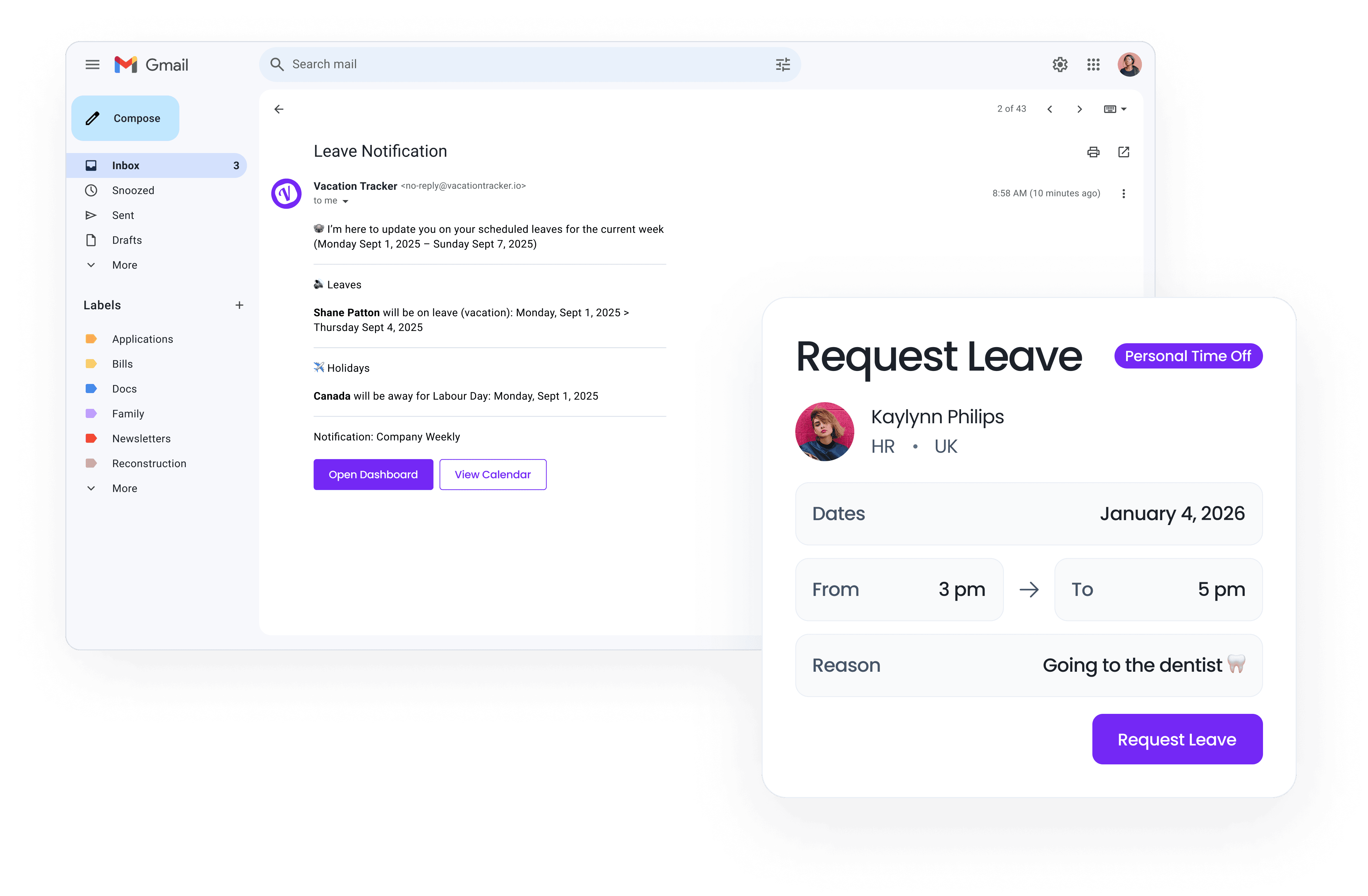
Approve requests from your inbox
Approvers get each leave request by email and approve it in a few clicks, and everyone is notified right away.
Get who's-out updates sent to Gmail
Daily or weekly emails show upcoming leave and holidays for each team, department or location you choose.
See approved leave in Google Calendar
Approved leave lands in Google Calendar, for each person or a shared team calendar, and updates when plans change.
Auto-sync new people
New people in your Google Workspace directory are added automatically, with leave prorated for mid-year hires.
Request leave in a few clicks
People request leave from the Vacation Tracker web app or the iOS and Android apps, signed in with Google.
Set your out of office in Gmail
Before your leave starts, a reminder lets you set a Gmail out-of-office reply that runs while you're away.
Google Workspace integration FAQ
What does Vacation Tracker for Google Workspace do?
Vacation Tracker connects to Google Workspace so people sign in with Google, requests and approvals arrive by email, and approved leave shows up in Google Calendar.
Is Vacation Tracker for Google Workspace included in every plan?
Yes. Google Workspace sign-in, user sync, email notifications and syncing your own Google Calendar work on both plans. A shared team calendar in Google Calendar is on the Complete plan.
Do I need to be a Google Workspace admin to sync users?
Yes. A Google Workspace admin needs to approve access before people can be synced from your directory.
Does Vacation Tracker sync with Google Calendar?
Yes. Approved leave and holidays sync to personal Google Calendars or a shared team calendar, and events update when leave changes.
Are new hires added to Vacation Tracker automatically?
Yes. Turn on automatic sync and new people in your Google Workspace directory are added, with leave prorated for mid-year starts.
Can I try the Google Workspace integration during the free trial?
Yes. Your 14-day free trial includes every integration, so you can set up Google Workspace before you choose a plan.
More Vacation Tracker integrations
Google Calendar
CalendarApproved leave appears as Google Calendar events and updates on its own when leave is changed or cancelled.
See how it works with Google Calendar
Zapier
No codeStart a Zap when leave is requested, approved or cancelled, and send the details to 7,000+ apps without code.
See how it works with Zapier
MCP Server
AIAsk Claude, ChatGPT or other AI tools who's out or what's left in a balance, with the same access you have.
See how it works with AI toolsWhat customers say
Reviewing time off balances is easy and the integration with Google Workspace for calendar and apps makes it very easy to access.
 Ophelia V. · Casa de SaludVP of Operations, Non-Profit · Capterra review
It makes payroll tracking a lot easier when we can easily click on each user.
 Shania B. · Hemming & Wealth ManagementOffice Manager, Financial Services · Capterra review
We were looking for a lightweight vacation management solution that could seamlessly integrate with the applications we already use, and Vacation Tracker turned out to be the perfect fit.
 Joel F. · Spice Technology GroupScrum Master / EDI Specialist · G2 review
Try Vacation Tracker in Google Workspace
14-day free trial. No credit card, no contract.
Rated 4.7 on Capterra and 4.4 on G2