






Last updated on November 6, 2026
How Do I See My Colleagues' Scheduled Leaves?
A few places, depending on how dense a view you want. Home shows today's and upcoming leaves at a glance, the Calendar page shows a month grid, and the Wallchart shows a horizontal team-wide grid. All three honor the same Department / Location / Label filters.
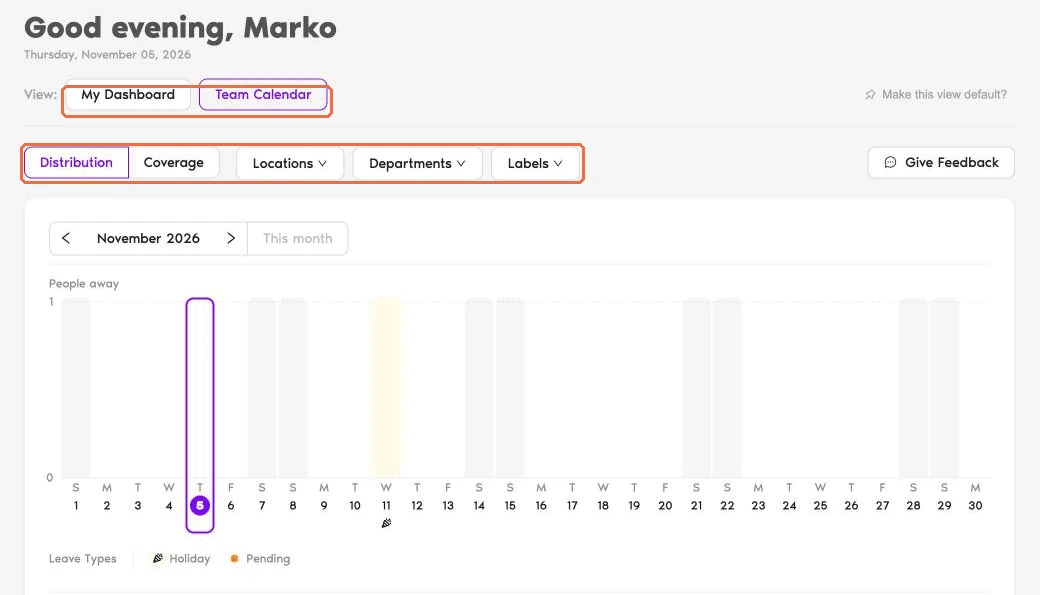
Home
On Home, switch the view to Team Calendar. Distribution shows how many people are away on each day of the month, and Coverage shades each day by the share of your team away and marks holidays and pending requests. Use Locations, Departments and Labels at the top to narrow it down. On My Dashboard, Leaves this week lists who's off this week, with Leave Types and Departments filters.
Calendar
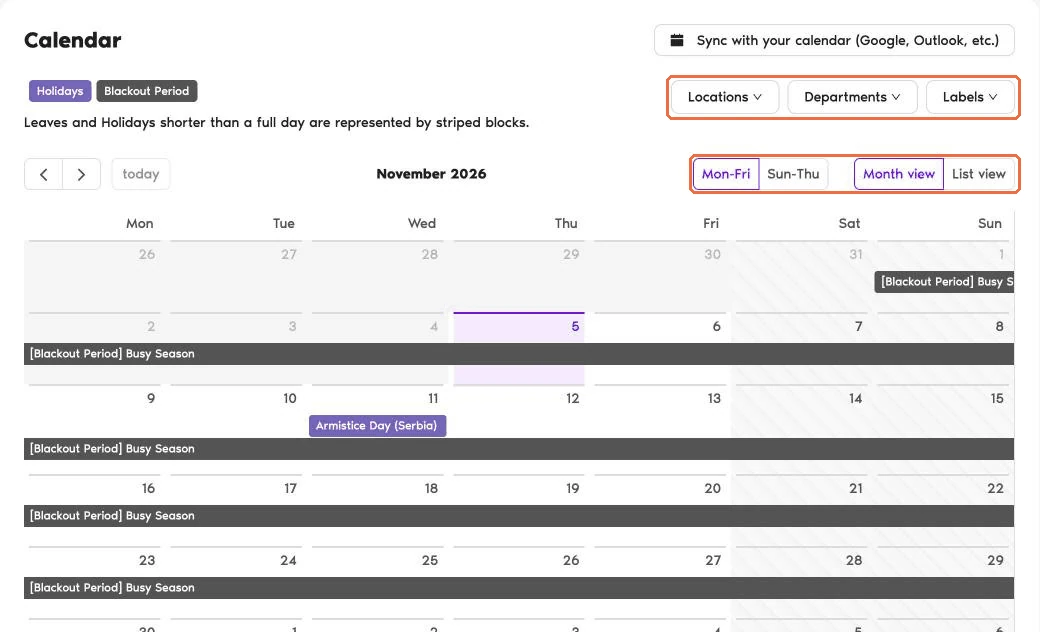
Click Calendar in the left sidebar. You get a month grid showing every approved leave and holiday, with leaves color-coded by Leave Type. Filter by Department, Location, or Label to focus. Switch between Month view and List view at the top-right. See Calendar View Information for the full breakdown.
Wallchart
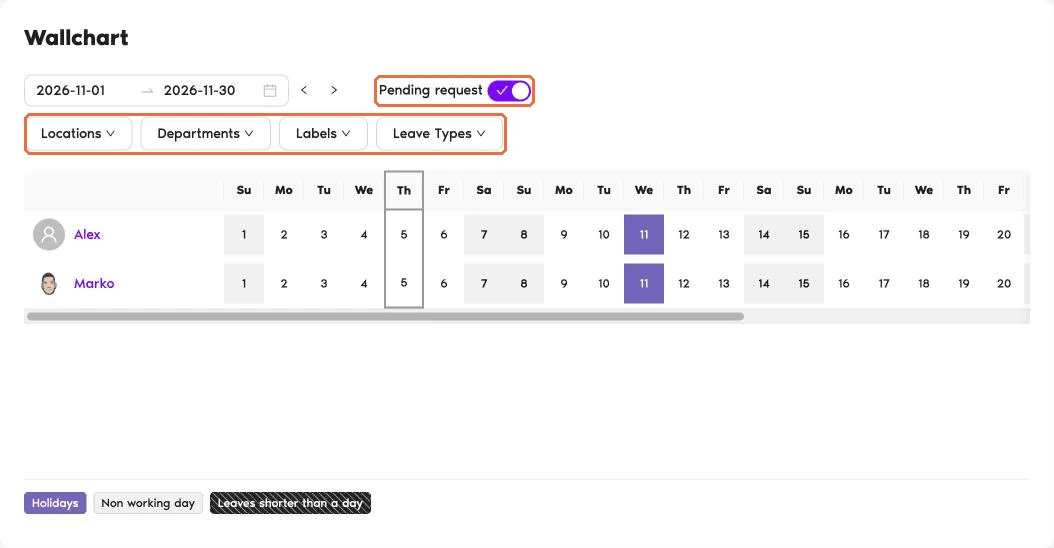
If your Admin has enabled Wallchart visibility for your role (via the Features and Permissions page), you'll also see a Wallchart tab in the left menu. It lays the team out as a horizontal grid, Users on rows, days as columns, leaves as colored blocks. Better for spotting overlap than the Calendar's date-grid view. See How Can I Use Wallchart?
What You'll See, and What You Won't
Common Questions
Your Admin has the Visibility Manager automation configured to limit visibility, typically to your own Department or to your personal leave records only. Ask your Admin to confirm the visibility scope set for your workspace.
That Leave Type has Hide Leave Type Name turned on (typically used for sensitive types like Sick Day or Medical Leave). Other Users see "unavailable" or similar; Admins and Approvers still see the actual type name.
On the Calendar and Wallchart, they render with a stripe pattern (versus solid blocks for full-day leaves) and the entry includes the time window. The Home page's leave panels also reflect them, with their hours alongside the requester's name.
Admins and Approvers: You can reach us via live chat Monday to Friday, 9 AM – 5 PM EST, or email us anytime at hello@vacationtracker.io.
 Book a Call