



Last updated on October 23, 2026
Location Admin Training 0: What You Do as a Location Admin (Google Workspace)
As a Location Admin, you run the setup for the Location or Locations you manage. This training covers the essentials in nine short articles. Start here to see what you manage and what stays with your Administrator.
What You Manage
Everything below applies only to the Location(s) you manage, called your Managed Locations. Your Administrator chooses them when they give you the Location Admin role.
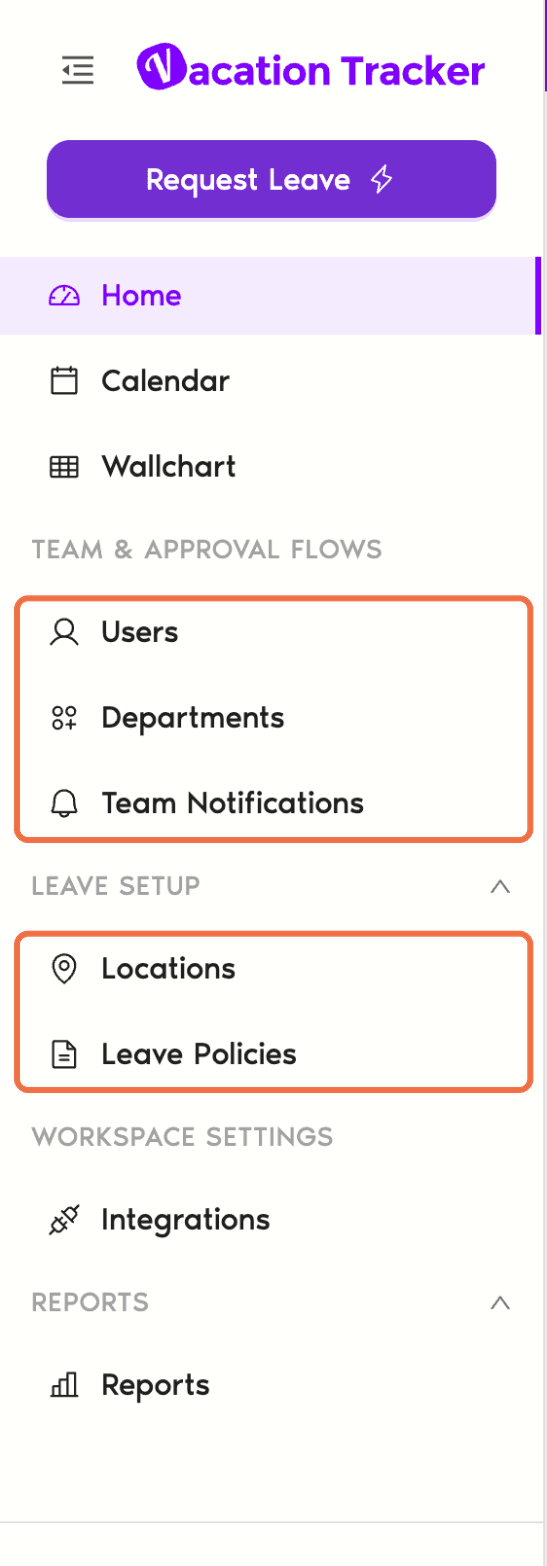
What You Can See
You can see Locations and users across the whole workspace, but you can only change the ones in your Managed Locations. On the Locations page, Locations you don't manage are greyed out and won't open. On another Location's user profile, there are no edit buttons.
What Stays With Your Administrator
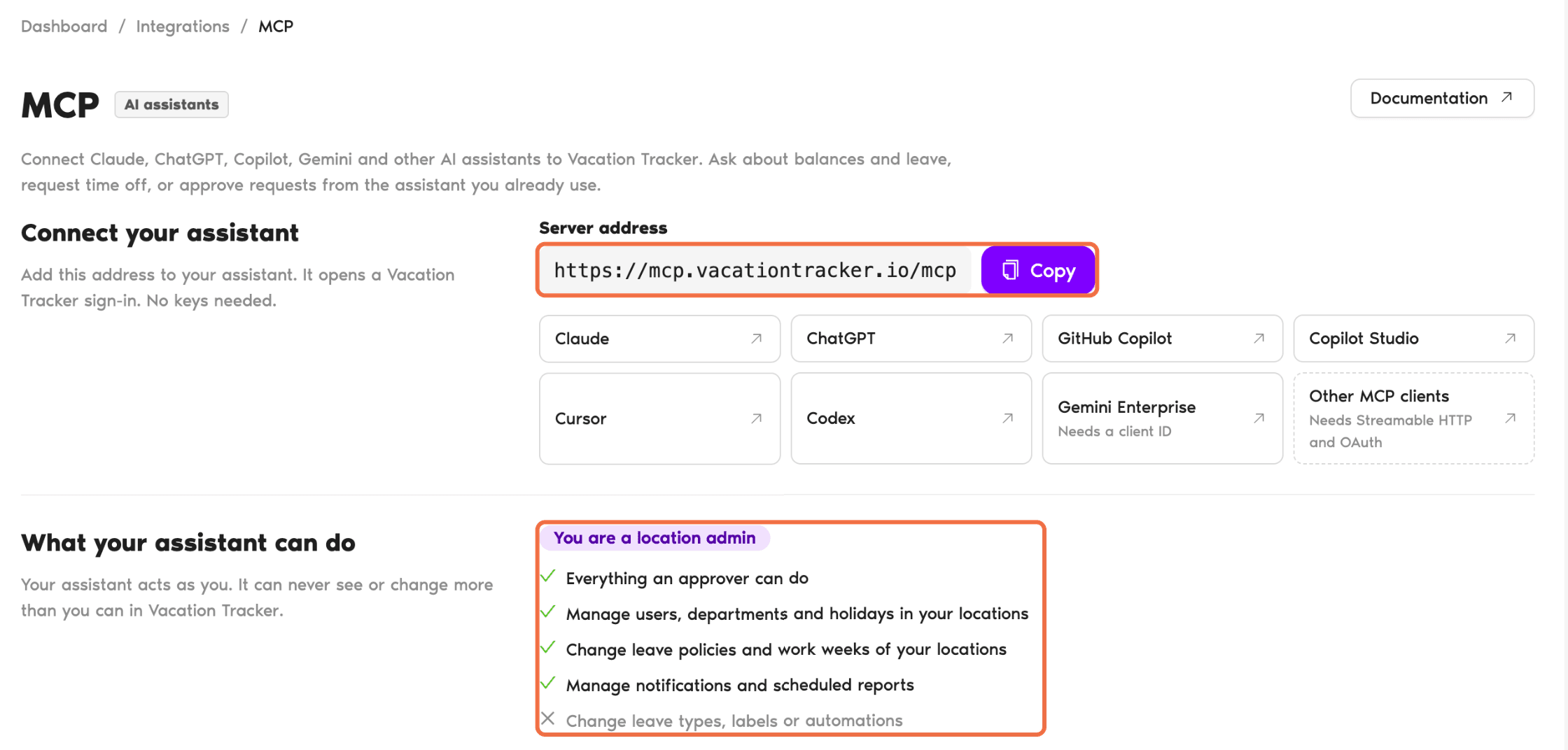
Use Vacation Tracker From an AI Assistant
Under Workspace Settings, click Integrations, then MCP. It shows how to connect Claude, ChatGPT, Copilot and other AI assistants to Vacation Tracker. Your assistant acts as you, so it can never see or change more than you can.
You request your own leave in the dashboard, like everyone else. If you're also an Approver on a Department, the Approver training covers answering requests.
The Training Path
Each article covers one job. Follow them in order the first time.
- Set Holidays and the Workweek for Your Location: holidays, workweek and length of workday.
- Decide What Time Off Your Location Gets With Leave Policies: what time off people in your Location get.
- Update a User's Profile, Working Days and Leave Quotas: keep each person's details and balance right.
- Invite, Activate or Deactivate Users in Your Location: who is active in your Location.
- Choose Who Approves Whose Leave With Departments: who approves whose leave.
- Add Leave for Someone in Your Location: when someone can't request it themselves.
- Send Leave Summaries and Birthday Messages to Your Team: keep your team informed.
- Export Leave and Balance Reports for Your Location: leave history and balances for your Location.
Common Questions
It isn't one of your Managed Locations. Ask your Administrator if you need to manage it.
Yes. Your Administrator can add several Locations to your Managed Locations.
 Book a Call