



Last updated on October 23, 2026
Admin Training 0: What You Do as an Admin (Google Workspace)
As an Administrator, you set up and run Vacation Tracker for your whole company. This training covers the essentials in ten short articles. Start here to see what you manage, how the pieces fit together, and the order to set things up.
What You Manage
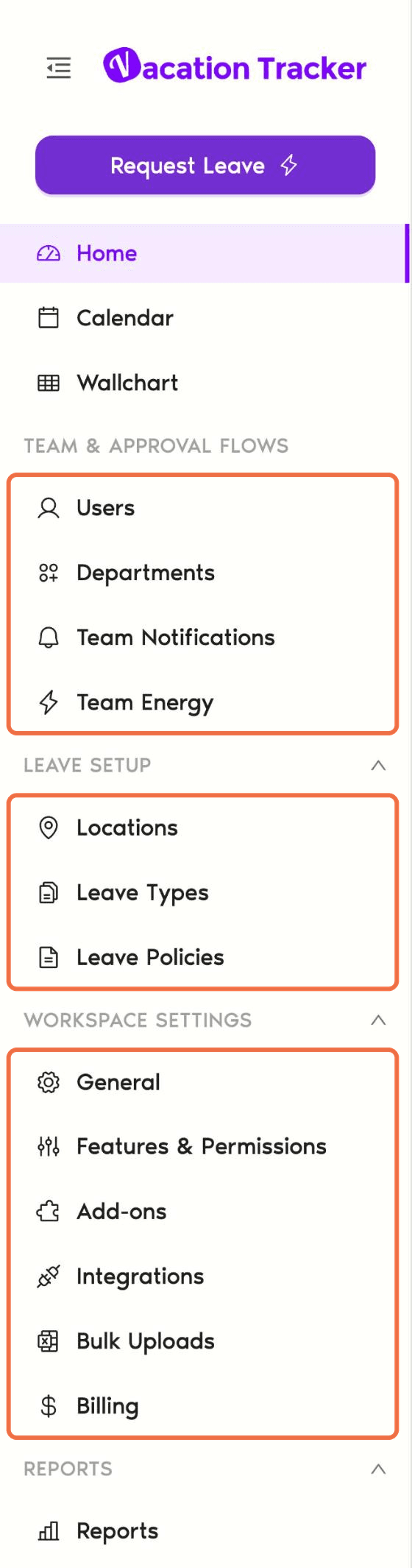
How the Pieces Fit Together
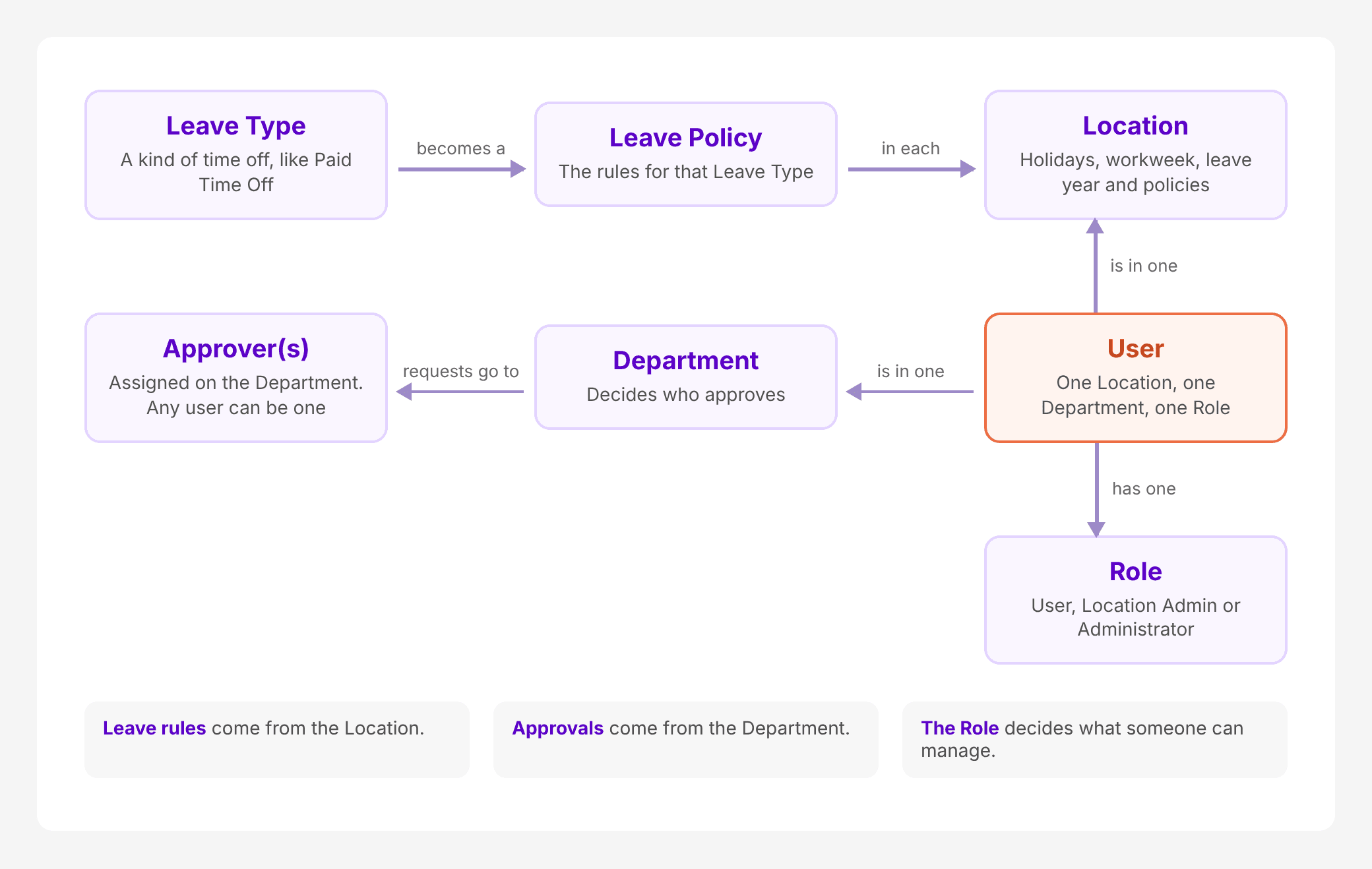
Remember two rules:
A user's Role decides what they can manage: User, Location Admin or Administrator. Approver is not a Role. It's an assignment on a Department, and any user can be one.
The Training Path
Each article covers one job. Follow them in order the first time.
- Connect Vacation Tracker to Google Workspace: sign up with Google.
- Set Up Locations, Holidays and Workweek: where people work and which days are off.
- Decide What Time Off People Get With Leave Types and Policies: what time off people get.
- Choose Who Approves Whose Leave With Departments: who approves whose leave.
- Add Users and Assign Their Location and Department: the right Location, Department and balance for everyone.
- Give Someone Admin or Location Admin Rights: share the work.
- Approve, Change or Add Leave for Anyone: your day-to-day job.
- Send Leave Summaries and Birthday Messages to Your Team: leave summaries and birthdays.
- Choose Which Roles Can See Each Feature: control access to features.
Go Further
Once the essentials are in place, these are worth a look:
Common Questions
Read articles 2 to 5 and check each area against its "Check It Worked" section. Start with Locations and Departments, because most problems trace back to a user being in the wrong one.
No. Each user has one Location and one Department. A user can still be an Approver for several Departments.
 Book a Call