Last updated on January 5, 2026
Unlimited PTO sounds great until you realize you still need to track it. Not because you don't trust your team, but because fairness, coverage, and legal compliance don't magically take care of themselves. I'm Annika from Vacation Tracker, and I've spent way too much time looking at how different tools handle unlimited time off policies.
Full transparency: my company is on this list. But so are our top competitors, because you deserve to see all your options and pick what actually fits your team.
Watch the full breakdown here:
Why You Actually Need to Track Unlimited PTO
Here's the thing about unlimited PTO: it's not really unlimited in practice. You still need to know who's off when, prevent coverage gaps, and (unfortunately) maintain records for legal reasons. Plus, research shows people with unlimited PTO often take less time off than those with set allowances. Tracking helps you catch that before burnout becomes a problem.
Vacation Tracker: Best Integration for Slack and Microsoft Teams
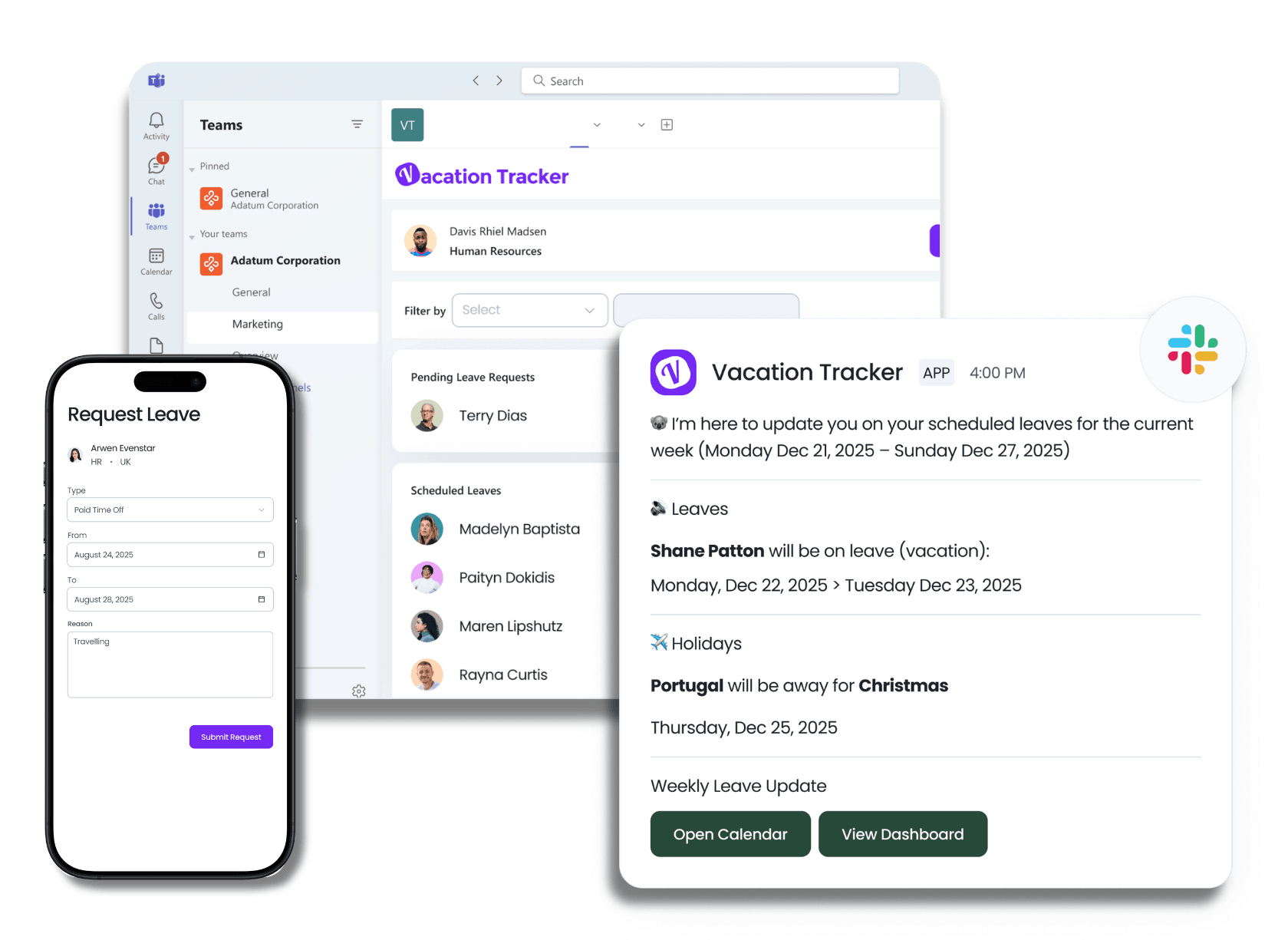
I'll start with our tool because, well, I work here. Vacation Tracker is built specifically for teams using Slack, Microsoft Teams, or email. Setup takes about 2 minutes, and your whole team gets integrated automatically.
Creating an unlimited PTO policy is straightforward. There are no confusing balance displays on the employee side, and managers get full visibility into who's off when and whether there are coverage conflicts. Everything gets logged automatically.
The best part? You request and approve time off directly in Slack or Teams. No separate app to log into, no training needed.
Key Features That Users Actually Love
- Automatic conflict alerts when too many people request the same dates
- Reports showing who hasn't taken time off (helps prevent burnout)
- Blackout periods for busy seasons
- Minimum time off requirements you can enforce
- Multi-level approvals with substitute approvers
- Location-based policies for distributed teams
- Calendar syncs
- Scheduled reports
- Time off in lieu tracking
Pricing That Makes Sense
We have a free plan with unlimited users (just one policy and one approver). If you need more features, our Core plan is $2 per user per month and our Complete plan is $3 per user per month.
Best for: Teams moving away from spreadsheets who live in Slack or Teams. Scales well for bigger teams too.
Try Vacation Tracker free (no credit card required for the free plan, 7-day trial for paid plans)
AttendanceBot: The All-in-One Workforce Tool
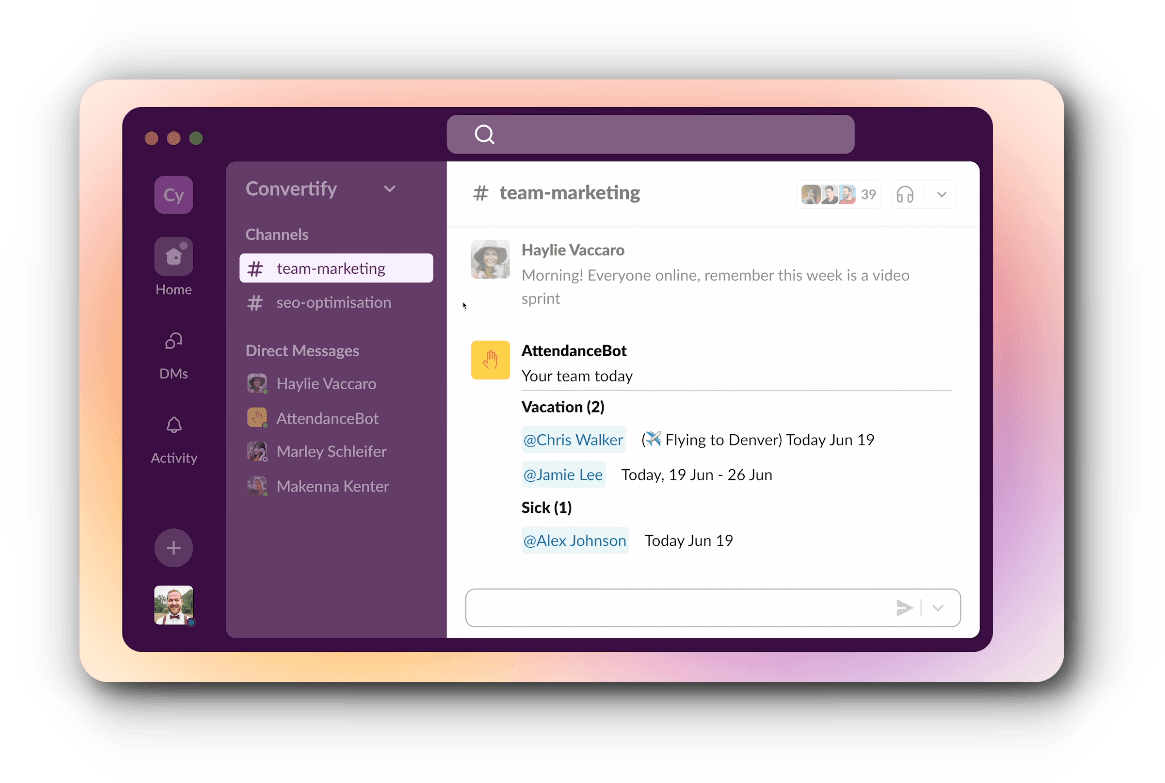
AttendanceBot isn't just PTO tracking. It combines unlimited PTO management with time clock functionality, project time tracking for billable hours, and shift planning. This tool also works inside Slack and Microsoft Teams.
The approval workflows are simple: employees request time off, managers approve based on business needs, and there are no accrual limits. The system tracks everything behind the scenes for easy reporting later.
They have a free plan capped at five users. Paid plans start at $4 per month per user and go up to $15 per month per user depending on features and billing cycle (monthly vs. annual).
Best for: Agencies, consultancies, or project teams that bill clients by the hour and need time tracking plus PTO in one system. If you only need PTO tracking, this is probably more than you need.
Day Off App: Built for Global Teams and Compliance
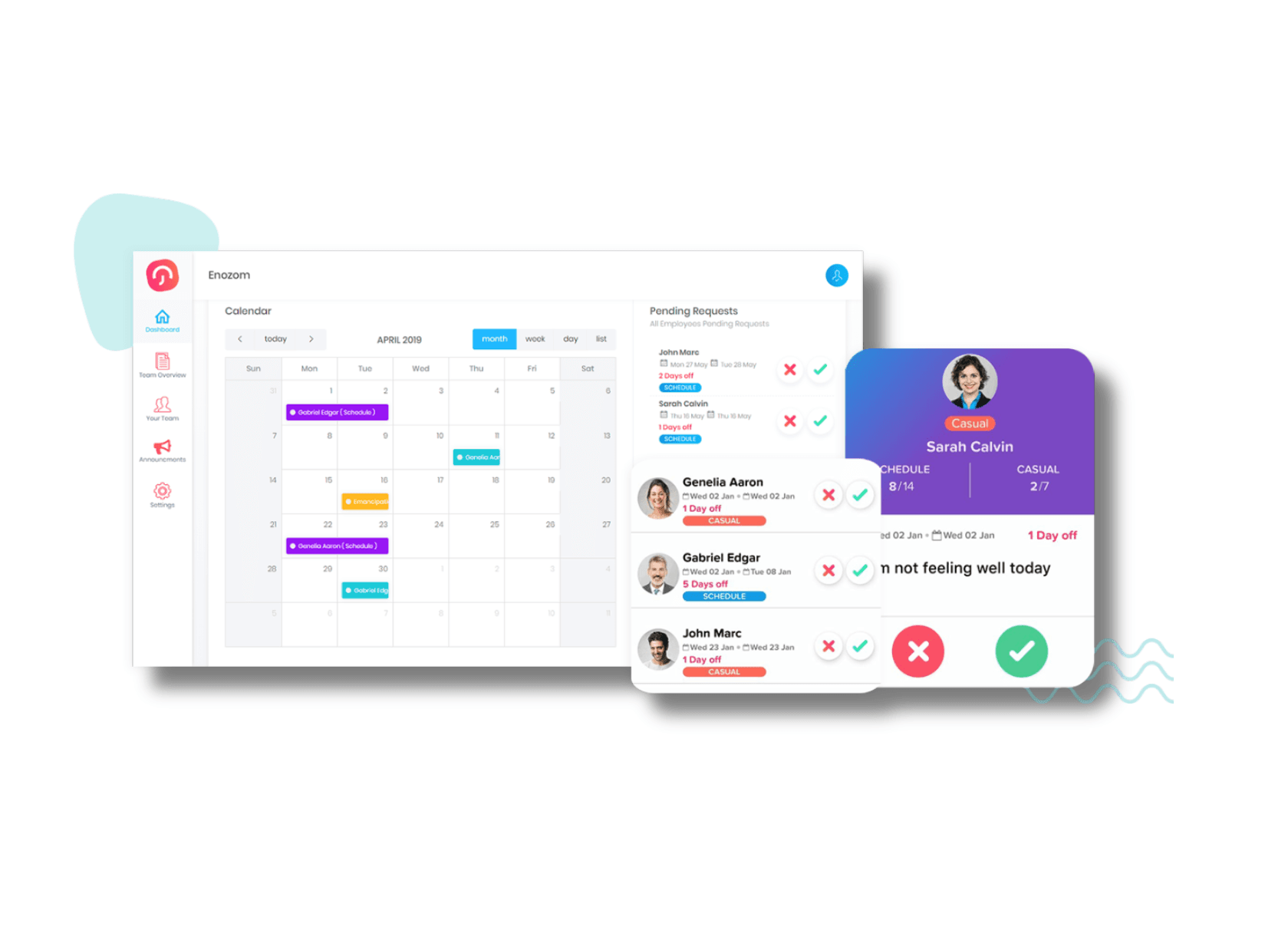
Day Off App handles what they call 'flexible leave policies' (their term for unlimited PTO). Setup is easy, and there are no balance caps.
What makes this different is that it's global-first by design (like Vacation Tracker). It handles multiple time zones seamlessly, has region-specific holidays per location, and strong calendar syncing features.
They have a free plan capped at 10 people (Vacation Tracker's free plan allows unlimited team sizes, but both limit you to one leave type and one approver). Their Pro plan costs $2 per month per user.
Best for: Distributed teams from 10 to 200 employees across multiple countries that need strong calendar integration and compliance documentation. The catch: most teams will need the Pro plan immediately since the free version is pretty restrictive.
Timetastic: Visual Dashboards for UK and EU Teams
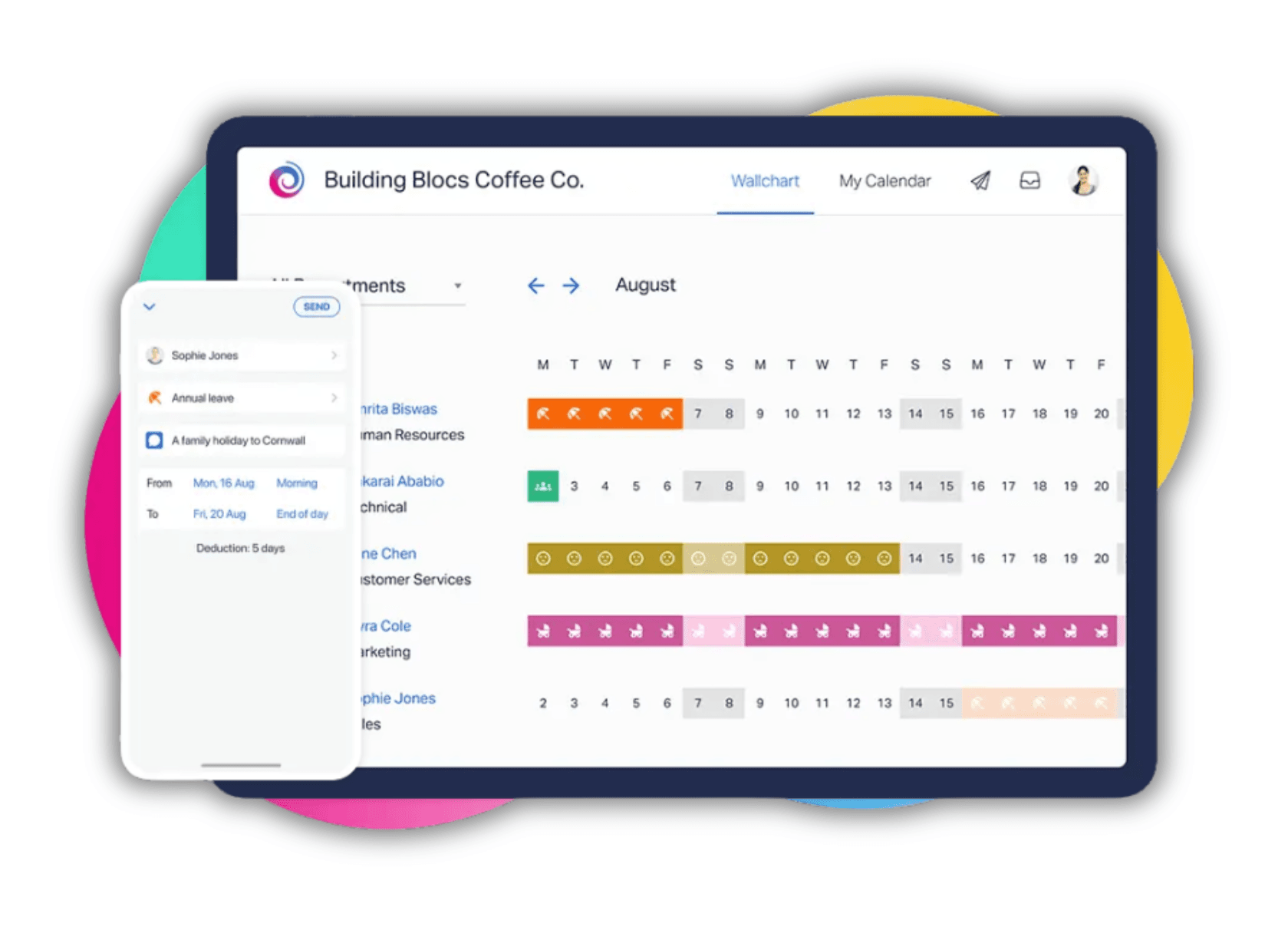
Timetastic is really good if you're a manager who wants a visual overview of unlimited PTO usage. You create unlimited custom leave types, remove balance caps, and it's pretty simple.
The wall chart visualization is something lots of users really like. It's color-coded and shows who's off when and why at a glance. (FYI, Vacation Tracker also has a similar wall chart.)
One feature that sets Timetastic apart: they highlight employees who haven't taken time off recently. With unlimited PTO, people often take less time than they should, and this helps you catch that before burnout hits.
Timetastic doesn't have a free plan, but they offer a 30-day free trial without requiring a credit card. Pro plan pricing starts at $2.50 per user per month.
Best for: UK or EU-based small businesses that prefer visual dashboards. Built with EU labor laws in mind.
Calamari: Modular HR That Scales With You
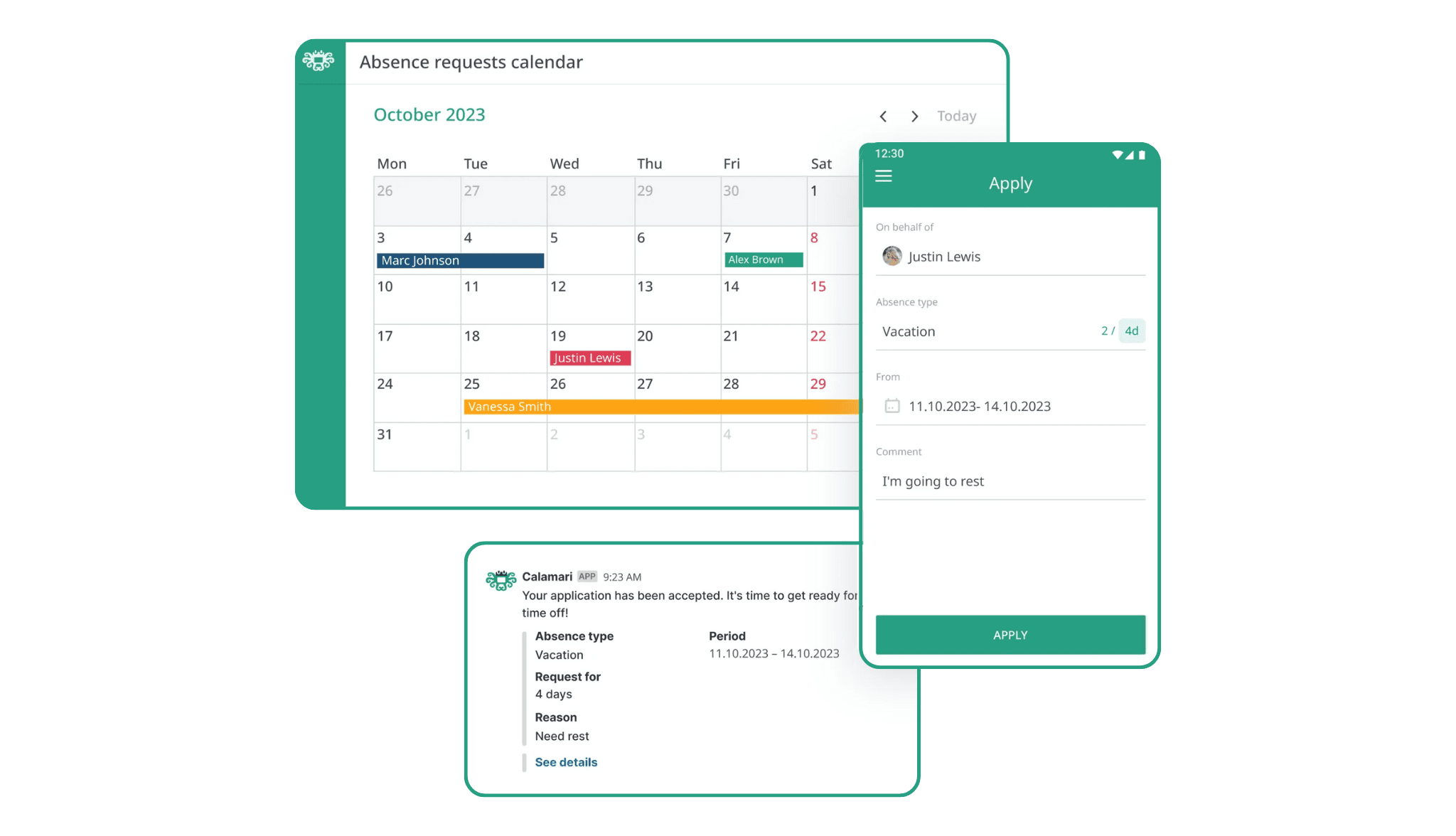
Calamari treats unlimited PTO as part of a bigger HR system you can build over time. Since the platform is modular, pricing depends on which modules you pick:
- Leave management: $2 per user per month
- Attendance tracking: additional $2.50 per user per month
- Core HR features: additional $1.50 per user per month
You can start with just leave management today and add other modules as you grow. They offer a 14-day free trial.
Best for: Growing companies (think Series A or B stage startups) that want to start with PTO tracking now and expand into full HR over time. Really strong for healthcare, agencies, and remote-first companies.
Which Tool Should You Actually Choose?
Choose Vacation Tracker if your team lives on Slack or Microsoft Teams and you want the fastest setup (literally 2 minutes). Also if budget matters and you're focused specifically on PTO tracking.
Choose AttendanceBot if you bill clients by the hour and need time tracking and PTO combined, or if you have shift workers or project-based teams.
Choose Day Off App if you're managing teams across multiple countries, calendar integration is critical, and you need strong audit trails (though other tools cover these features too).
Choose Timetastic if you prefer visual dashboards over reports and you're a UK or EU-based company.
Choose Calamari if you're scaling fast and want modular HR you can expand as you grow.
Your Action Plan
Here's what to do next:
- Pick the tool that fits your use case
- Start with a free trial or free plan
- Set it up with your team
- Review how the PTO tracking feels in practice
If you want to try Vacation Tracker, we have a free plan and a 7-day free trial for paid plans. Get started here.
And if you go with a competitor? We genuinely hope it works well for you. The right tool is the one that actually gets used by your team.

Annika Helendi
Annika is a fan of marketing and AI.