
Last updated on December 1, 2025
Vacation Tracker's Free Plan: What You Get and How to Set It Up
Vacation Tracker recently launched a completely free plan for teams that want to automate their PTO tracking without spending a dollar. I walked through the setup process and tested the features to show you exactly what's included, how it compares to the paid tiers, and who should use it.
Watch the full walkthrough here:
What's Actually Included in the Free Plan
The free tier isn't a trial that expires after two weeks. It's a permanent option that works for an unlimited number of users. That's the good part.
Here's what you get:
- Unlimited PTO request management for your entire team
- One location (so if your team spans multiple countries with different leave policies, you're out of luck)
- One department
- One leave type (vacation, sick leave, whatever you choose)
- One approver
- PTO notifications to keep everyone informed
- Integrations with Slack, Microsoft Teams, and Google Workspace
The wallchart and calendar views are available too, which helps when you're planning projects around team absences. You can see who's out and when, which matters more than you'd think when deadlines start piling up.
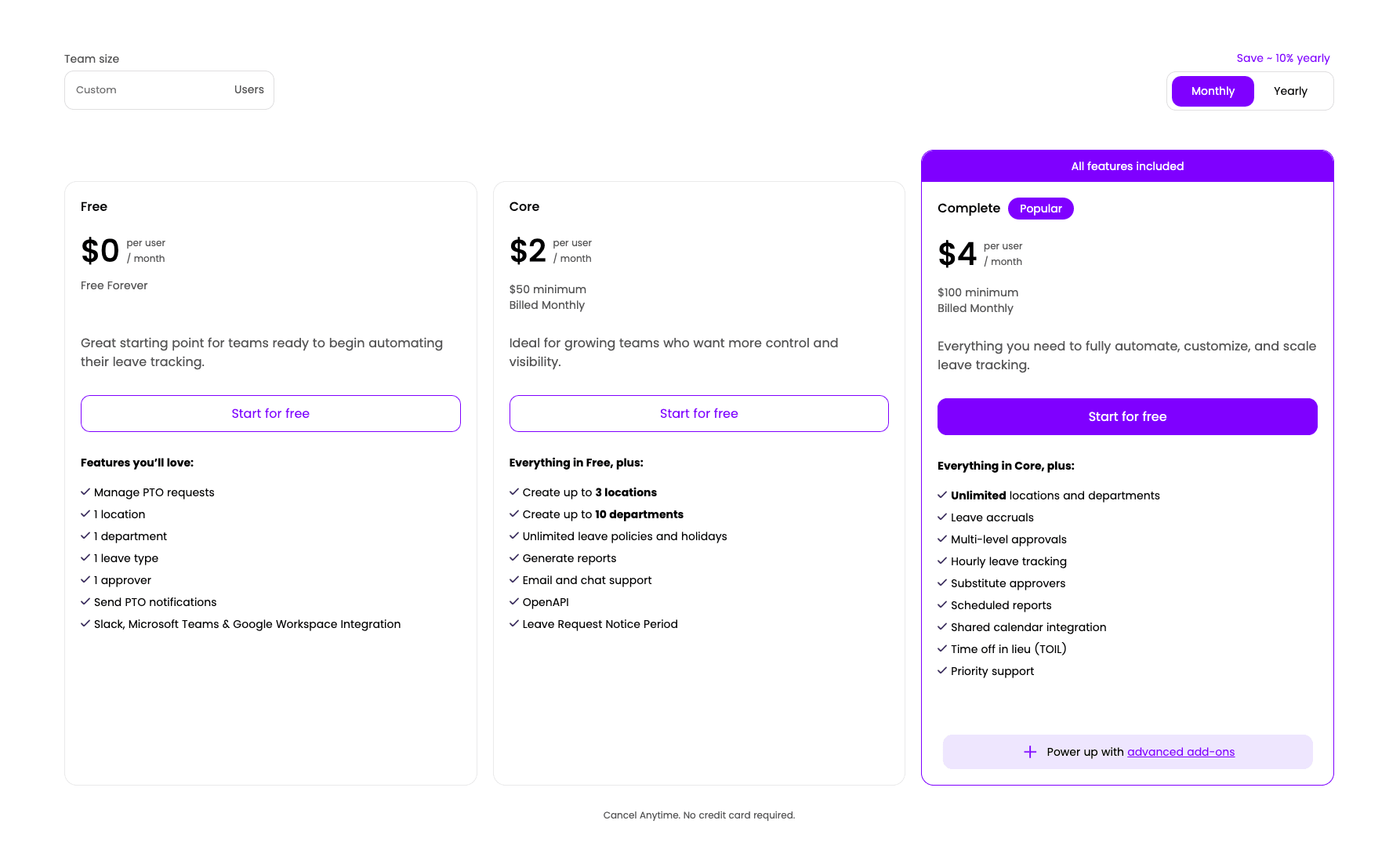
How the Paid Plans Compare
The free plan handles basics, but most growing teams will hit its limits pretty fast. That's when the paid options start making sense.
Core Plan ($2/user/month)
This tier costs $2 per user monthly with a $50 minimum. You get a 7-day free trial to test it out.
Core adds:
- Up to three locations (useful if you have teams in different countries with varying leave laws)
- Up to 10 departments
- Unlimited leave policies and holidays
- Report generation
- Open API access
- Leave request notice periods (so employees can't request tomorrow off today)
The location feature matters if you're managing teams across borders. Different countries have different mandatory holidays and leave requirements. Core lets you customize policies for each location.
Complete Plan ($4/user/month)
This is the full package. Everything from Free and Core, plus:
- Unlimited locations and departments
- Leave accruals (automatic leave balance calculations)
- Multi-level approvals (request goes through manager, then department head, for example)
- Hourly leave tracking
- Substitute approvers
- Scheduled reports
- Time off in lieu
Complete makes sense for larger teams or companies with complex approval hierarchies. The accrual system alone saves hours of manual calculation each month.
You can see the full feature breakdown on the Vacation Tracker pricing page.
Setting Up Your Free Account in Five Minutes
I created a test account to show you the actual process. It's straightforward.
Go to the Vacation Tracker website and click 'Start for Free' on the free plan. You'll hit a signup page that asks for:
- Email address
- First and last name
- Password
- Company name
- Country
- How you heard about us (optional but helpful for them)
Accept the terms and create your account. The system walks you through a quick onboarding to configure your workspace.
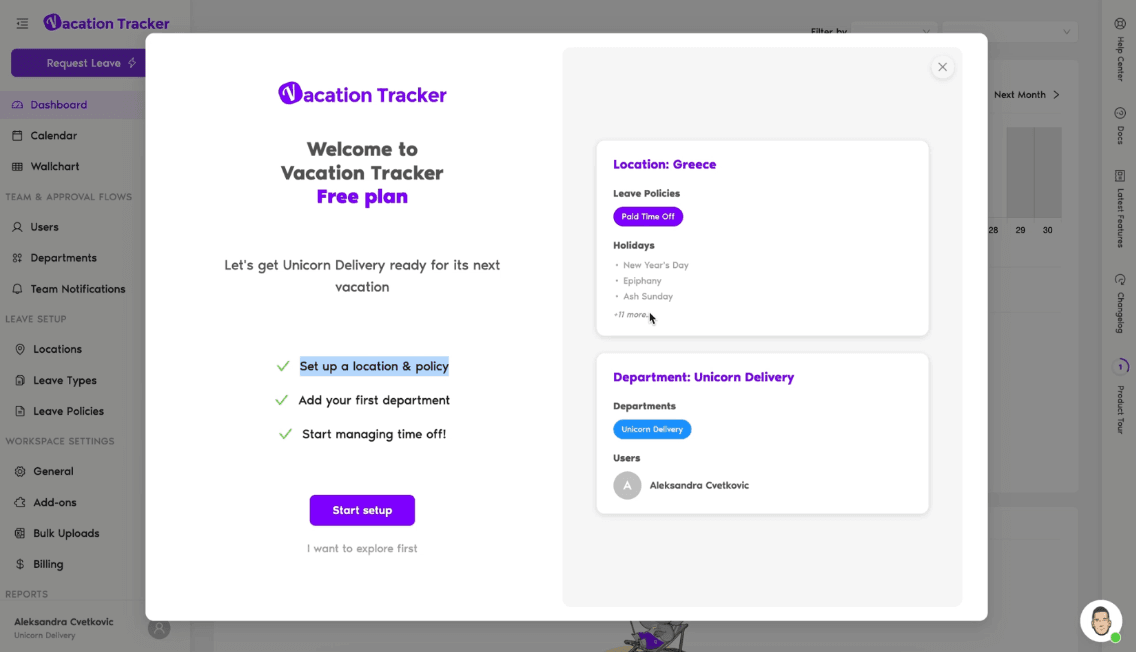
Step 1: Location and Policy Setup
First, confirm your location. I picked Greece for this test. The system asks if you want to change the location name (you probably don't need to).
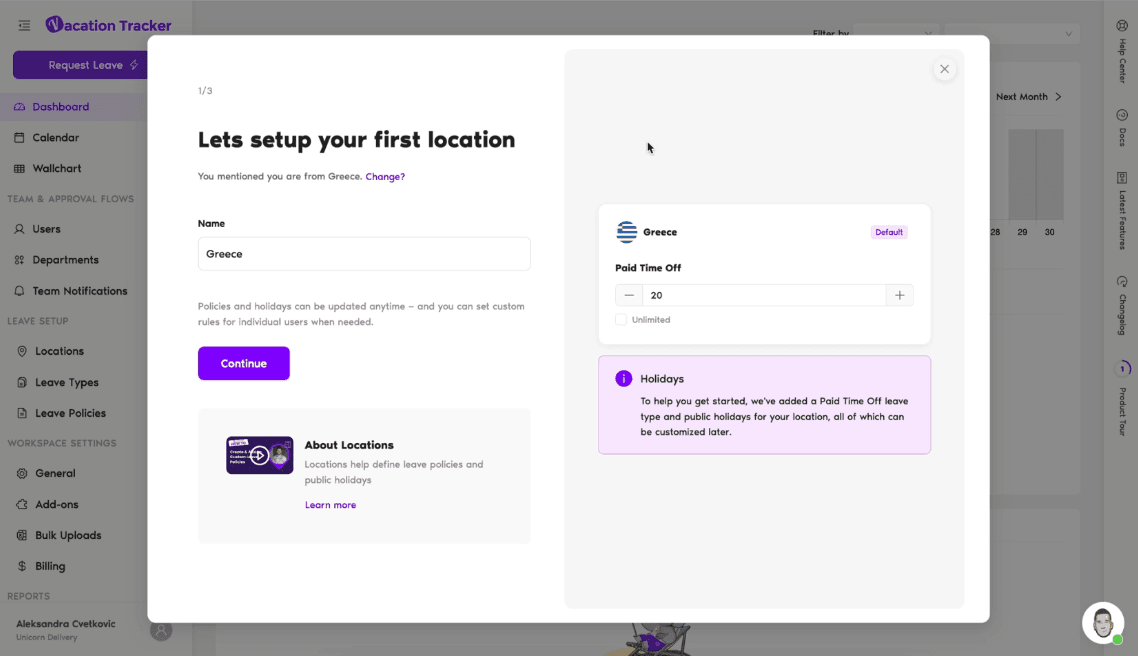
Then you set up your single leave type. The default is 'Paid Time Off.' You choose how many days you offer annually, or you can select unlimited days. That's it for this step.
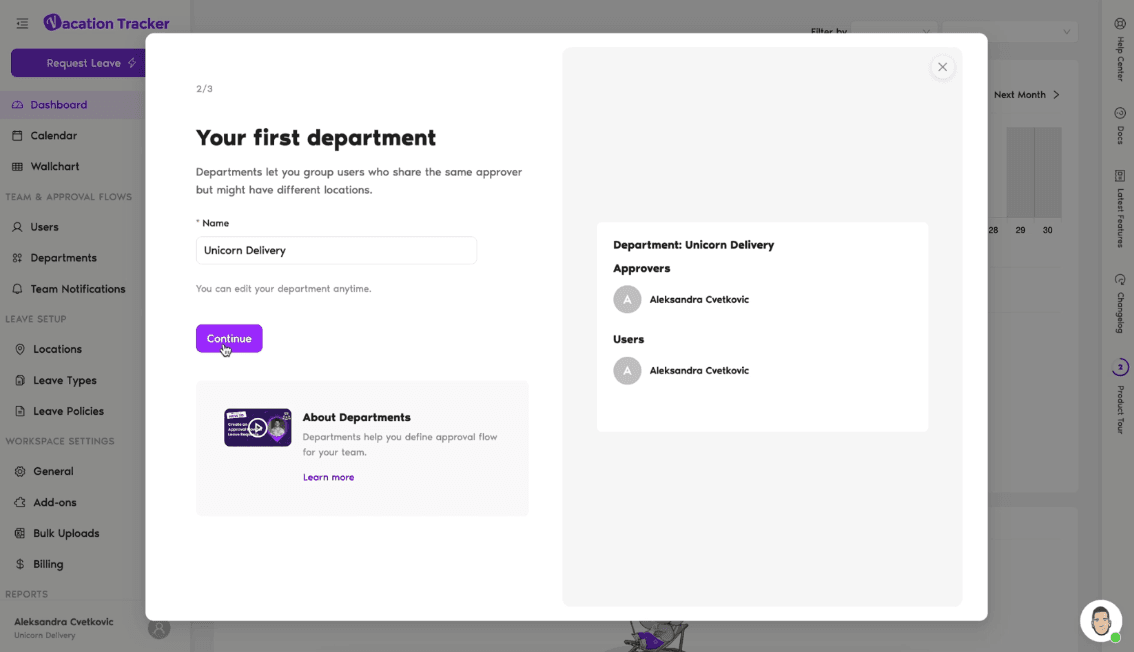
Step 2: Department Configuration
Name your department. The system defaults to your company name, which works fine for most small teams. Click continue.
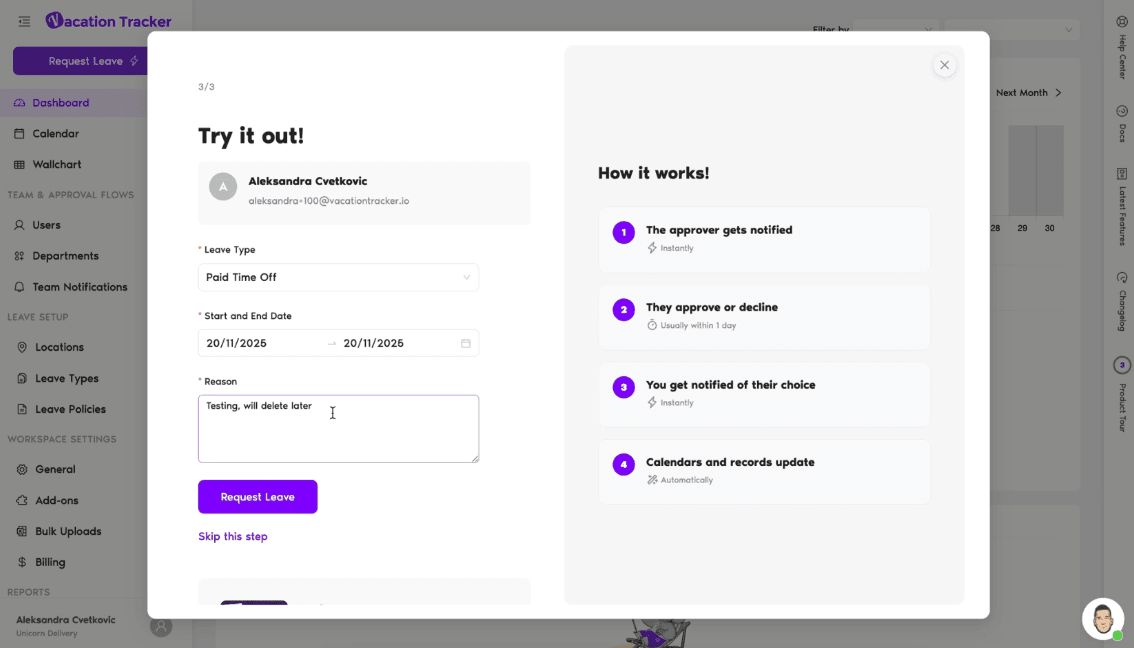
Step 3: Submit a Test Request
The onboarding asks you to submit a test leave request so you can see how the system works. Pick your leave type, select dates, add a reason if you want, and submit. Since you're the approver in this setup, you'll see the request immediately in your dashboard.
What the Dashboard Actually Does
Once you're in, the dashboard shows pending requests, upcoming absences, and team availability. You can approve or deny requests directly from this view.
The Wallchart displays everyone's time off in a visual timeline. Helps when you're trying to figure out if you can schedule a team meeting next Tuesday or if half your developers will be gone.
The calendar view shows the same information in a monthly format, with holidays marked automatically based on your location.
User Management
The Users tab lets you manage your team members. Click on any user to see their profile, which shows:
- Department assignment (remember, just one on the free plan)
- Approval level (single-level only)
- Approver assignment
Notifications
Team notifications are actually useful. You can set up daily or weekly digests that show who's taking time off soon. Makes it easier to plan work without constantly checking the calendar.
Location Options
You can configure:
- Time zone
- Workweek (which days count as working days)
- Week start day
- Fiscal year start date
- Whether leave quotas reset based on accounting year or employee start dates
The holidays section auto-imports public holidays based on your location. You can add custom holidays or import additional ones if needed.
The leave policy section lets you customize how your single leave type works:
- Approval required or automatic approval
- Unlimited days or a set number
- Negative balance allowed or not
- Reason required for requests
- Brought forward settings (can employees carry unused days to next year)
Features like accruals and time off in lieu show up here but they're grayed out since they require the Complete plan.
What You're Missing Without Paid Plans
The free plan handles basic time-off tracking, but you'll notice the gaps pretty quickly if your needs are even slightly complex.
No multiple leave types means you can't separate vacation days from sick leave or personal days. Everyone gets one bucket of time off.
One approver works fine for tiny teams, but it becomes a bottleneck fast. If that person is out or busy, requests sit unanswered.
Reports are limited to basic leave request and balance reports. You can't generate scheduled reports or detailed audit logs without upgrading to Core.
The single location limit is the biggest restriction for distributed teams. If you have employees in multiple countries, you can't customize leave policies for different legal requirements.
Getting Help When You Need It
The interface includes a help sidebar on every page. Click 'Docs' and it opens the specific help article for whatever feature you're looking at. Actually useful instead of dumping you into a generic help center.
You can also access:
- The full help center
- Support chat
- Latest feature announcements
- Changelog
Mobile apps for iOS and Android are available if you want to manage time off from your phone.
If you need direct support, reach them through the chat widget on the website or email hello@vacationtracker.io. You can also book a guided demo if you want someone to walk you through the setup.
Who Should Use the Free Plan
The free tier works for:
- Small teams with simple needs
- Startups testing PTO tracking software before committing budget
- Single-location companies that don't need multiple leave types
- Teams that can work with one approver
If you need more than one leave type, multiple locations, or detailed reporting, you'll want Core or Complete. The full feature list shows exactly what each tier includes.
The free plan isn't a compromise version with annoying limitations designed to force upgrades. It's a functional tool for basic time-off management. Just know what you're getting before you commit to building your workflow around it.

Aleksandra Cvetkovic
Aleksandra has been with the team since day one, bringing her passion for all things marketing.