






Last updated on September 14, 2026
How Can I Add Employee IDs Into Vacation Tracker?
Vacation Tracker Admins — looking for a way to update your employees' IDs into Vacation Tracker? You can do this quickly and easily for individual users. Adding Employee IDs helps keep Vacation Tracker consistent with your external payroll system.
Who can see it
The Employee ID field will be visible to your users as well as their Approvers.Add an Employee ID from the Users Table
- Log in to your online dashboard at app.vacationtracker.io/signin.
- In the left-hand menu, under Team & Approval Flows, click Users.
- Find the user and look across their row to the Employee ID column. If they don’t have one yet, the cell reads Add Employee ID.
- Click that cell. It turns into a text box.
- Type the ID and press Enter. A User updated message confirms it, and the ID appears in the row.
Press Esc instead of Enter to back out without saving. To remove an ID, click the cell, clear it, and press Enter.
Can’t see the column?
The Employee ID column is shown by default. If it isn’t there, click the gear icon above the table to open Edit columns and tick Employee ID. The same panel lets you drag columns into the order you want.Admins are the exception
A user whose role is Administrator shows Not set in this column rather than Add Employee ID, and it can’t be clicked. Admin profiles aren’t editable from this table, so use the profile route below for them.Or from the User’s Profile
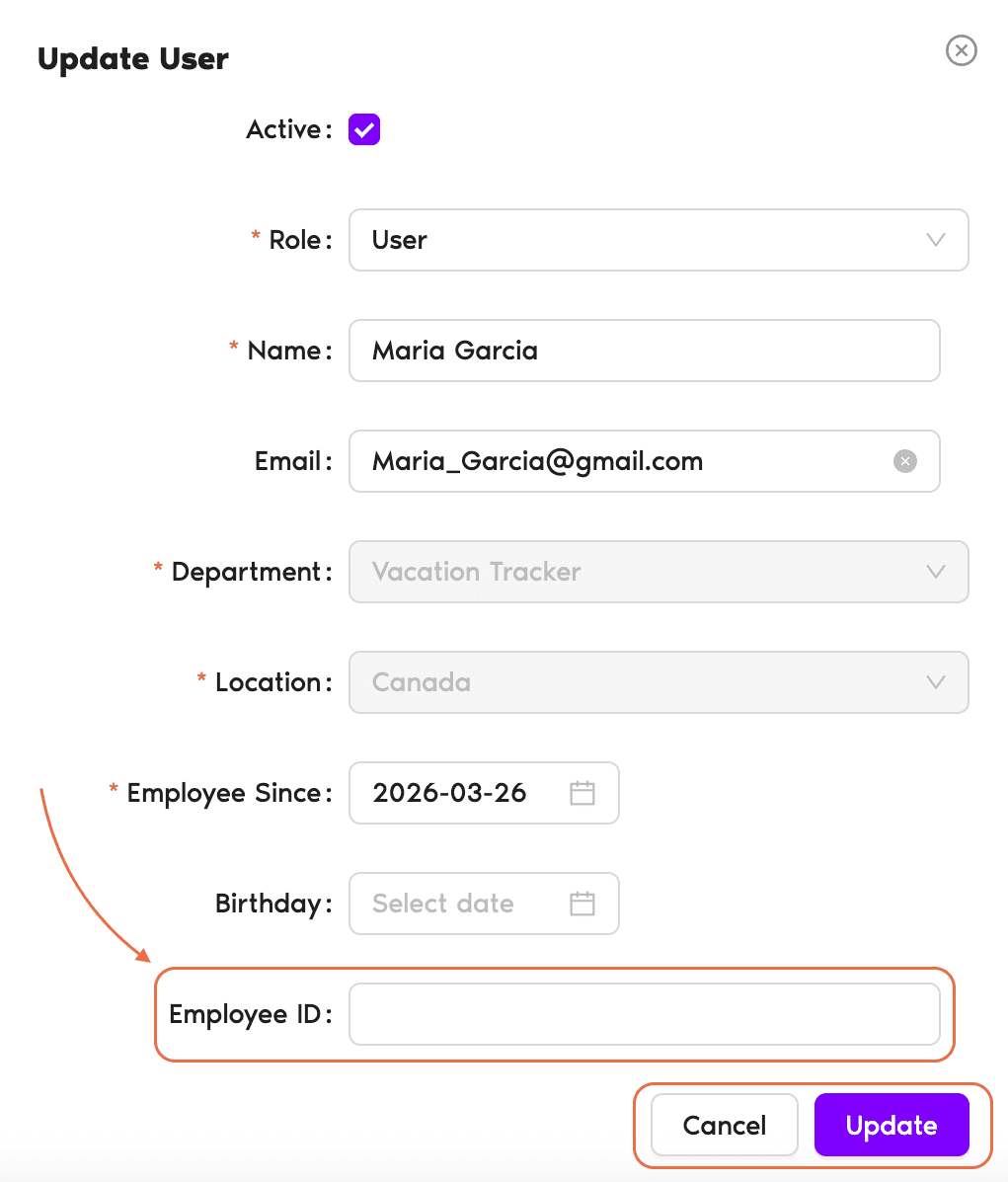
- On the Users page, click the user’s name to open their profile.
- Click Edit in the User Profile box.
- Enter the ID in the Employee ID field.
- Click Update to save the changes.
Picking Edit user details from the three-dot menu at the end of a user’s row opens that same box without leaving the list.
Reports too
Employee IDs also populate on the Leave Request Report when you export it from Reports.Another way to categorize Users
If you'd like another way to categorize your users, try the Labels feature. See How Can I Categorize Users (Adding Labels)?What's Next?
How Do I Edit User's General Information? How Do I Set a User's Start Date and/or End Date? How Can I Categorize Users (Adding Labels)?Need help?
Regular Users: If you have any questions, email us anytime at hello@vacationtracker.io.Admins and Approvers: You can reach us via live chat Monday to Friday, 9 AM – 5 PM EST, or email us anytime at hello@vacationtracker.io.
 Book a Call