Turn your team's energy into performance
Your team's time off says a lot. Use the data behind it to see how each person recharges, spot who's close to burnout and step in before it shows.
14-day free trial. No credit card, no contract.
 Maya Chen, this week

How Team Energy works
From your own energy to your team's.
-
It looks at time-off habits, like how long since a real break and how leave gets used across the year. Never messages or meetings.
-
Everyone gets their own energy page with a status from Peak to Drained, updated every week. Tell it how you feel and it adjusts.
-
Follow your energy week by week, compare it with your team's average and find your recharge type.
-
AI suggests dates that make the most of a break, like turning a holiday into a long weekend, while keeping the team covered.
-
Managers see team trends for the departments they manage, who needs attention and how long since everyone's last real break.




See how it surfaces who needs to recharge
Click around a demo team to see energy levels, trends and time-off suggestions.
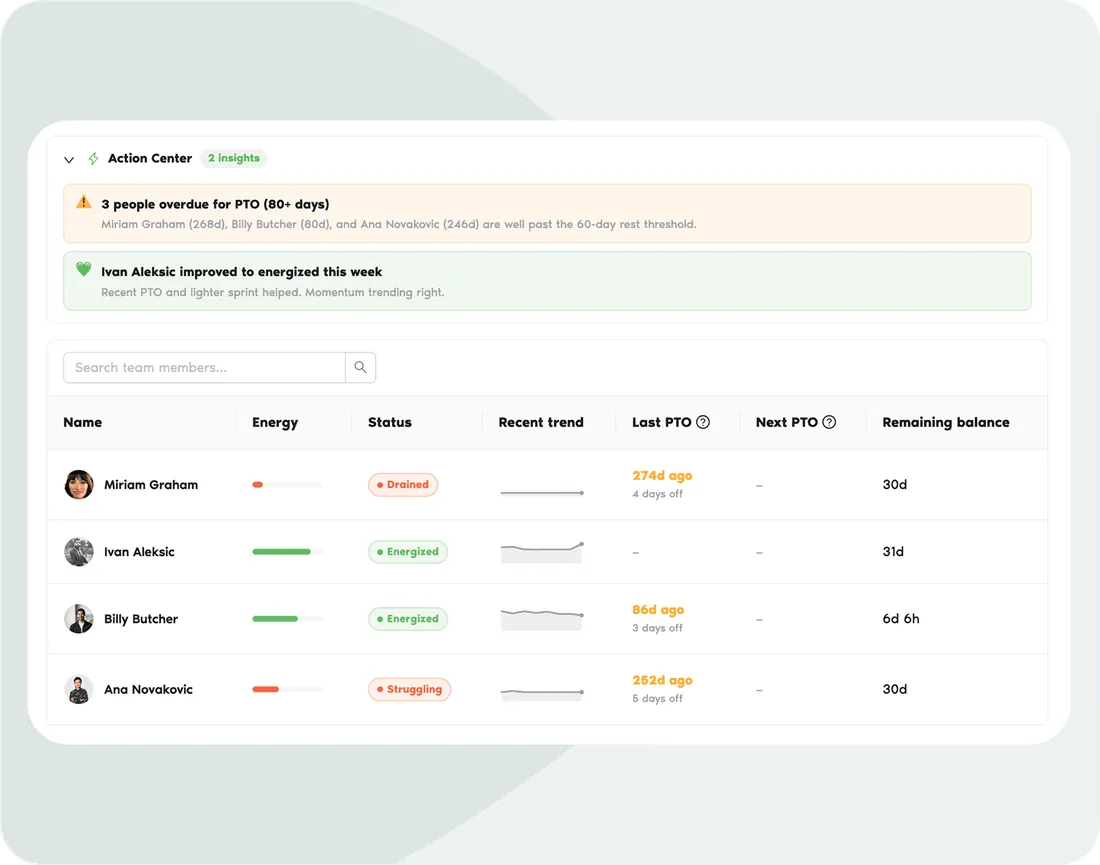
The team may be invented, but the insights aren't. Try it on yours →
Trusted by 3,500+ companies, big and small.
I can easily, confidently, clearly help our staff follow policies well, as well as get insightful dashboards to our executive teams quickly.
 Amanda N., VIVE ChurchHR Lead · Capterra review
























 +4
Team energy FAQs
How much does Team energy cost?
Nothing extra. It's included with every paid plan, Core or Complete, and in the 14-day free trial.
What are the energy scores based on?
Time-off habits already in Vacation Tracker, like how long since someone took a real break and how they use their leave across the year. People can also say how they're feeling so their score adjusts.
Can my team see each other's scores?
No. Each person sees only their own energy page. Managers and admins see team trends for the departments they manage.
Why does it take a week to see insights?
Energy is built from your team's time-off history, so the first report arrives within a week of setup.
Does Team energy read messages or meetings?
No. It only looks at time-off patterns in Vacation Tracker.
Can I check my energy in Slack or Microsoft Teams?
Yes. Just ask, like "what's my energy level?", and you'll see your own energy right there.
Can people opt out?
Yes. Anyone can turn off Team energy for themselves in their settings.
Keep your team recharged.
Try it with your team for 14 days. No credit card, no contract.
Rated 4.7 on Capterra and 4.4 on G2