Last updated on March 2, 2026
Your best employee is about to burn out, but you won't see it coming. Not because you're a bad manager, but because burnout doesn't look like burnout at all. It looks like dedication, long hours, always available, never taking days off. Until one day, they're gone.
Watch this video to see exactly how these tools work in practice:
Why Burnout Hides in Plain Sight (Especially Among Your Best People)
What most managers get wrong about burnout is that it's not sudden. It doesn't come from one bad week. It builds quietly over months. And the people most likely to burn out are usually your best performers—the ones who never complain, never say no, never ask for help.
After looking at how growing teams track workload and performance, I've noticed a pattern. Managers are usually shocked when someone burns out. But the warning signs were there. No one was tracking them.
Most teams rely on annual surveys or monthly check-ins, but those are snapshots. By the time someone admits they're burnt out, they've already been struggling for a long time and the damage is done.
What you actually need is something that tracks subtle shifts in real time: time off patterns, workload spikes, engagement drops—long before someone hits their breaking point. That's exactly what these four tools are built for.
Tool #1: Vacation Tracker Catches Burnout at the Source
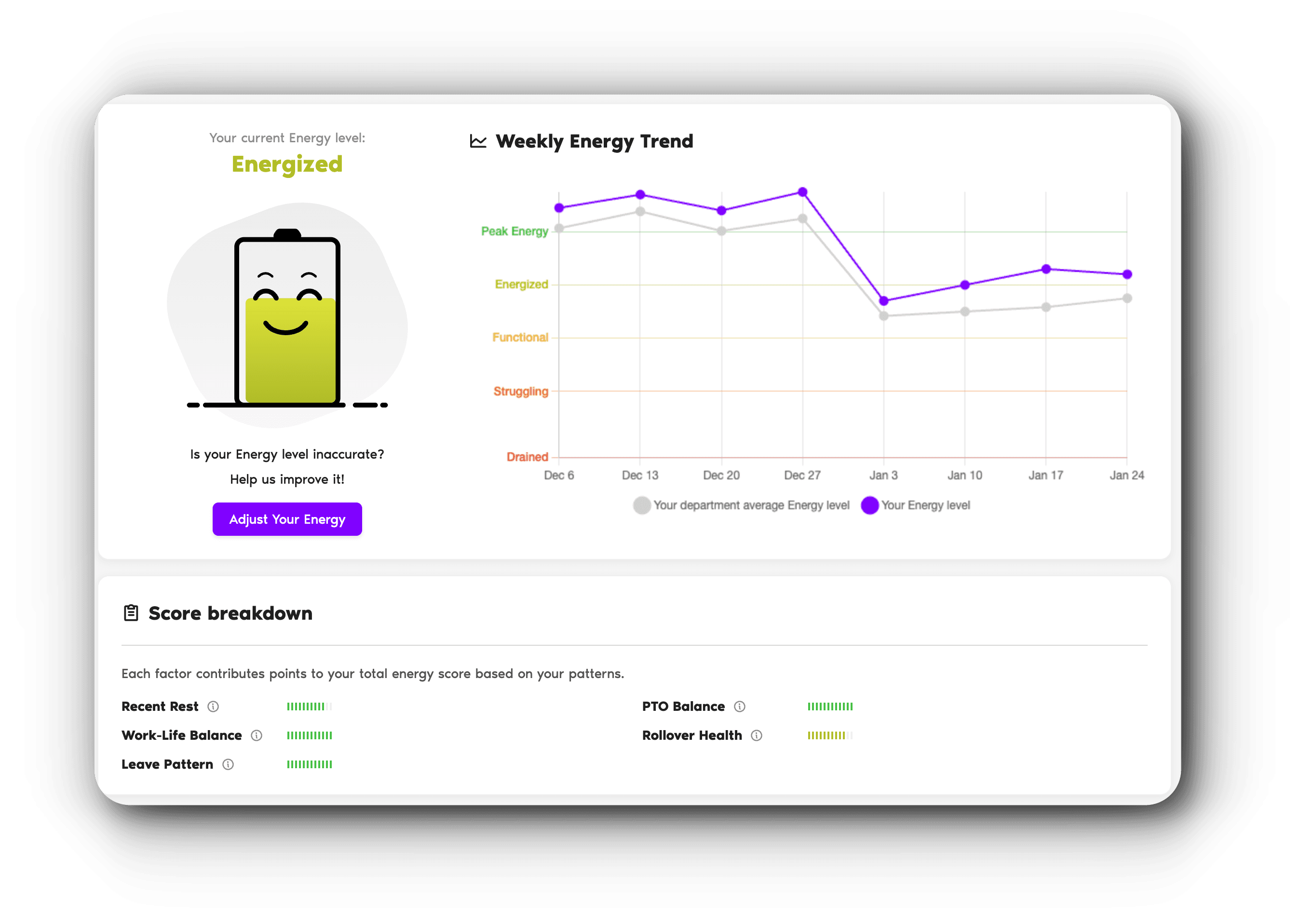
Here's something most managers never realize. Your team's time-off pattern tells you more than you think. When someone stops taking real breaks, their energy doesn't stay the same. It slowly drains.
Scattered single days here and there don't recharge anyone. And if your highest performer hasn't touched their PTO in six months, they're not crushing it. They're running on empty.
The problem is you don't see this until you actually look for it. And most teams never do.
That's where Vacation Tracker's Recharge feature comes in. Unlike the other tools we'll cover, this one catches burnout at the source—before workload or behavior issues even show up.
Here's how it works. Recharge sits on top of the PTO data you're already tracking and turns it into a burnout prevention tool. No extra setup, no new workflows.
Each employee gets a personal energy dashboard. Think of it like a battery indicator that shows how they're doing based on their time-off patterns and work habits.
AI analyzes when employees are likely to hit low energy and suggests an optimal window to take time off before they hit the wall. It tracks energy patterns week by week, compares team averages, and flags when someone's trending downward.
You're not looking at snapshots. You're watching trends in real time. You can see who's recovering well and who's quietly running out of fuel.
Most burnout prevention tools react to problems after they've started. Vacation Tracker predicts them. Teams that plan rest intentionally see employees returning focused and maintaining consistent performance instead of waiting until exhaustion forces them to take time off.
Tool #2: ActivTrak Reveals What's Happening Beneath the Surface
Sometimes PTO data isn't enough to spot potential burnout. That's where the second tool comes in.
Here's a scenario that plays out in a lot of teams. Someone looks like your top performer. Always online, always responsive, never complaining. And they're performing right up until they suddenly aren't.
What you couldn't see was that their workload had quietly doubled. Their focus time had dropped to almost nothing. They were spending most of their day switching between tasks and meetings with no real time to actually do deep work.
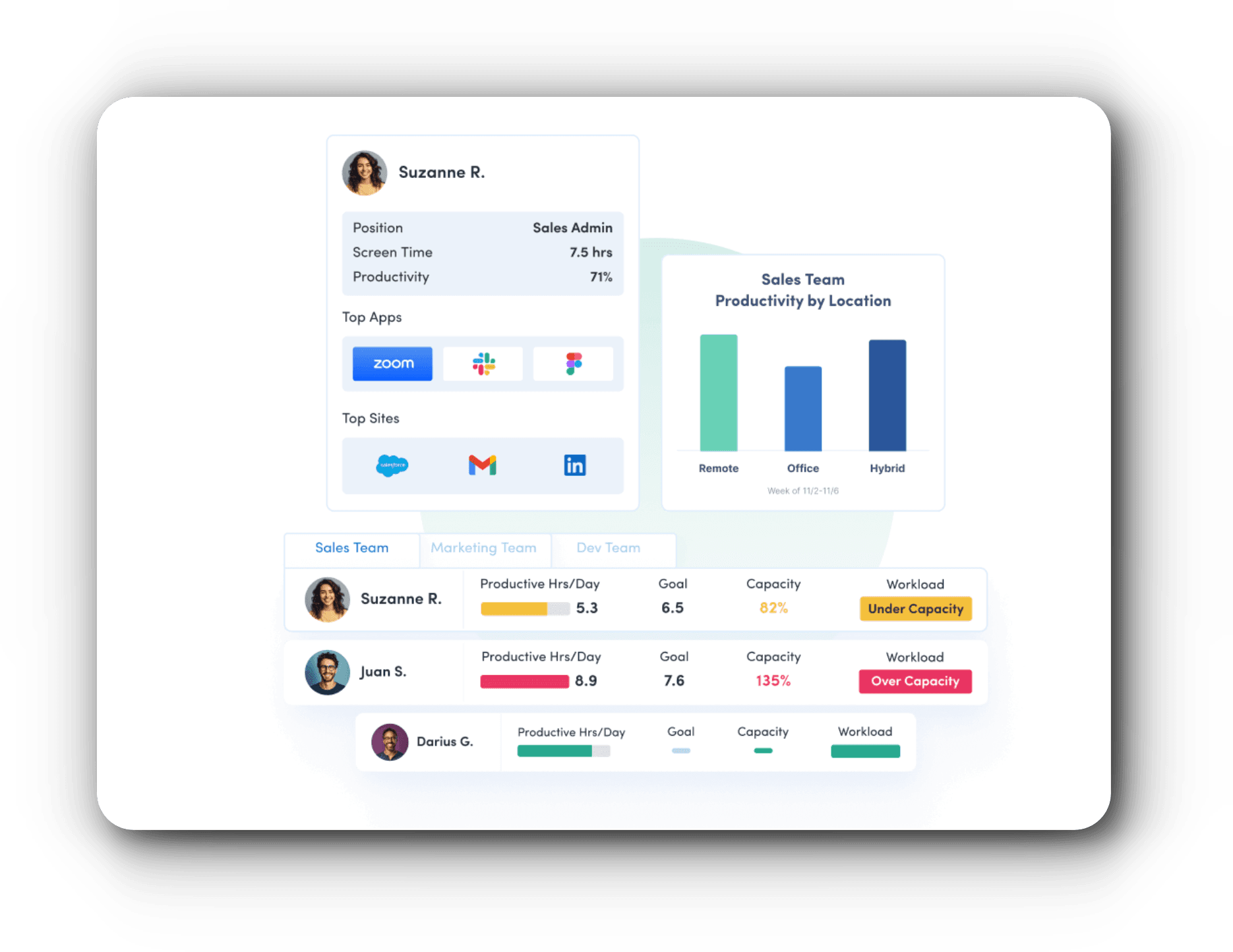
ActivTrak is built to reveal exactly that. It tracks what's actually happening during the workday—not just hours logged, but how those hours are being spent.
It shows you who's overloaded and who has capacity. It measures real focus time versus meeting time. And when it spots patterns like low efficiency or excessive multitasking, it flags them with specific coaching recommendations before they run into a performance issue.
Think of it as a workload X-ray. You see what's happening beneath the surface so you can step in and redistribute work before someone hits the wall.
Tool #3: WebWork Time Tracker Monitors Daily Patterns That Wear People Down
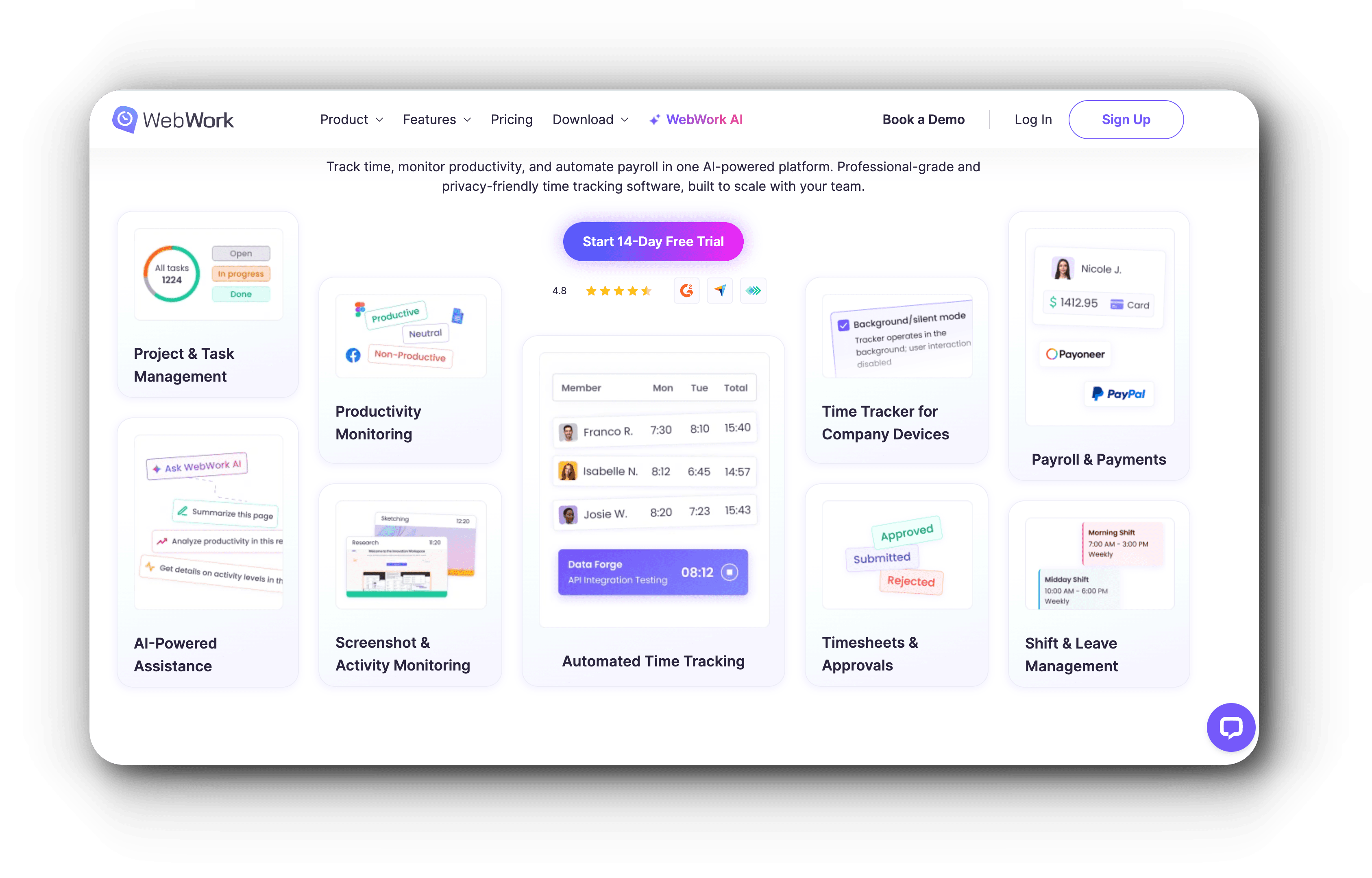
We've looked at time-off patterns and workload. But there's another layer most teams overlook: small daily patterns that slowly wear someone down.
The problem with most burnout prevention tools is that someone has to notice something is wrong before anything happens. WebWork Time Tracker works differently.
Think of it as a background burnout detector. It doesn't wait for anyone to raise a flag. It just watches patterns and calculates risk automatically.
It's looking for employees consistently logging too many hours, schedules that are all over the place, people skipping breaks, and sustained non-stop activity with no rest built in.
None of these things alone are necessarily a problem. But when they stack up—when someone's suddenly working 12 hours a day, skipping lunch, and logging in at midnight for three weeks straight—that's a pattern. And WebWork scores it as a burnout risk before it becomes a crisis.
You can see it broken down by person, by team, or across your whole company. And you can customize the threshold to match your own definition of healthy work (because what's normal for a startup might look alarming somewhere else).
Tool #4: WorkTime Tracks the Behavioral Signals Others Miss
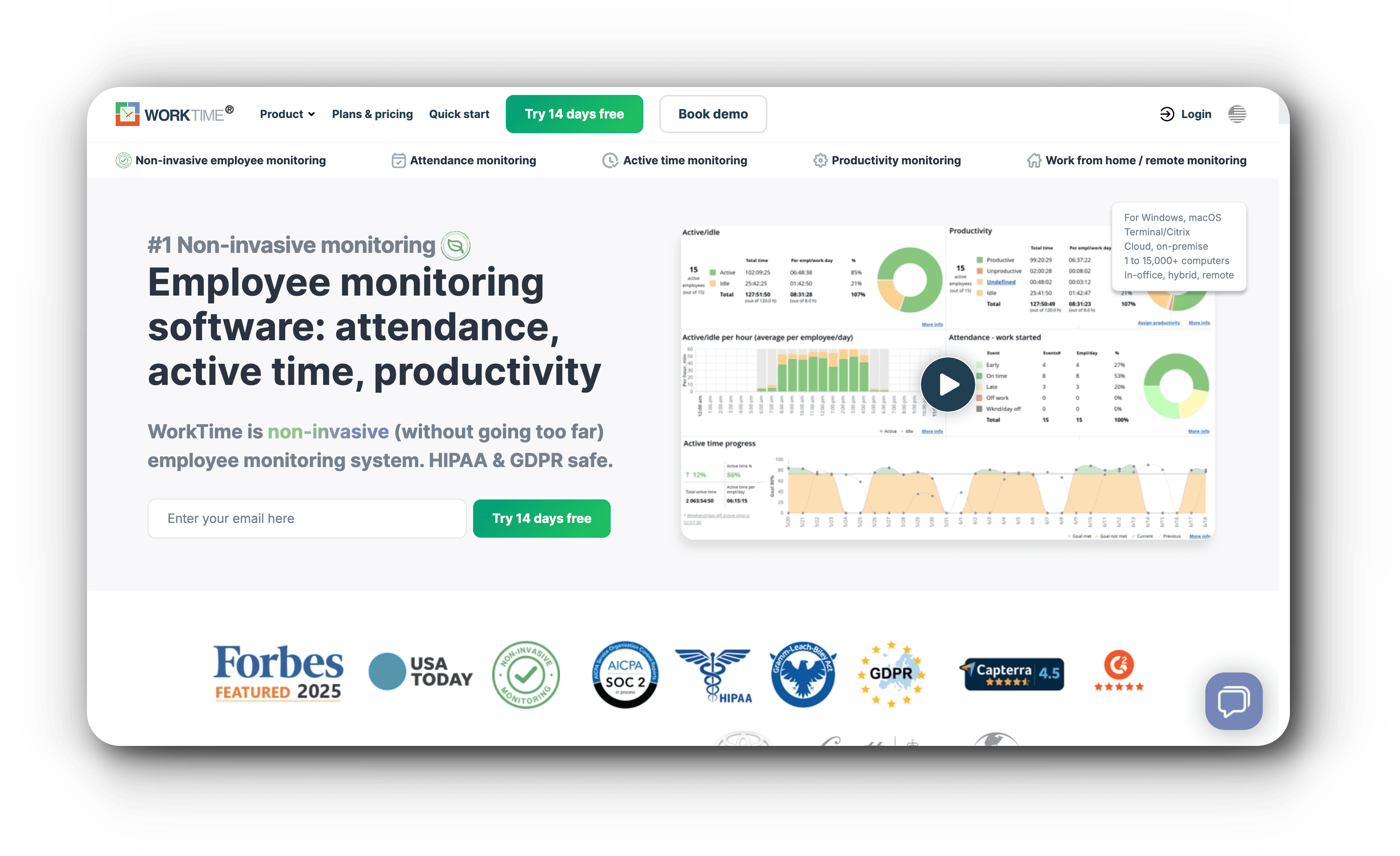
The first three tools track data. The fourth tool tracks behavior.
Here's an uncomfortable truth about burnout. Sometimes you can track everything—PTO patterns, workload, overwork—and someone still slips through. Not because those tools fail, but because burnout also shows up in places where hours and schedules can't be measured.
It shows up in a person's behavior. The meeting they used to lead, they now sit through in silence. The deadlines they always hit, they're starting to miss. The enthusiasm that made them one of your best people—it's just gone. And in a browser tab somewhere, they're quietly looking for a way out.
WorkTime is built to catch this final layer. It monitors behavioral signals that show up weeks before someone mentally checks out.
Decreased focus, distraction patterns, attendance changes, visits to job search sites—it combines them into a single burnout score for each person on your team.
You set a threshold. When someone crosses it, you get an alert. That's your window: the moment between 'this person is struggling' and 'this person has already decided to leave.'
It's non-invasive. No screenshots, no keystroke logging. Just behavioral patterns that tell you when someone needs support. Because by the time someone says they're burnt out, it's most likely too late.
How to Actually Use These Tools Without Overwhelming Your Team
So what's the best way to approach this? Well, start at the energy level. Track PTO patterns and recovery habits before workload or behavior issues even show up.
Then add other tools as your team grows. You don't need all four today. Start with one, see what it surfaces, and build from there.
Most of them have free trials, so there's no reason not to test them before committing. Try Vacation Tracker, ActivTrak, WebWork Time Tracker, or WorkTime and see which one fits your team's specific needs.
Now you have four tools that can help you prevent burnout. But prevention is only half the equation. High-performing teams don't just avoid burnout. They use recovery as a performance strategy.

Annika Helendi
Annika is a fan of marketing and AI.