 For Microsoft Teams
The leave and PTO tracker built for Microsoft Teams
Vacation Tracker is a leave and PTO tracker that runs inside Microsoft Teams. Your team asks for time off in chat, managers approve in one click, and everyone can see who's out. No new app to learn, no separate login.
14-day free trial · No credit card
Trusted by 200,000+ people and 3,500+ companies
























Doesn't Microsoft Teams already track vacation?
Partly. Shifts, Microsoft's scheduling app for frontline teams, takes time-off requests and keeps a balance that a manager types in. It doesn't accrue leave, carry it over or add public holidays. The Approvals app routes a request but keeps no balance, and SharePoint Lists does only what you set up and update by hand.
- Yes
- Partly, or by hand
- No
 Vacation Tracker |
Shifts | Approvals app | SharePoint Lists | |
|---|---|---|---|---|
| Built for | Leave and PTO | Frontline shift schedules | Any approval request | Custom lists |
| Request and approve time off in Microsoft Teams | In chat, in one click | In the Shifts app | As an approval card | A form and flow you build |
| Leave balances | Updated automatically | Typed in by a manager | None kept | A column you update |
| Accruals | Automatic (Complete plan) | No accruals | No accruals | Formulas you maintain |
| Carryover to next year | Automatic, with limits you set | Reset by hand | Not tracked | Updated by hand |
| Public holidays | Imported for each location | Can't add holidays | Not included | Typed in by hand |
| Different policies per office | Per location | Per team, set up by hand | No policies | One list per office |
| Who's out across the company | Calendar, wall chart, channel updates | Each team's schedule only | No overview | A calendar view you set up |
Checked against Microsoft's documentation, December 2026. See the full comparison →
Everything your team needs for leave, inside Microsoft Teams
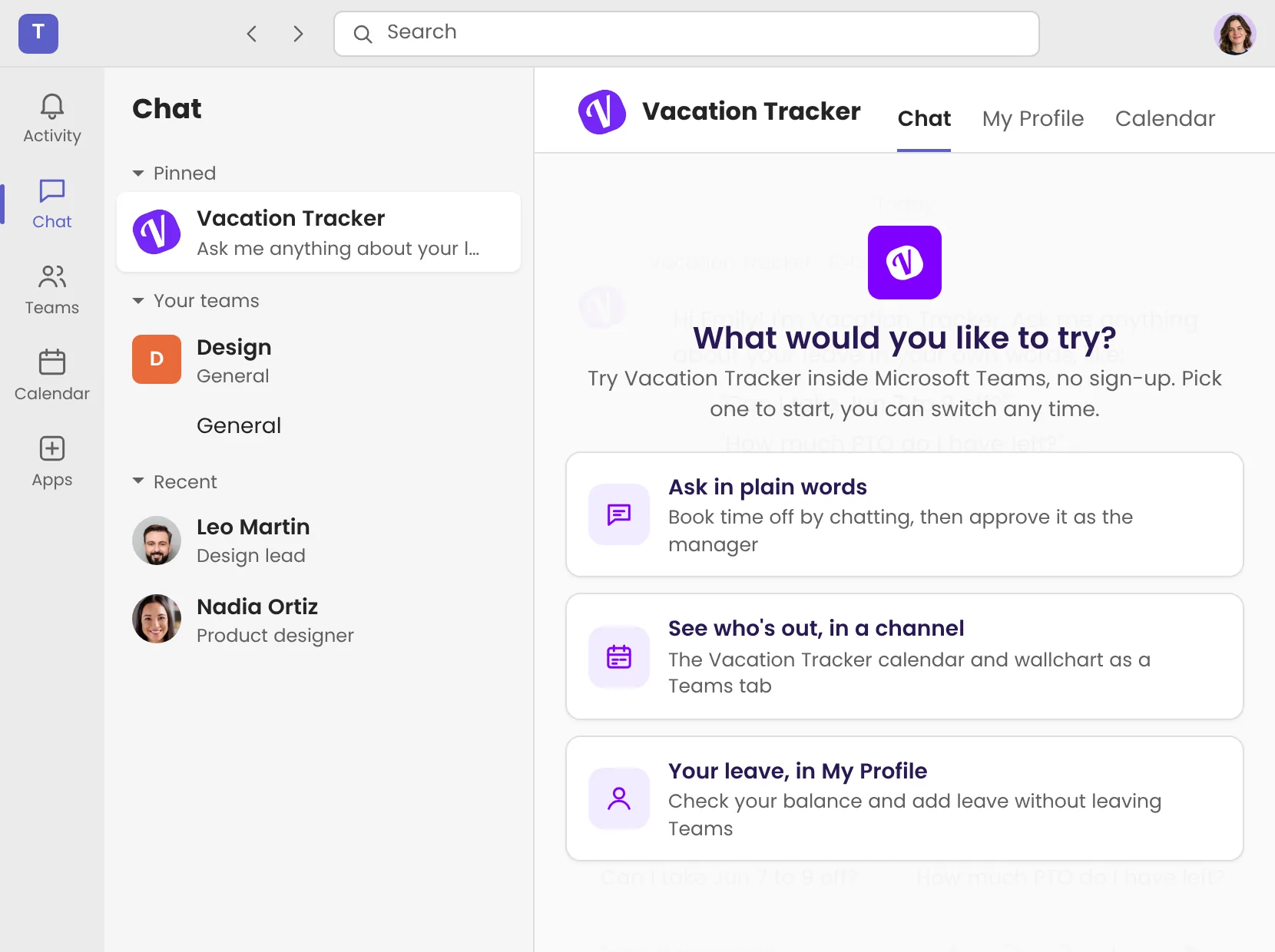
Ask in plain words
Type 'Can I take Jun 7 to 9 off?' and Vee books it. Or use the Request Leave tab.
One-click approvals
Requests go to the right manager, or a chain of approvers, who decide in their Teams chat.
Who's out, posted for you
Daily or weekly updates in your channels, by team, department or office.
Team calendar tab
A calendar or wall chart of leave and holidays, right in a channel tab.
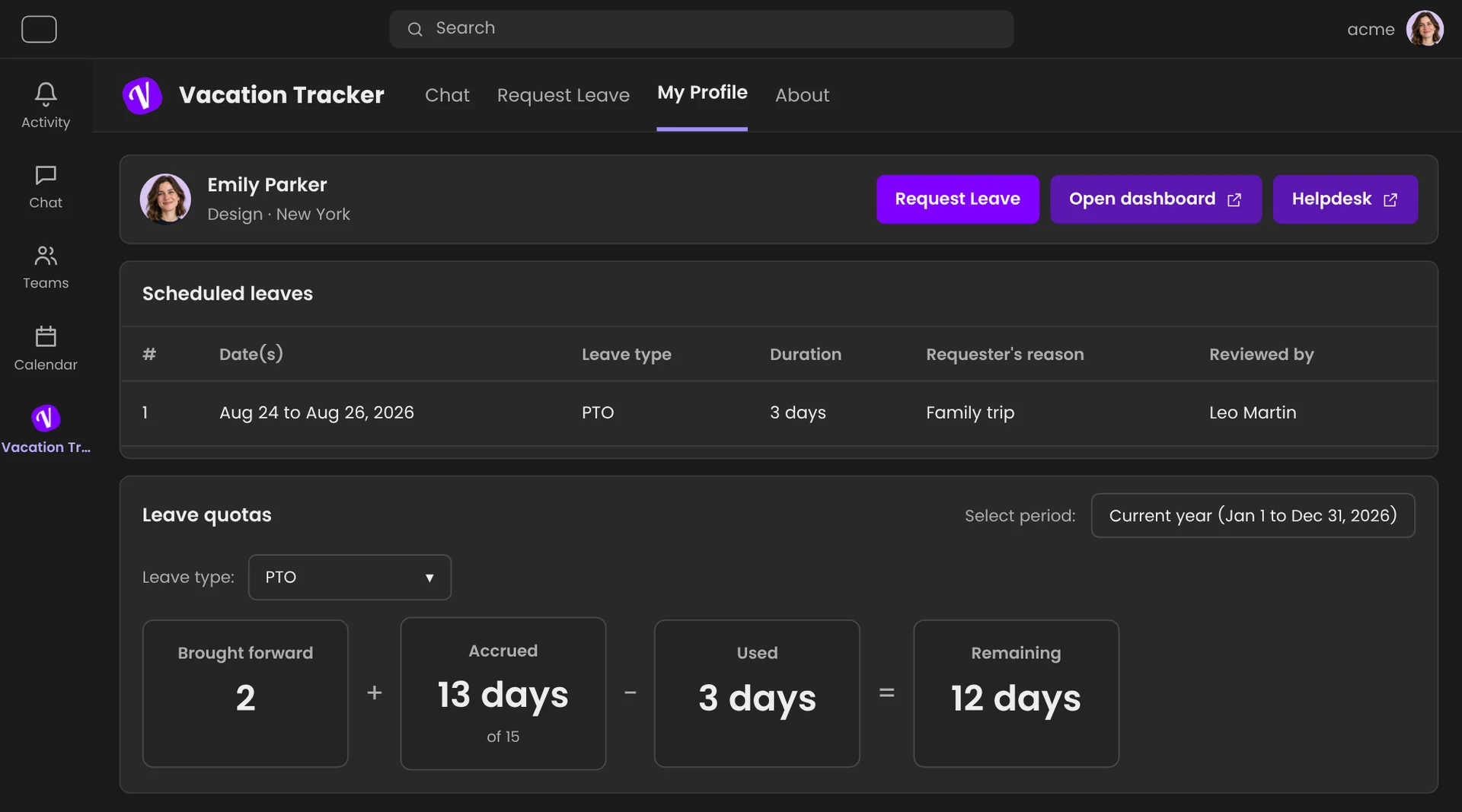
Balances in My Profile
Everyone sees what they have left, what's booked and what's taken.
Out of office, handled
Before leave starts, Vacation Tracker reminds people to set their out-of-office reply.
 OutlookMon Jun 7
Outlook calendar sync
Approved leave shows up in Outlook, next to everyone's meetings.
Every office, its own rules
Holidays, leave policies and approvers for each location, in one account.
One leave system for every office
New York, Chicago and Toronto get different holidays and different allowances. Vacation Tracker keeps each office's rules and still gives HR one view of everyone.
- Public holidays per location, imported for you
- Leave policies, accruals and carryover per location
- Reports HR and payroll can use
WallchartMay 31 to Jun 4, 2027 New YorkChicago
 Toronto
Proof in numbers
-
35min
median time to approve leave inside Microsoft Teams
-
14hours
median time to approve leave outside Microsoft Teams
-
86%
of approvals happen right in Microsoft Teams
-
3,500+
companies use Vacation Tracker
-
200,000+
people track their leave with Vacation Tracker
See how it works in 6 minutes
A full tour of Vacation Tracker inside Microsoft Teams, from installing the app to approvals and channel updates
Real people help you.
Not bots.
Your questions go to real people by chat, email or a setup call.
 Kat
 Aleksandar
 Astride
 Marko
- Importing your balances and history
- Setting up locations, policies and approvers
- Training your admins and approvers
- Compliance questions
We're moving off spreadsheets. Can you bring our balances over?
Yes. Send us the file and we'll import your balances and history.
Toronto has different rules from New York.
No problem. Let's schedule a setup call to configure each location with you.
What Microsoft Teams customers say
“It is incredibly intuitive and the integration with Teams makes it a breeze for both managers and employees.”
 Cat M.SVP of Operations
“The integration with Microsoft Teams and how user-friendly it is one of my favorite parts of using Vacation Tracker.”
 KellyHR Lead
“Everything is on there, centralized and automated.”
 Melody PlummerBookkeeper






Always safe, just for you
Rest easy knowing we’re certified to effectively safeguard your data.
Vacation Tracker is in the Microsoft Teams store, and our security and compliance details are listed on Microsoft Learn.
Microsoft Teams leave tracker pricing. No sales call.
Ideal for growing teams who want more control and visibility over PTO and leave.
Plan includes- 3 locations · 10 departments
- Unlimited leave policies and holidays
- Leave balance and leave request reports
- Leave request notice period automation
- ADP, Zapier, OpenAPI and MCP integrations
- Email and chat support
Everything you need to fully automate, customize and scale leave management.
Everything in Core, plus- Unlimited locations and departments
- All 7 automations
- Advanced leave policies: accruals, hourly tracking, TOIL
- Multi-level and substitute approvals
- Scheduled leave reports
- Shared calendars
- Priority support
14-day free trial. No credit card. No contract.
Want a second opinion? Let your AI check if we're a fit.
Answer 4 quick questions and we'll write a prompt for ChatGPT, Claude or Perplexity. It reads our pricing, docs, security and reviews, and checks them against your must-haves.
I'm evaluating Vacation Tracker (vacationtracker.io) as the leave management tool for our company, which runs on Microsoft Teams. Act as my independent advisor and compare it with the alternatives.

First, ask me these in one message and wait for my answers:
1. How many employees, and in which countries, states or provinces?
2. Do you use Microsoft Teams, Slack, Google Workspace or email?
3. How do you track leave today?
4. Must-haves (e.g. location-specific policies, accruals, carryover, hourly leave, TOIL, multi-level approvals, blackout periods, a limit on how many people are off at once, notice periods, leave duration limits, probation periods, seniority entitlements, entitlements by role, reports, compliance)?

Then check my answers against:
- Pricing (monthly USD, plan limits): https://vacationtracker.io/pricing/
- Buyer's guide: https://vacationtracker.io/buyers-guide/
- Integrations: https://vacationtracker.io/integrations/
- Security: https://vacationtracker.io/security/
- AI assistant: https://vacationtracker.io/platform/vee-ai/
- Customer stories: https://vacationtracker.io/case-studies/
- Anything else: https://vacationtracker.io/llms.txt
- Reviews: https://www.g2.com/products/vacation-tracker/reviews and https://www.capterra.com/p/189276/Vacation-Tracker/reviews/

Reply in under 250 words:
- Verdict: strong fit / partial fit / not a fit
- Each must-have: yes / partly / no, with the page that shows it
- Gaps or risks, stated plainly
- The plan I'd need and its monthly cost for our headcount
- Next step: free trial (https://app.vacationtracker.io/signup) or a demo (https://vacationtracker.io/book-a-demo/)
If a page doesn't confirm something, write "not confirmed, ask in the demo". Don't guess.
 Open in ChatGPT
 Open in Claude
Microsoft Teams leave tracker FAQ
The questions we get asked most, answered straight.
Microsoft Teams
Is there a leave and PTO tracker app for Microsoft Teams?
Yes. Vacation Tracker is a leave and PTO tracker that runs inside Microsoft Teams. People request leave by chatting with Vee or in the Request Leave tab, managers approve in their Teams chat, and channels get regular who's-out updates. It's in the Microsoft Teams store.
Does Microsoft Teams have a built-in leave tracker?
Partly. Shifts, Microsoft's scheduling app for frontline teams, takes time-off requests and keeps a balance that a manager types in, but it doesn't accrue leave, carry it over or add public holidays. The Approvals app can route a request but keeps no balance. Teams that need more add a leave app like Vacation Tracker, build their own in SharePoint or Lists, or use an HR system. See the full comparison.
Do employees need a separate login or a new app?
No. Employees use Vacation Tracker inside Microsoft Teams and sign in with their Microsoft account. The web app and the iOS and Android apps use the same sign-in.
Is there a free leave tracker for Microsoft Teams?
Vacation Tracker doesn't have a free plan, but you can try every feature free for 14 days, with no credit card. Microsoft's free options, like a SharePoint list or the Approvals app, can collect requests, but you build and maintain the balances, rules and calendar yourself.
How do I add PTO to the Microsoft Teams calendar?
Connect Outlook Calendar and approved leave is added to Outlook automatically, which is the calendar Microsoft Teams shows. You can also add the Vacation Tracker calendar or wall chart as a tab in any channel.
Do I need to be a Microsoft Teams admin to install it?
It depends on your organization's settings. If your Microsoft 365 admin limits which apps people can add, you'll need their approval first.
Does it import our people from Microsoft Teams?
Yes. Sign up with your Microsoft account, bring in your Microsoft Teams users, then set up locations, leave policies and approvers for each team. See how the Microsoft Teams integration works.
Locations
Can we use it for offices in different states or countries?
Yes. Each location gets its own public holidays, workweek, leave policies and approvers. Core covers up to 3 locations; Complete has unlimited locations.
Setup
We track leave in spreadsheets today. Can we bring our balances and history over?
Yes. Import users, past leave records, opening balances, carryover and TOIL balances from our template or your own file. Our team can also help with data migration.
How long does setup take?
Most teams are up and running in under a day, often in under 30 minutes. One admin connects Microsoft Teams, your people are imported, then you add locations, holidays and leave policies. Live chat, email and personalized onboarding calls are there if you get stuck.
Plans
How much does Vacation Tracker cost?
Plans start at $1.83 per user per month billed annually, or $2 billed monthly, with a 25-user minimum. Core covers up to 3 locations and 10 departments, with custom leave types, public holidays, approvals and every integration. Complete adds unlimited locations, accruals, TOIL, hourly leave, multi-level and substitute approvals, blackout periods and limits on how many people are away at once. See pricing.
Security
Is our employee data secure?
Vacation Tracker is SOC 2 Type II certified and GDPR compliant. Data is encrypted in transit and at rest, access is role-based, and people sign in with Microsoft single sign-on. The platform is hosted on AWS in North America and Europe and goes through annual penetration tests.
Last updated: December 2026
Give your team a leave tracker they'll actually use
Set up in under a day. 14-day free trial, no credit card.