
Manage leave in Slack with Vacation Tracker
Request, approve and track leave without leaving Slack, with who's-out updates for every team and time zone.
Available on CoreComplete · 14-day free trial, no credit card
How to set up Vacation Tracker for Slack
Add Vacation Tracker to Slack
Sign up with your Slack account and approve the app for your workspace.
Sign up with SlackSync your users from Slack
Bring in your Slack users and set up locations, leave policies and approvers.
Set up your channel notifications
Pick which channels get who's-out updates, so your team knows who's away.
Need more detail? Read the help desk guide.
What your team can do in Slack
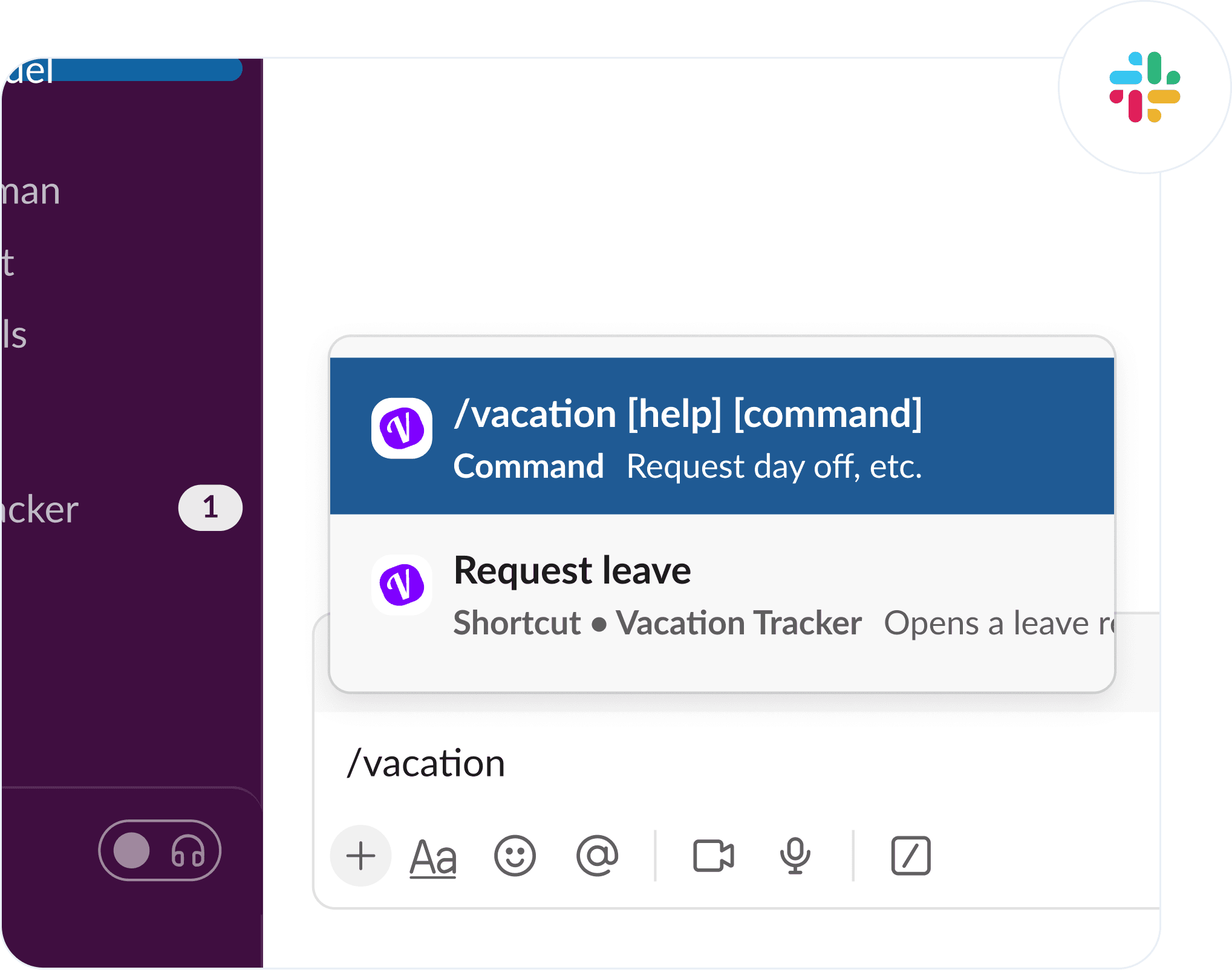
Ask Vee to book, change or cancel leave
Tell Vee what you need in plain words, or use slash commands, and your request is ready to send in seconds.
Approve requests right in the DM
Approvers get each request as a Slack message and approve or deny it there, without opening the dashboard.
Post who's out to your Slack channels
Daily or weekly updates show who's out and which public holidays are coming up, by department or location.
Ask about balances, policies and holidays
Ask how much leave you have left, how a policy works or which holidays are coming up, and get an answer.
Spot leave conflicts before you book
Vee checks your dates against your team's schedule and max-away rules before your leave request goes out.
Set your status and out of office
Your Slack status updates while you're on leave, and a reminder helps you set a custom out-of-office reply.
Slack integration FAQ
What does Vacation Tracker for Slack do?
Vacation Tracker adds leave management to your Slack workspace. Your team requests leave in a DM, approvers decide in the same message, and channels get regular who's-out updates.
Is Vacation Tracker for Slack included in every plan?
Yes. The Slack integration works on both the Core and Complete plans, and you can try everything free for 14 days.
Do I need to be a Slack admin to install Vacation Tracker?
It depends on your workspace settings. If your Slack admin limits who can install apps, you'll need their approval first.
Can people request leave without leaving Slack?
Yes. People request leave with a slash command or a short message, check their balance and see who's out, all inside Slack.
Does Vacation Tracker update Slack status automatically?
Yes. Turn it on for any leave type, and Vacation Tracker updates the Slack status while someone is on leave.
Which Slack plans does Vacation Tracker work with?
All of them. Vacation Tracker works with every Slack plan, including free workspaces.
Can I try the Slack integration during the free trial?
Yes. Your 14-day free trial includes every integration, so you can set up Slack before you choose a plan.
More Vacation Tracker integrations

Microsoft Teams
PlatformApprovers get every request in their Microsoft Teams chat, and each office's channel gets its own who's-out update.
See how it works in Microsoft Teams
Google Calendar
CalendarApproved leave appears as Google Calendar events and updates on its own when leave is changed or cancelled.
See how it works with Google Calendar
MCP Server
AIAsk Claude, ChatGPT or other AI tools who's out or what's left in a balance, with the same access you have.
See how it works with AI toolsWhat customers say
Ease of use for employees, that it is integrated in Slack, a system we already use.
 Kristen C. · Salty Ministries IncOperations and Finance, Religious Institutions · Capterra review
Reviewing time off balances is easy and the integration with Google Workspace for calendar and apps makes it very easy to access.
 Ophelia V. · Casa de SaludVP of Operations, Non-Profit · Capterra review
It makes payroll tracking a lot easier when we can easily click on each user.
 Shania B. · Hemming & Wealth ManagementOffice Manager, Financial Services · Capterra review
Try Vacation Tracker in Slack
14-day free trial. No credit card, no contract.
Rated 4.7 on Capterra and 4.4 on G2