Last updated on October 8, 2026
Vacation Tracker vs Excel: Which Is Better for Leave Tracking?
I've yet to meet a company that began PTO tracking with dedicated software. Almost everyone starts with a spreadsheet.
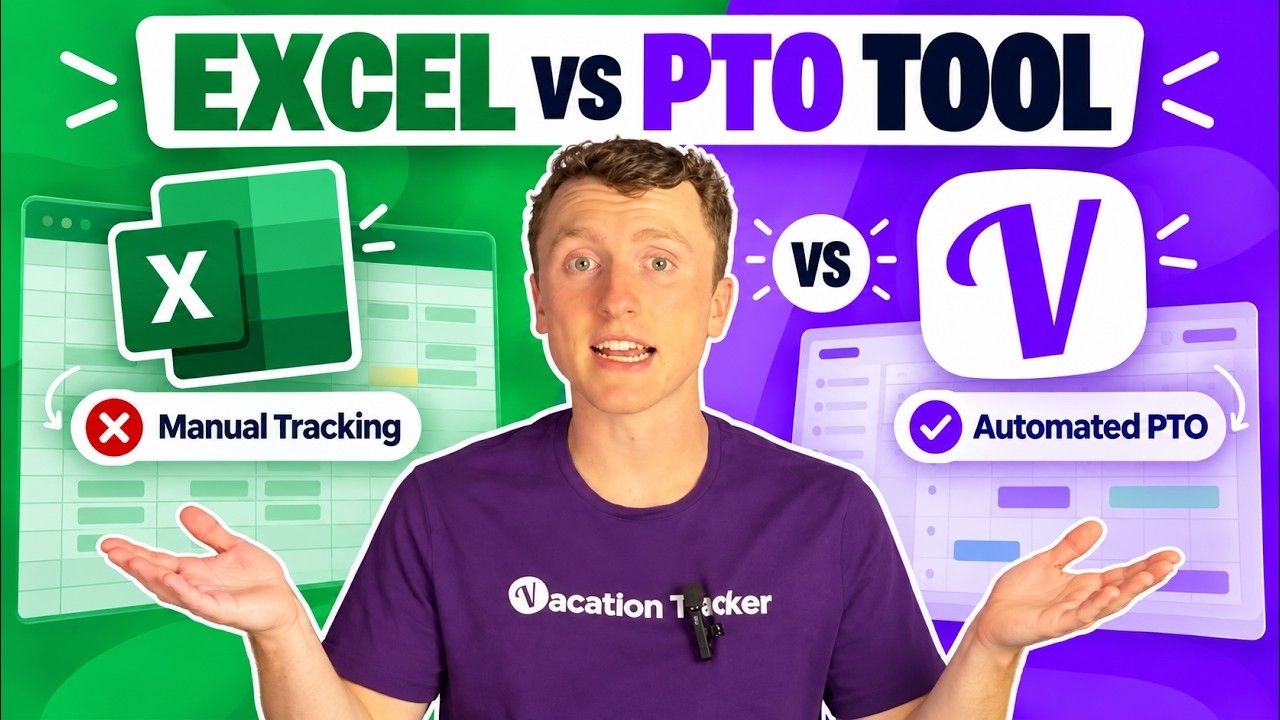
Then headcount grows, policies get messy, and the sheet starts eating hours. In this post I compare Excel with Vacation Tracker so you can see where each one fits.
I covered all of this in the video below!
Excel is a fair choice for small teams
Let's be fair to Excel. It's free, it's flexible, and nobody needs training to open it. If you run a small team with simple rules, you're probably fine. Keep the sheet and save your money.
You're reading this post, though, so I'd guess something hurts. Maybe you added more people, more locations, more policies, or even just more accrual rules, and the spreadsheet stops being a good tool. It becomes a second job for whoever maintains it.
The day-to-day leave process is where the gap shows up first
I compared the two platforms on four things: the everyday process, what happens as you grow, energy insights, and AI access. Start with the everyday process.
How leave requests work in a spreadsheet
Here's the flow in Excel:
- An employee messages their manager.
- The manager approves.
- The manager (hopefully) remembers to log it.
- Someone finds the right tab and the right row, types in the dates, and changes the balance by hand.
This repeats every single time anyone asks for time off. There's no audit trail and no notifications. If one formula breaks, your balances are wrong and nobody notices until payday or the next argument.
How leave requests work in Vacation Tracker
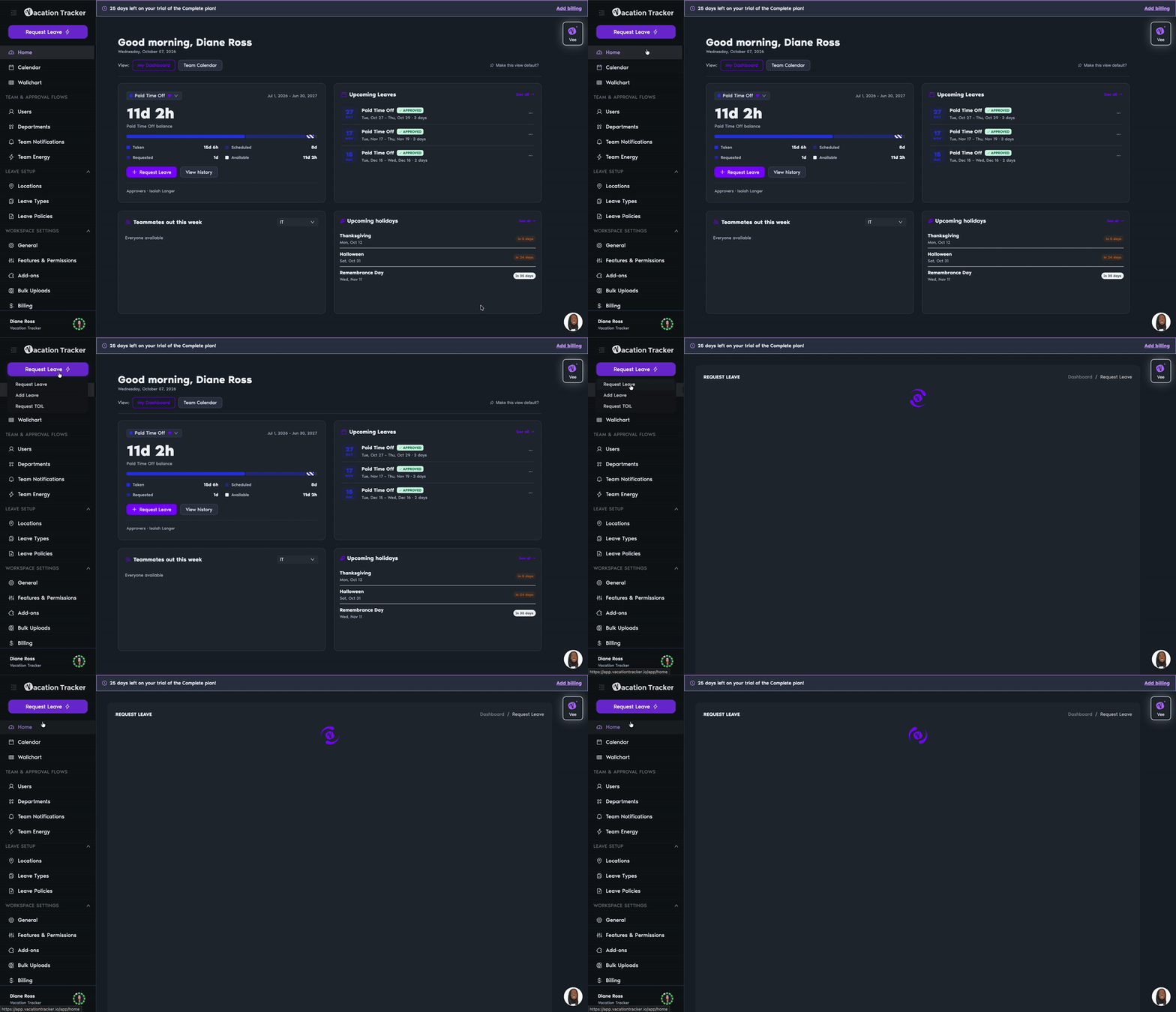
In Vacation Tracker, employees ask for time off inside the chat app they already use. There are a lot of options like Slack, Microsoft Teams, google workspace, in app, or your AI platform of choice. The request goes straight to the approver. Once it passes the company leave policy and the manager approves, the team calendar updates automatically and everyone who needs to know gets a notification.
This makes it so nobody has to ask whether Dave is out this week or next week (and nobody has to bug the manager to find out). That saves a surprising amount of wasted time.
Excel stores the data, Vacation Tracker runs the process
This is the biggest difference between the two. Automation in Vacation Tracker goes well past chat requests:
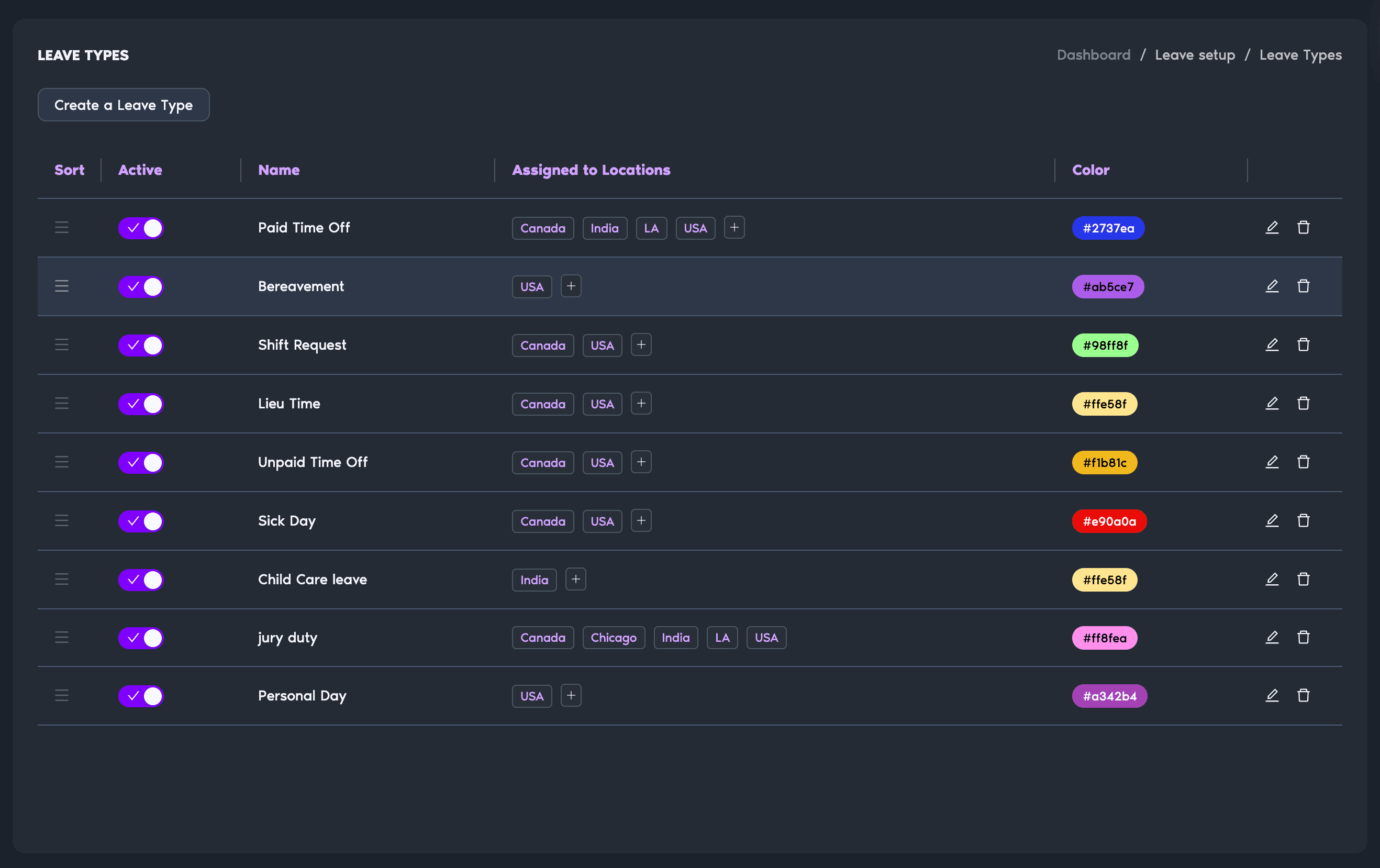
- Accruals track themselves.
- You can set custom leave types.
- You can handle multiple locations and different departments.
- You can set blackout periods when nobody can take leave, like your busy season.
A spreadsheet can only do what its creator built into it, or what the template you found online allows. Excel holds the numbers. A leave tracker does the work.
Growth adds reporting and location headaches that spreadsheets handle badly
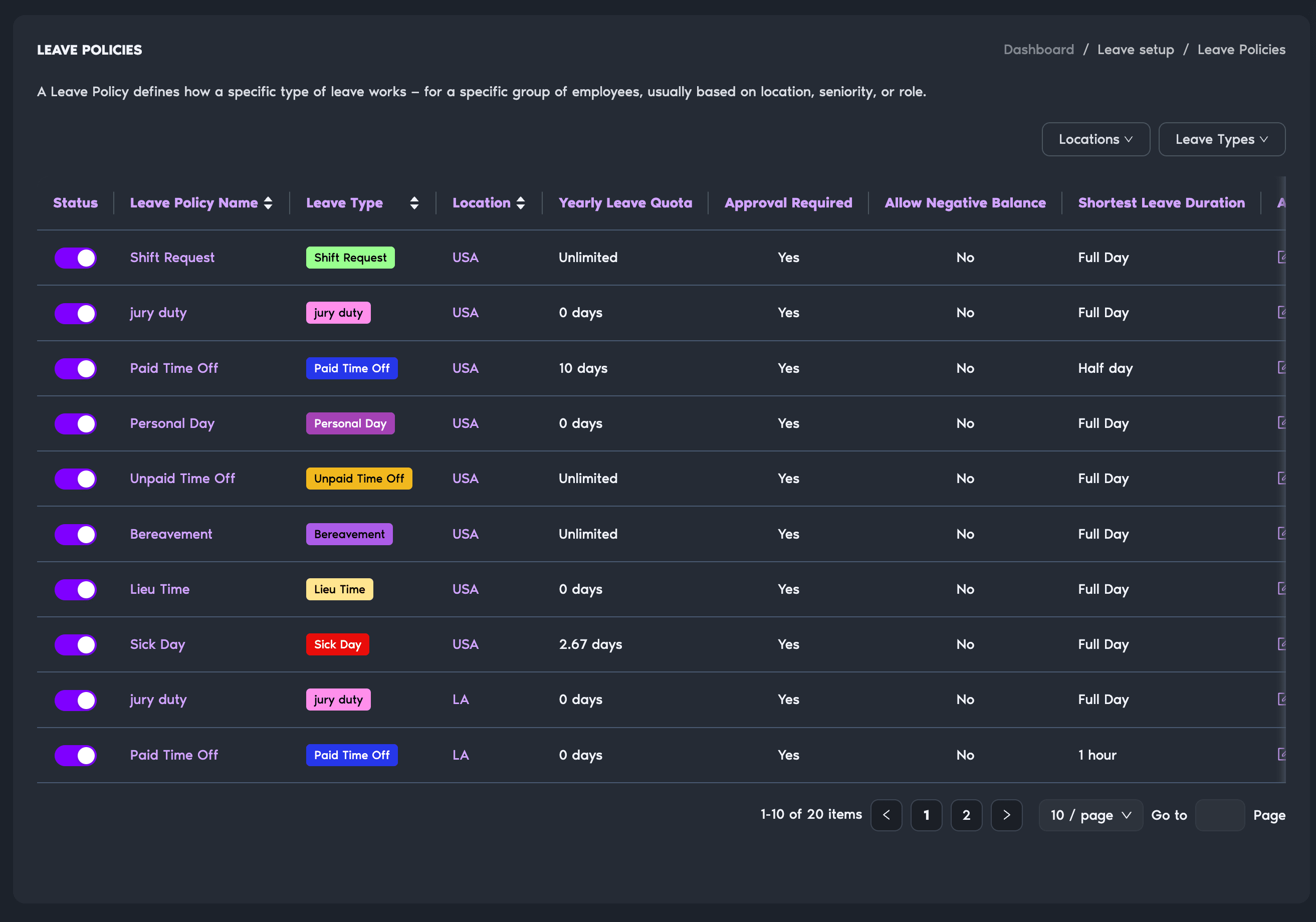
A growing team needs more over time. Finance wants reports with proof of leave, dates and who approved it. Teams spread across locations, each with its own rules. The complexity only goes up, and a simple sheet gets harder to keep right.
There's also a quiet cost. Somebody in your company has to maintain all of this. Instead of doing more valuable work, they keep fixing a file just to manage leave.
With Vacation Tracker, you can export any data you want. You can also connect it to your AI assistant and have it run reports for you. You get a clean history of every report you could want. It also scales because nothing depends on a human after the initial setup, which is where you enter leave policies and employees. After that, it runs like a well-oiled machine.
Energy insights show who on your team is running on empty
A spreadsheet can tell you how many days someone has taken. It will never tell you who hasn't had a break lately. Energy insights in Vacation Tracker take the time off data you already collect and turn it into a fairly accurate picture of your team's energy.
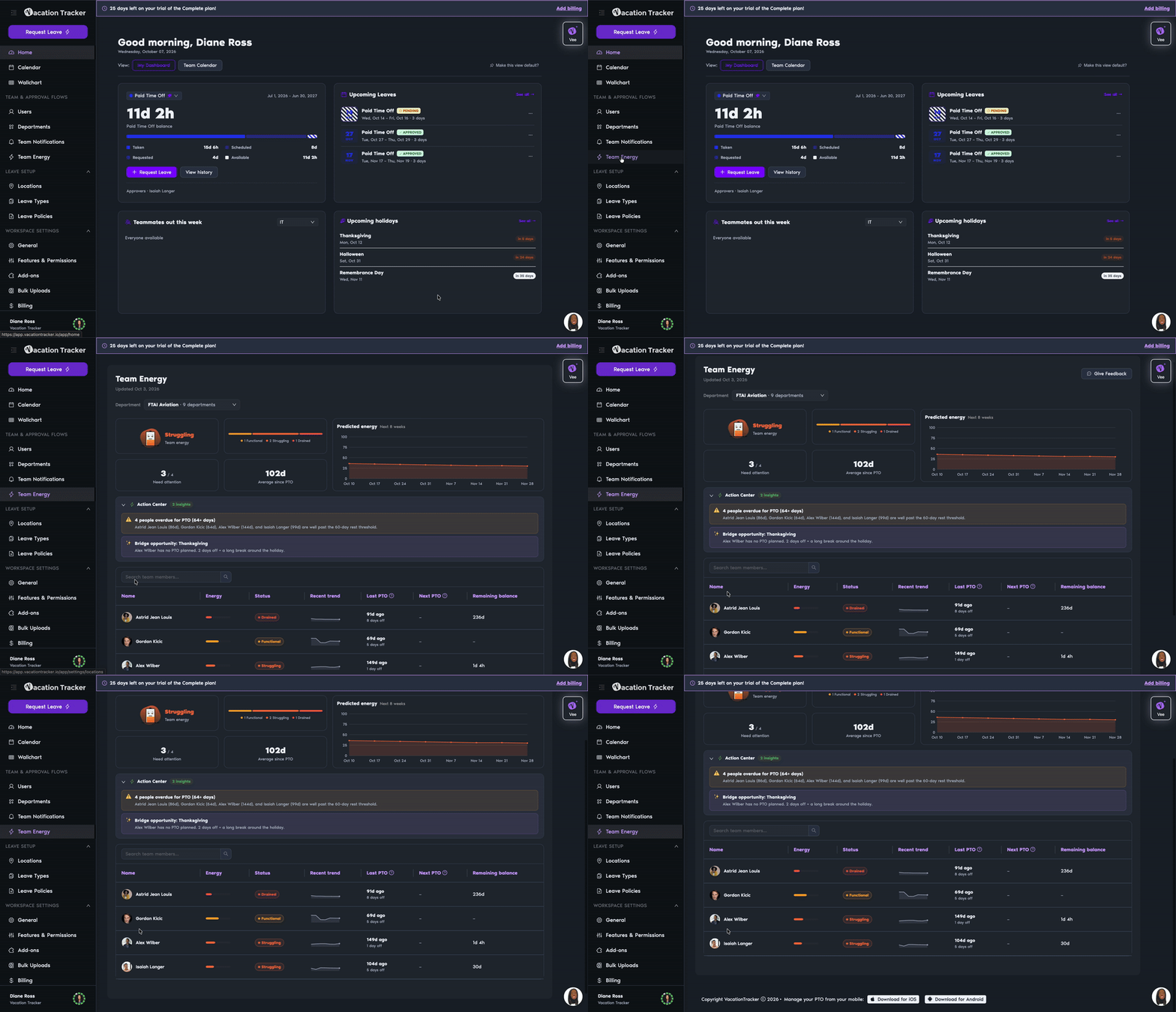
Managers who watch this can act early. They can ask someone if they're running on empty before that person burns out. The downside is setup time. The feature has to learn each person's habits and how they like to recharge, so it takes a while to get going.
Even if it's only slightly right, it can save a lot of time and money when someone is close to quitting from overwork. The people who never take time off are usually your high performers (and they need a break, too).
The MCP server lets you ask Claude or OpenAI about your leave data
This last difference feels like the future to me. Vacation Tracker has an MCP server that you can connect to Claude or OpenAI. You add the connector, and the data in your Vacation Tracker account becomes available to ask about in those apps.
Instead of digging through reports yourself, you can ask things like:
- What's the riskiest PTO overlap in July?
- Who's been off the most this year?
- When's the next holiday for the UK office?
Our power users go further. They connect MCP servers from other tools they use, so all their company data lands in one AI assistant. A spreadsheet will never do that.
Stick with a spreadsheet for a handful of people and switch when the time cost shows up
Here's my honest take. If you have a handful of people, a spreadsheet works and you don't need to pay for anything. Switch when things get complicated or the person in charge spends too much time on it. At that point the spreadsheet isn't cheaper, even though it's free, because that person's time could go to something more valuable.
Our founders hit this exact problem at their previous company. They built a tool in-house to fix it and spent the past 7 to 10 years perfecting it. That's the tool you can use today.
Try Vacation Tracker free for 14 days
If this sounds like your situation, grab the 14-day free trial at vacationtracker.io and see how it compares with your current sheet. Set up your policies, add a few people, and run one real leave request through it. You'll know quickly whether it fits.

Nicholas Lydon

Nick is the Content Marketing Manager at Vacation Tracker, where he turns leave management, HR headaches, and the occasional oddly specific PTO question into content people can watch. He spends most of his time creating videos, articles, campaigns, and creative experiments that make HR a little less boring.


Starting Price
Starts at $2/user/month and scales up to $4/user/month for advanced features. Includes a 14-day free trial.
depends on company plan. Individual plans start at 6.99 per month.
Free plan or free trial
Vacation Tracker no longer supports a free plan. Free trials are free for 14 days
Microsoft 365 free trial is 1 month long.
Time to implement
< 1 day
Depends on your spreadsheet creation ability
Advanced Leave Policies
- TOIL (Time Off in Lieu)
- Seniority-based leave
- Probation periods
- Blackout dates
- Accrual caps and department-level rules
Not present
Platform Integrations
- Slack, Microsoft Teams, Google Workspace
- ADP and Zapier
- Open API available
- Mobile app
Zapier and other integrations are available
OpenAPI available
Yes
Yes
Customer support
- Email support
- Live chat
- Guided onboarding process available on request
Private third party vendors offer classes and support is available via microsoft for general help.
Security & Compliance
SOC 2 Type 2 certified and GDPR compliant.
built-in protection features across the file, workbook, and worksheet levels, alongside an internal security manager called the Trust Center