














HOW IT WORKS WITH BAMBOOHR
Approve Leave in Chat.
See It in BambooHR.
Your whole company requests and approves leave in Slack, Microsoft Teams, or Google Workspace.
BambooHR stays your system of record, and every approved leave reaches the right employee.
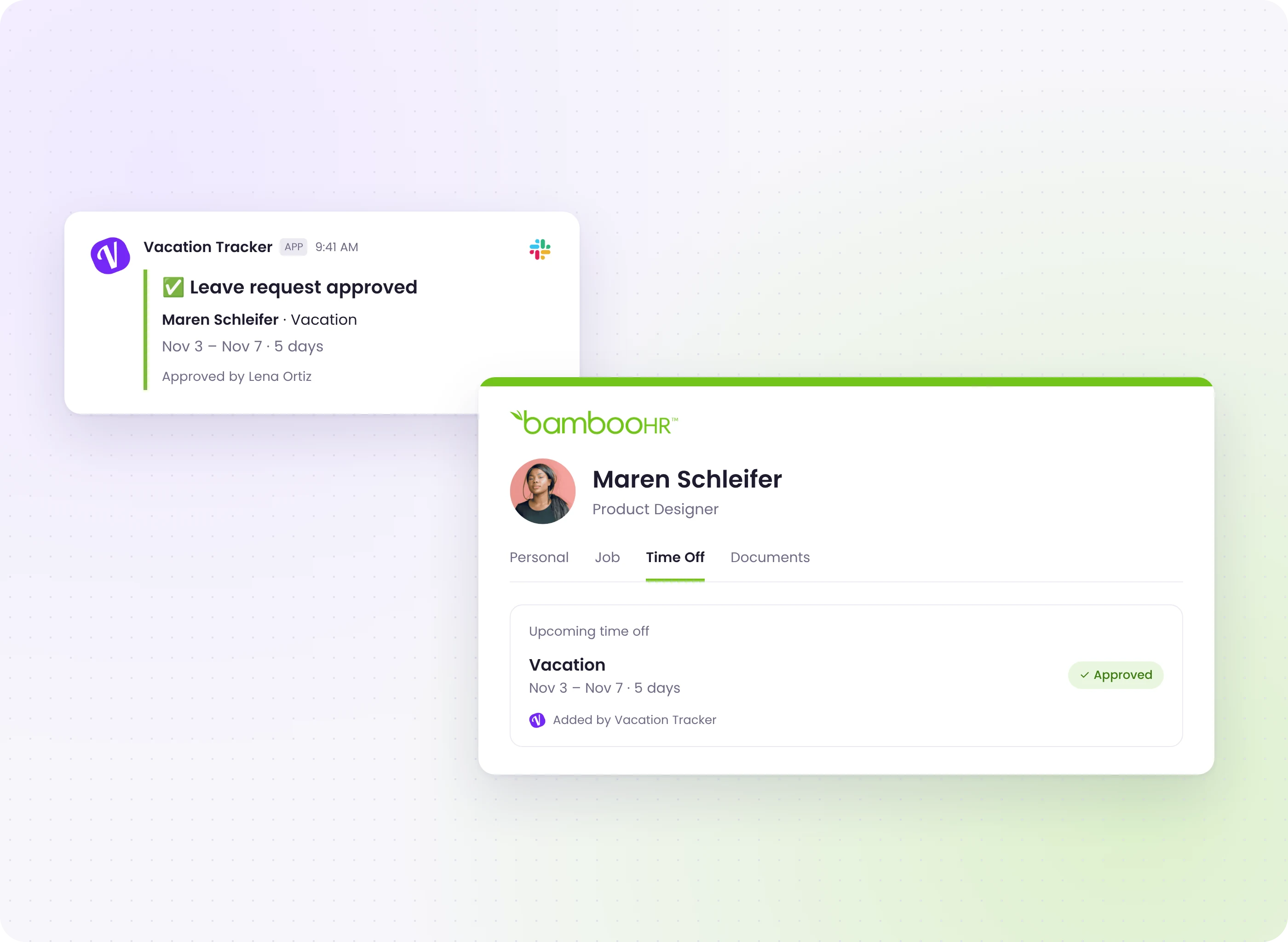

One Source of Truth
Approved leave shows up on the employee's BambooHR profile, so your HR records always match what was approved.

A Policy for Every Location
Each office or site gets its own leave policy, holidays, and approvers, while BambooHR keeps one clean record.

Approvals That Follow Your Org Chart
Single or multi-level approvals by department, with substitute approvers, so requests never get stuck.
-
Requests
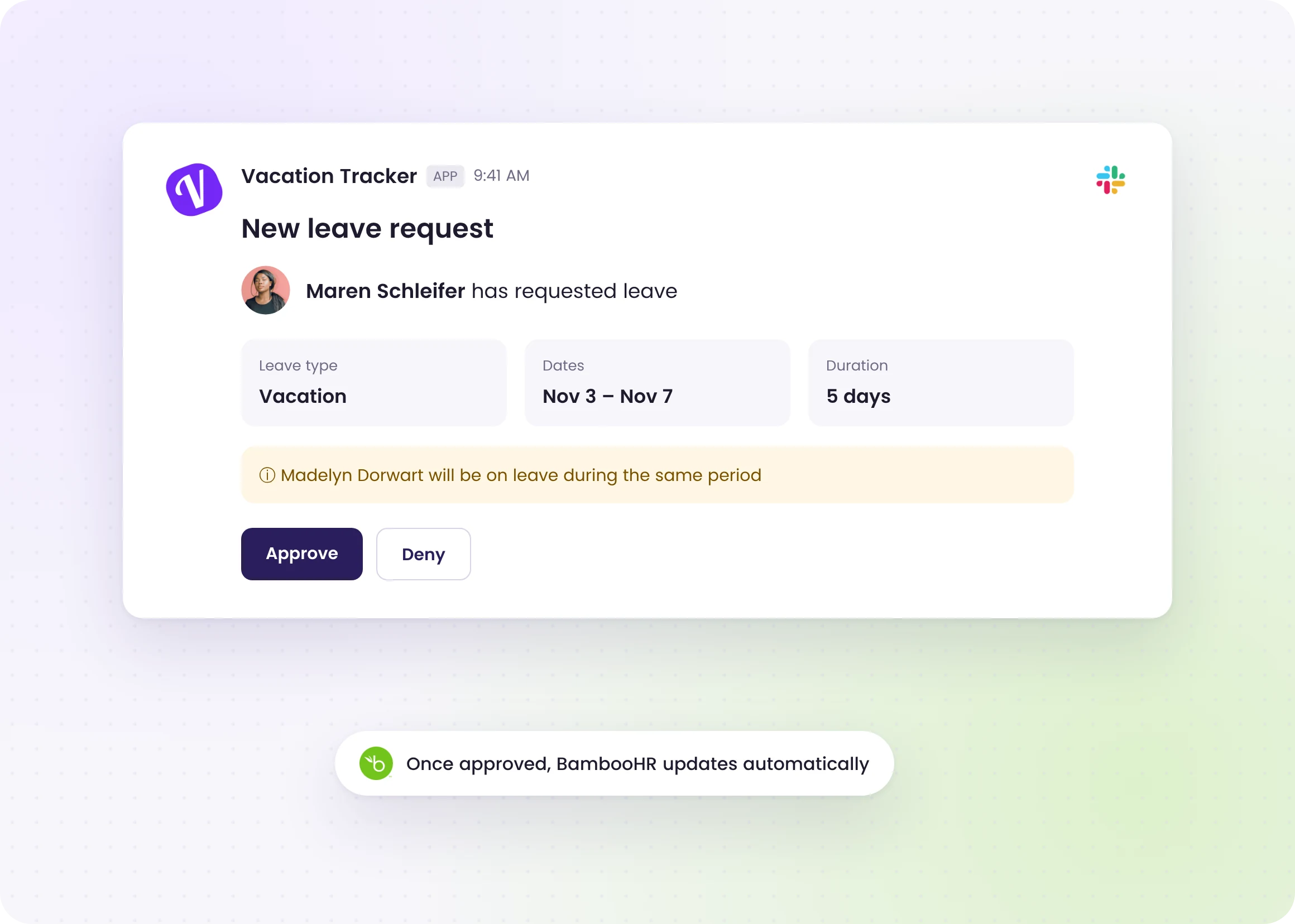
Requests Handled in Chat, Not by Email
-
BambooHR Sync
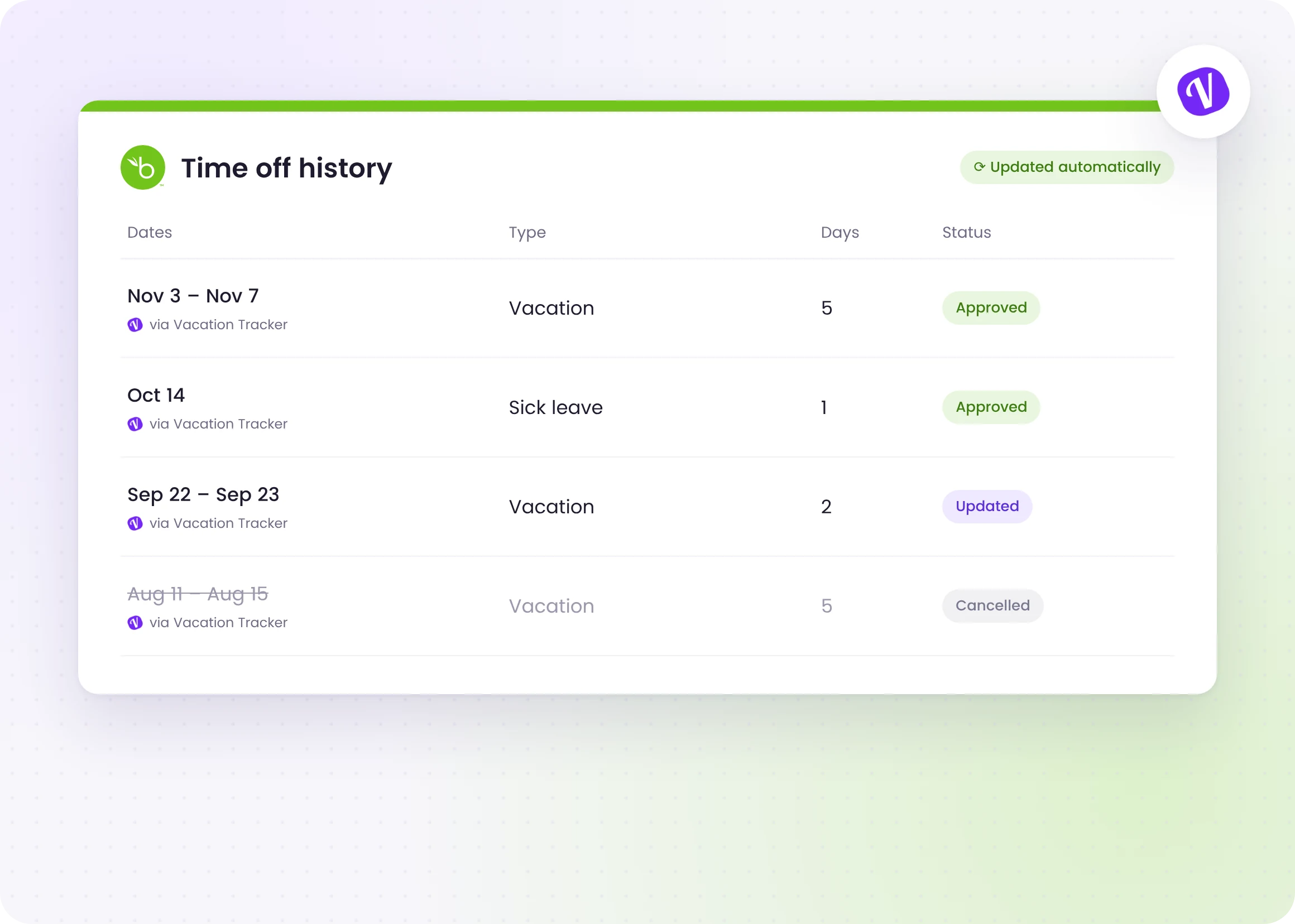
Every Change Lands in BambooHR
Requests Handled in Chat, Not by Email
Every Change Lands in BambooHR

The ease with which everyone transitioned across to using Vacation Tracker without asking a million questions was impressive!

Automate  PTO tracking for your
growing team,  worldwide
Get started for free.
Add your whole team as your needs grow.
Get started
On a big team? Request a demo
Integrations
Check our other integrations

Slack
Import users from your directory and automatically handle all requests without ever Slack.

Microsoft Teams
Request leave through the bot, add custom tabs, and bring Vacation Tracker into Teams.

Google Workspace
Automate leave tracking and receive leave requests and reminders straight to your inbox.

ADP Workforce Now®
When a leave request is approved in Vacation Tracker, it shows up in ADP Workforce Now® right away.

Zapier
With Zapier, you can connect Vacation Tracker to 7,000+ apps and automate leave management.
Never worry about time off tracking again
Vacation Tracker lets you fully customize your leave tracking without limits,
growing with your needs as your team expands.
Get started
Try all Vacation Tracker features free for 14 days. No commitment and no credit card needed.
Get started for freeSee How It Works
Book a call with our team to learn how Vacation Tracker can help your team.
View demo