Last updated on October 8, 2026
Vacation Tracker vs AttendanceBot: Which Leave Management Tool Actually Works for Your Team
Choosing between leave management tools shouldn't feel like guesswork. I work for Vacation Tracker, so yeah, I'm biased. But I'm going to give you the actual facts about how we compare to AttendanceBot so you can make the right call for your team.
Watch the full comparison breakdown:
Who Vacation Tracker Is Built For
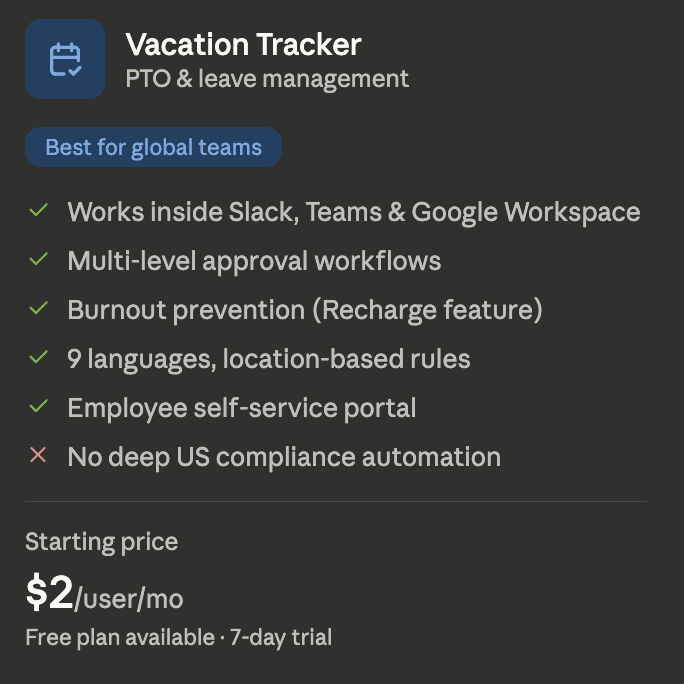
Vacation Tracker works for teams of any size, but it really shines when you need custom leave rules for different departments or multiple locations (whether that's across the country or across the world). We built it to live inside the tools you already use: Slack, Microsoft Teams, or Google Workspace.
Employees don't need to remember another login or switch to another platform just to see their time off or request new leave. It's all right there where they're already working.
Who AttendanceBot Is Built For
AttendanceBot targets teams that want more than just leave tracking. Like Vacation Tracker, it lives inside Slack and Microsoft Teams. But they're not just about time off. They also handle time tracking, employee scheduling, hybrid work planning, project planning, and even classroom attendance.
If you run a lot of operations through Slack or Teams and want to consolidate multiple HR functions under one roof, AttendanceBot was designed with that in mind.
What Vacation Tracker Does Really Well
We do one thing: PTO and leave tracking. And we're trying to be the best in the world at it. That means every policy option you could possibly want (and if we don't have it, we'll build it or you can create it yourself with a custom leave rule).
Fast setup: Getting up and running takes less than a day for basically every team. You can do it 100% on your own, but if you want guided onboarding, our support team can walk you through the entire process.
Policy depth: Blackout dates, probation periods, accrual caps, seniority-based entitlements. That's just the beginning. Whatever company leave rules you have that might be special or specific to just you, we've got it covered.
Works where you work: Employees request time off directly in Slack, Microsoft Teams, or Google Workspace. If you don't use those, we have mobile apps for Android and iOS, plus an online dashboard. Managers can get a live view anytime to see who's out and when, or set up a chatbot to tell them at the start of each week or day.
What AttendanceBot Does Really Well
Users highlight how natural AttendanceBot feels to use. Sending a message like 'apply' and having it process your request quickly is pretty nice. Here are the three main strengths we found:
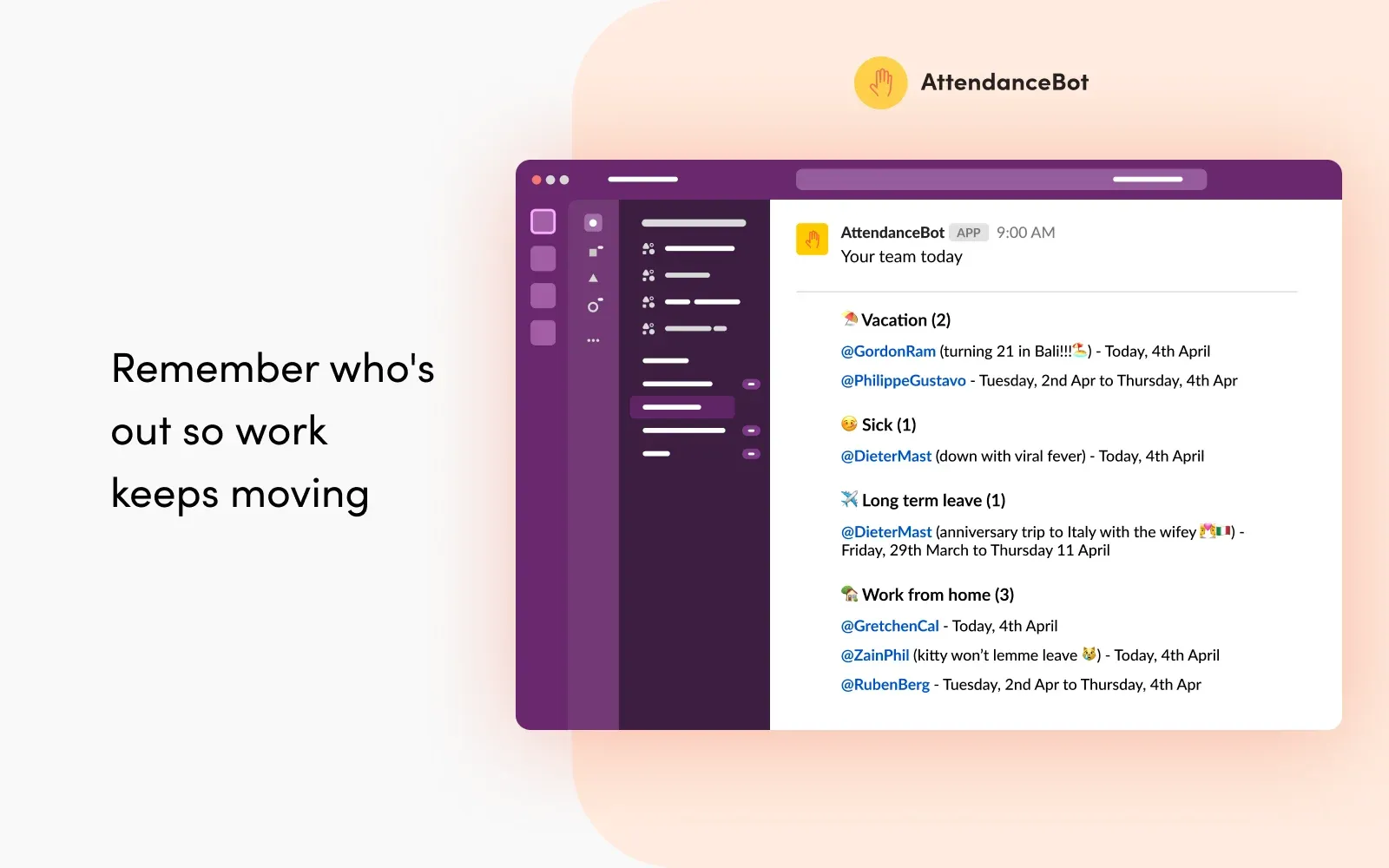
Feature breadth: If you want more than just a PTO tracker but less than a full HR system, AttendanceBot covers a lot of ground. Time tracking with automated timesheets, employee scheduling and shift rostering, hybrid work tools. It really does feel like a workforce management suite inside your chat platform.
Conversational interface: Employees can just type what they need and AttendanceBot will interpret it, ask questions if necessary, and route it to the right person for approval once everything's sorted.
Calendar integrations: It connects with Google Calendar, Outlook, and Apple Calendar. Leave data flows naturally from whatever app you're using to the calendar you need.
Where Vacation Tracker Falls Short

Our focus is probably our primary constraint. We're only built for leave tracking. There's no time tracking, shift scheduling, hybrid work management, or project management. We do connect with payroll tools through our ADP integration and open API, but if you're looking for a tool that handles your entire HR stack, we're not it.
Where AttendanceBot Falls Short
AttendanceBot's strength is also its weakness. If your team really just wants a clean PTO tracker, it has a lot of extra features you won't need. And if you need advanced policies, you might scale pretty quickly with the pricing, which can easily become too expensive if you don't need all the extra stuff like time tracking.
Pricing Comparison
Vacation Tracker has a free plan for simple team structures. Our core plan starts at $2 per user per month. The complete plan with all features runs $4 per user per month. There's a free trial available if you want to test the paid programs.
AttendanceBot's paid programs start at $4 per user per month for their most basic version and go up to $10 per user per month for everything. Remember, they have a bunch of extra features outside of just PTO and leave tracking, which is why it costs more.
Setup Time and Features
Both are up and running in under a day. The setup process is pretty similar.
We've already covered this, but to reiterate: Vacation Tracker has all the PTO and leave tracking features you could possibly need. AttendanceBot covers a wider surface area with a little less depth.
Integration Options
Vacation Tracker connects with Slack, Microsoft Teams, Google Workspace, ADP, and Zapier, plus we have an open API.
AttendanceBot integrates with Gusto and Wage Point for payroll and can sync with any calendar you use (though that's pretty standard for any HR platform today).
Support and Security
Vacation Tracker offers live chat, email, and a guided onboarding process if you choose to use it. AttendanceBot has chat and email too. If you get their premium plan, you'll get a support manager along with it.
For security, Vacation Tracker has SOC 2 Type 2 certification and GDPR compliance. I'm sure AttendanceBot has something similar, but it was hard to find on their website, so that's worth looking into if you're concerned about security.
Which One Should You Actually Choose
There's no one-size-fits-all approach to HR. You might want more than leave tracking, so you could go with something that's a little more holistic. But if leave tracking is the thing you're trying to solve and you want depth there, Vacation Tracker might be the better option.
AttendanceBot is trying to be a full working operation hub inside the chats you already use. If you want time tracking, scheduling, hybrid work management, and leave all in one spot, and you live in Slack or Teams, this is built for you.
Vacation Tracker is built for teams that need PTO fixed. It's fast to set up, easy for employees to adopt, and goes deeper on leave policies than basically any other option in the category.
Luckily, both have free trials or free plans available. The easiest way to find out which one is best for you is to try both. Since they're both up in less than a day, you won't be wasting much time.
Try Vacation Tracker or check out AttendanceBot and see which one actually solves your problem.

Nicholas Lydon
Nick is the Content Marketing Manager at Vacation Tracker, where he turns leave management, HR headaches, and the occasional oddly specific PTO question into content people can watch. He spends most of his time creating videos, articles, campaigns, and creative experiments that make HR a little less boring.


Pricing
Starts at $2 per user/month (Core) up to $4 per user/month (Complete). Includes a 14-day free trial and setup call.
- Starts at $4/user/month for the basic plan
- Goes up to $10/user/month for the full suite
Setup Time
< 1 day with optional guided onboarding available from the support team.
< 1 day
Core Focus
Specialized leave management tool focused exclusively on PTO and leave tracking with deep policy customization.
Broader workforce management suite covering leave, time tracking, scheduling, hybrid work planning, and more.
Leave Policy Depth
- Blackout dates
- Probation periods
- Accrual caps
- Seniority-based entitlements
- Multi-Location & Custom Leave Policies
- Time Off in Lieu (TOIL)
- Real-Time Team Calendar
- Automated Notifications
- And more!
- Time Tracking
- Absence & Leave Management
- Leave Accruals & Balances
- Employee Scheduling
- Hybrid Work Tracking
- Real-Time Reports
- Calendar Integration
- Project & Task Tracking
Platform Integrations
- Slack
- Microsoft Teams
- Google Workspace
- ADP
- Zapier
- Open API
- Slack
- Microsoft Teams
- Gusto and Wage Point for payroll
- Google Calendar, Outlook, and Apple Calendar
Open API
Yes!
Yes, on paid plans
Time Tracking & Scheduling
Vacation Tracker does not offer time tracking, shift scheduling, or hybrid work management. It focuses solely on leave tracking.
Includes automated timesheets, employee scheduling, shift rostering, and hybrid work planning tools.
Conversational Interface
Requests are submitted directly in Slack, Teams, or Google Workspace but do not use natural language processing.
Employees can type natural language messages and AttendanceBot interprets, clarifies, and routes the request automatically.
Security
SOC 2 Type 2 certified and GDPR compliant.
Security certifications were not clearly listed on their website and are worth investigating independently.