Last updated on May 1, 2026
Vacation Tracker vs. Day Off: Which Leave Management Tool Fits Your Team?
Choosing between leave management tools shouldn't feel like guessing. I'm breaking down how Vacation Tracker and Day Off actually compare in 2026, covering who they're built for, what they do well, where they fall short, and how their pricing and features stack up.
Watch the full comparison here:
Who Vacation Tracker Is Built For
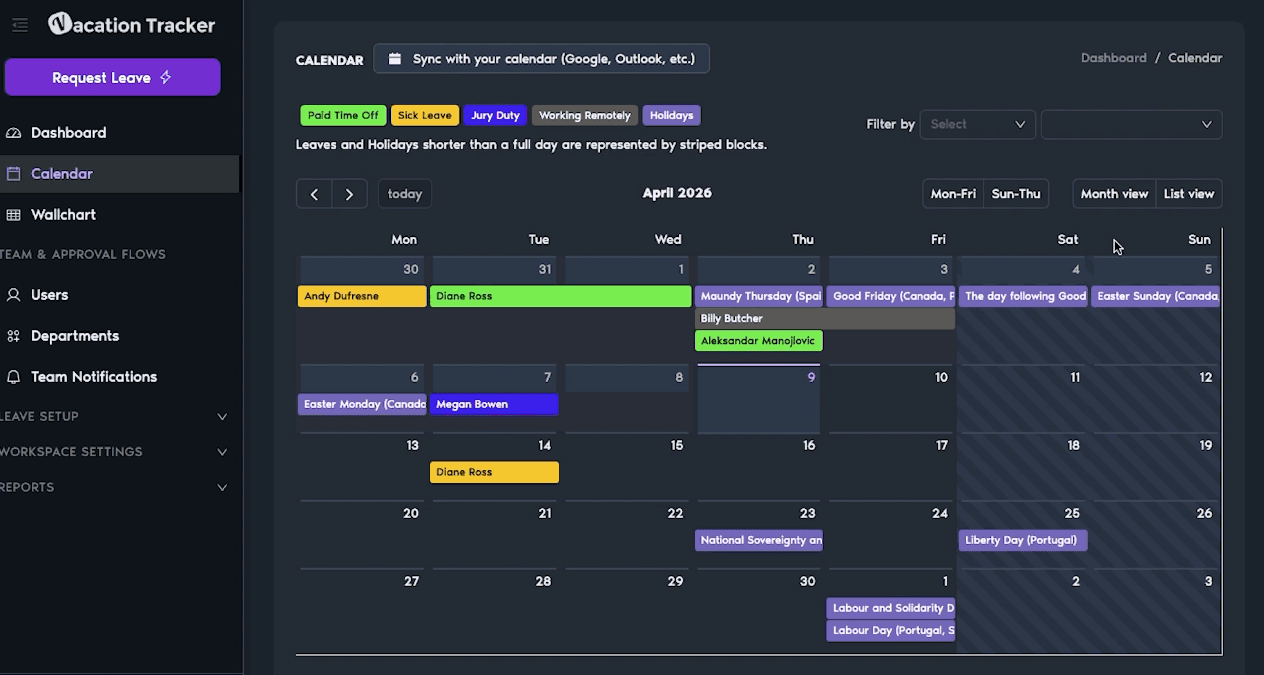
Full disclosure: I work at Vacation Tracker, but I'm giving you the straight facts so you can decide what works for your team.
Vacation Tracker handles teams of any size, but it really shines for mid-size companies or organizations with multiple locations. If you're running a remote team that needs different leave rules based on department, location, or seniority, this is where Vacation Tracker does its thing.
The platform integrates directly into Slack, Microsoft Teams, Google Workspace, or standard email workflows. Your employees don't need another login (thank god). They request time off where they already work, or they use the mobile app.
Who Day Off Is Built For
Day Off targets teams that want a mobile-first, simple leave tracker. It started as a mobile app, and that DNA shows. The mobile experience is polished, which makes it a solid pick for teams that aren't chained to desks all day — retail workers, field services, hospitality businesses.
They've got over 50,000 teams on the platform because they cover the basics really well: leave requests, approvals, calendars. It's built as a lightweight tracker, not a deeply configurable system.
Vacation Tracker's Main Strengths
Both platforms aim to make leave management simple and out of the way. Vacation Tracker's goal is to be the best platform that integrates into every employee's normal workflow — whether that's Slack, Microsoft Teams, Google Workspace, or the mobile app. It also connects to payroll software and includes an open API.
Self-Service Setup
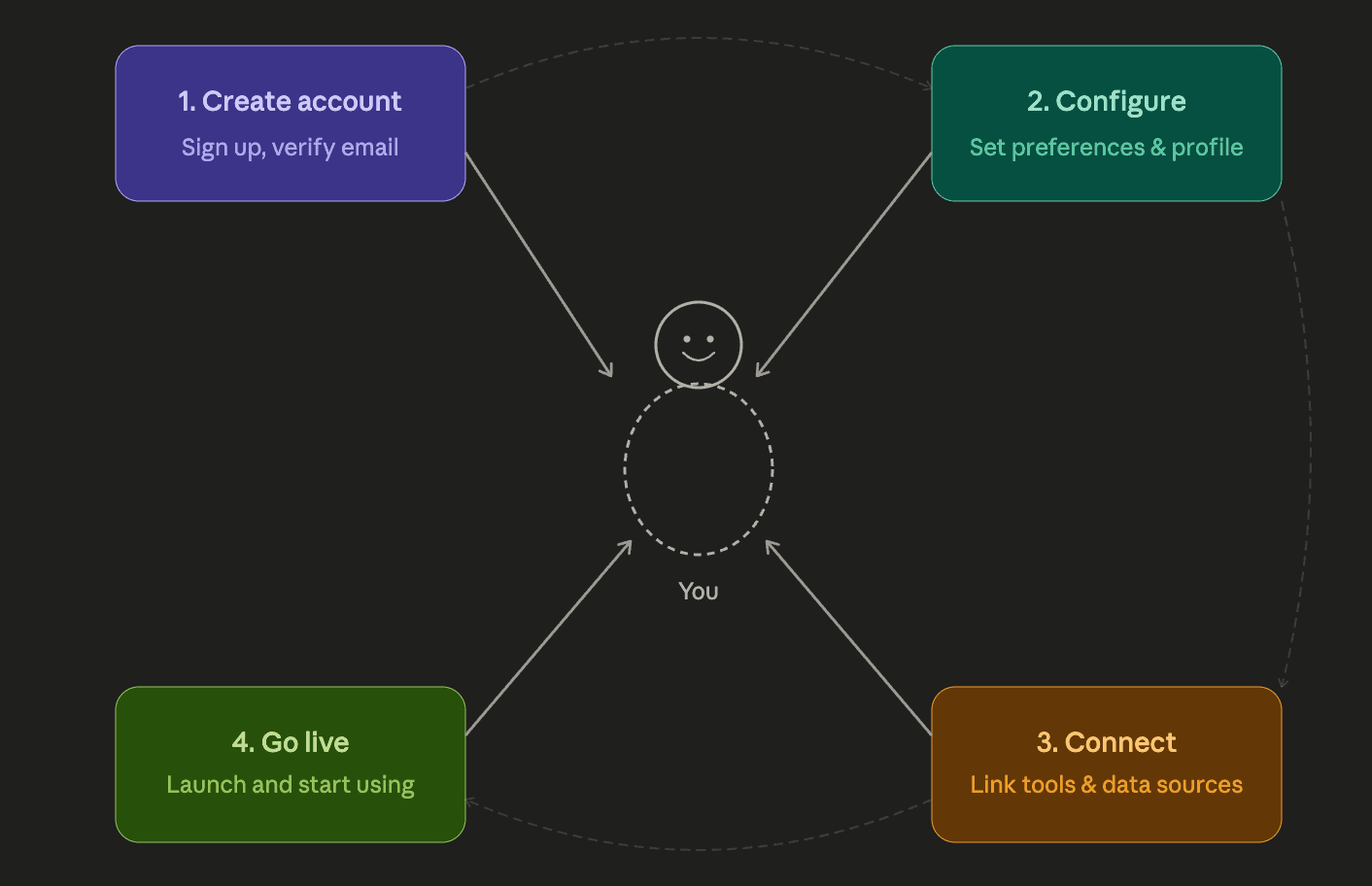
Vacation Tracker is built for self-service setup. You can get started on day one without help. But if you want assistance configuring all your policies, you can book a call with the support team and they'll walk you through it.
Deep Policy Configuration
Vacation Tracker goes extremely deep on leave management (and that's it). Need blackout dates to prevent time-off requests during peak seasons? Done. Specific accrual caps for your company? Vacation Tracker adapts to your policies so you run the business how you see fit.
Seamless Team Integration and Visibility
Your team doesn't need another login because it works where you work. As an admin or manager, you can set up a chatbot or notifications to know exactly who's out and when. This keeps project timelines moving without constant check-ins.
Day Off's Main Strengths
Day Off has built a solid reputation as a clean, no-fuss leave tracker. It doesn't try to do too much, which appeals to smaller teams.
Mobile-First Experience
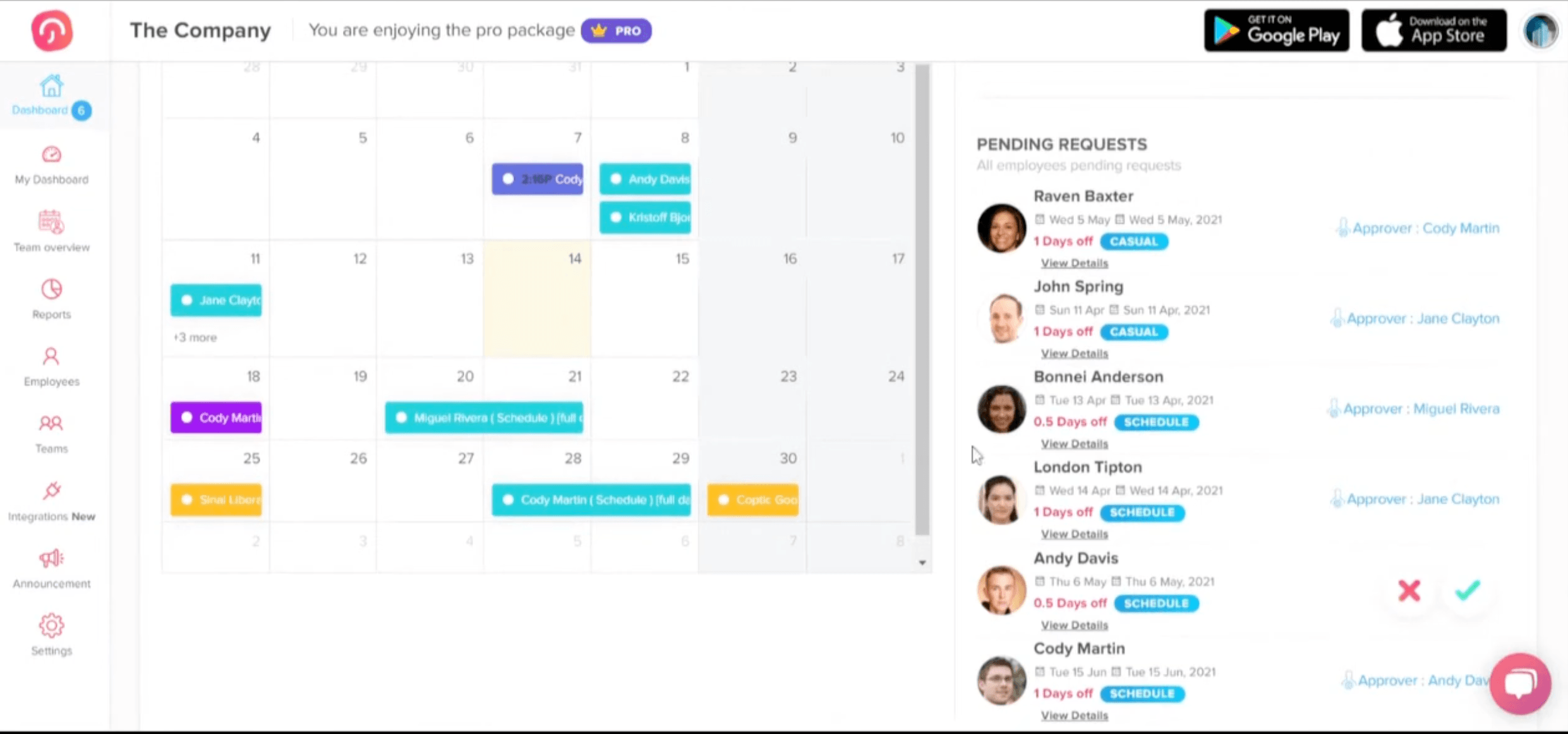
The iOS and Android apps are extremely intuitive. Employees can request time off, get approvals, check leave balances, and view the team calendar all from their phone. For teams that aren't at desks all day, this matters.
Calendar Integrations
Day Off syncs approved leaves with Google Calendar or Outlook. They also have Slack and Microsoft Teams integrations for notifications and leave management (though this is only available on paid plans).
Simple Onboarding
Getting started with Day Off is easy. Admins can bulk import users, and the interface is simple enough that you won't need extensive training. The free plan supports up to 10 users, so you can test it with a small section of your team before committing.
Multi-Location and International Support
Day Off handles custom schedules, holidays, and a few other tools that work well for distributed teams.
Where Each Platform Falls Short

Vacation Tracker's Limitations
Vacation Tracker is built specifically for leave management. You won't find other functions that come with a total HR platform. It integrates with payroll, but it won't house employee documents, track hiring processes, or manage other HR tasks.
Day Off's Limitations
Day Off is also built only for leave management, but it lacks depth in policy setup. There's no function for TOIL or seniority-based leave. No probation periods either. If your company has complex or region-based leave policies, you'll find yourself working around limitations rather than having everything at your fingertips.
The free plan caps at 10 users. Once you outgrow that, you're looking at a $2 minimum per user per month.
Direct Comparison:
Pricing
Vacation Tracker starts at $2 per user per month and scales up to $4 per user per month depending on functionality. Day Off has one paid plan at $2 per user per month.
The big differentiator is pricing. Vacation Tracker offers a 14-day free trial of all features. Day Off's free plan stops at 10 users and feels more limited feature-wise.
Vacation Tracker also offers a 14-day free trial for any paid plan. You can test everything for a week before entering credit card information.
Setup Time
Both platforms are fast to implement. Both have bulk uploads for employee information. Most of your setup time will be spent bringing users in and configuring your policies. Setup is straightforward for both.
Features
Both cover leave management basics well, but Vacation Tracker has more depth. Day Off lacks some advanced features like TOIL, substitute approvers, and advanced visibility controls.
Integrations
Vacation Tracker integrates with Slack, Microsoft Teams, Google Workspace, and has a mobile app. It also connects to ADP and Zapier, so you can link it to tools you already use.
Day Off integrates with Slack and Microsoft Teams, but only on paid plans. They currently don't have ADP or Zapier integration.
Support and Security
Both offer email support anytime. Vacation Tracker adds live chat and a guided onboarding process if you want it.
Day Off is less public about security but has a security page and privacy policy on their website. Vacation Tracker is SOC 2 Type 2 certified and GDPR compliant.
Final Verdict: Which Tool Should You Choose?
There's no one-size-fits-all product. Just the one that's best for your team.
If your team is under 10 users and you need a simple, mobile-friendly leave tracker, Day Off is a great option. Just know that if your team grows or you need more advanced policies, you'll upgrade to $2 per user per month.
If your team is bigger and needs advanced policies, Vacation Tracker is probably a stronger fit. The good news is both can be set up quickly and have free versions you can test until you're ready to commit.

Nicholas Lydon
Nick is the Content Marketing Manager at Vacation Tracker, where he turns leave management, HR headaches, and the occasional oddly specific PTO question into content people can watch. He spends most of his time creating videos, articles, campaigns, and creative experiments that make HR a little less boring.


Starting Price
Starts at $2/user/month and scales up to $4/user/month for advanced features. Includes a 14-day free trial.
One paid plan at $2/user/month. No tiered pricing options.
Free plan or free trial
Vacation Tracker offers a 14-day free trial with all core features included.
Day Off's free plan is capped at 10 users and is more limited in features.
Time to implement
< 1 day
< 1 day
Advanced Leave Policies
- TOIL (Time Off in Lieu)
- Seniority-based leave
- Probation periods
- Blackout dates
- Accrual caps and department-level rules
Day Off lacks advanced policy options such as TOIL, seniority-based leave, and probation periods. Best suited for simpler leave setups.
Platform Integrations
- Slack, Microsoft Teams, Google Workspace
- ADP and Zapier
- Open API available
- Mobile app
- Slack and Microsoft Teams (paid plans only)
- Google Calendar and Outlook sync
- Mobile app (iOS and Android)
OpenAPI available
Yes
Yes
Customer support
- Email support
- Live chat
- Guided onboarding process available on request
Email support
Security & Compliance
SOC 2 Type 2 certified and GDPR compliant.
Day Off has a security page and privacy policy but is less public about specific certifications or compliance standards.