
Last updated on November 4, 2026
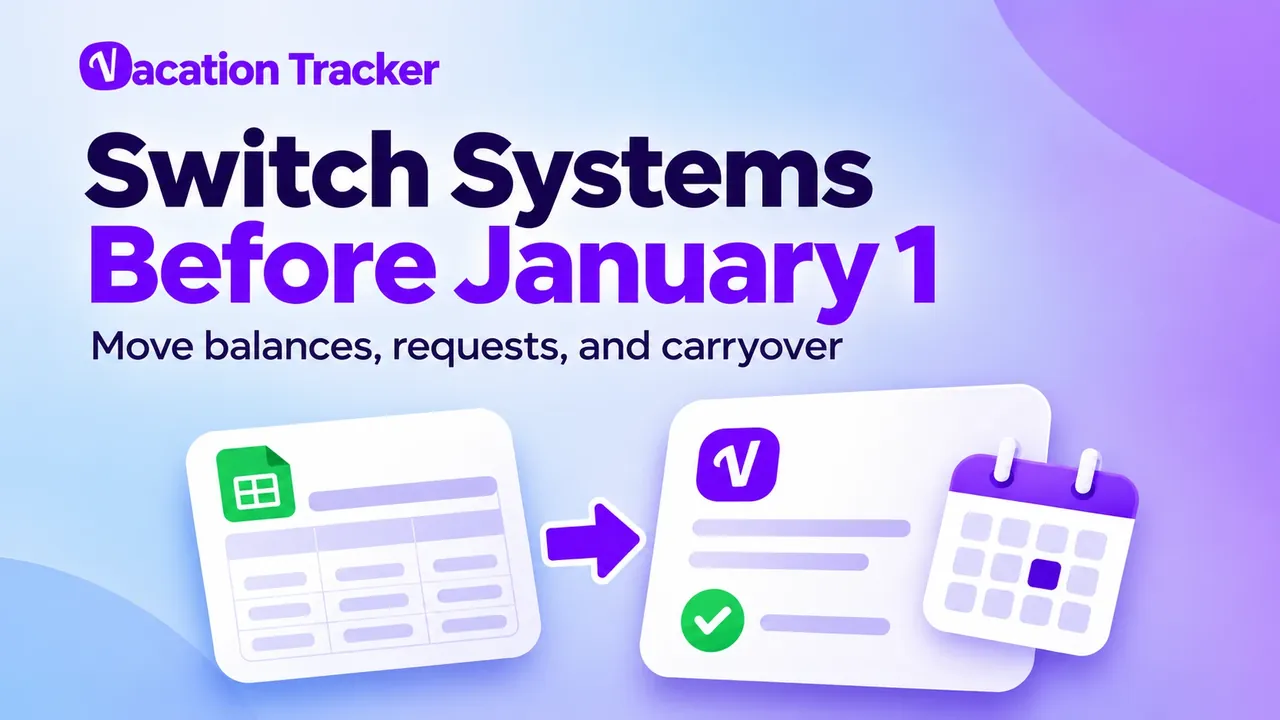
Starting a new PTO tracking system on January 1 sounds like the obvious move. New year, new balances, clean start.
Here's the catch: December is the worst month to do it. It's the busiest month for time off in our Leave Trends report, and across teams using Vacation Tracker, about 1 in 4 leave requests made in December are already for next year.
So you're moving balances while people are still booking against them. Get it wrong and January opens with wrong balances, double-booked days and a queue of people asking, "How many days do I have left?"
Here's how to switch leave tracking systems without the mess, with a 4-week plan and a checklist you can print.
When should you switch: January 1, mid-year, or your own leave-year date?
Pick a date when HR and payroll can agree on a closing balance.
| Option | Best when | Watch out for |
|---|---|---|
| January 1 | Your leave year follows the calendar year | Holiday cover and late December changes |
| Your fiscal or leave-year start | A group starts a new entitlement period together | Locations may use different dates |
| Mid-year, after a payroll close | You want off the old tool sooner | Keep earned, taken and booked leave separate |
| Each employee's work anniversary | Entitlement follows start dates | Move everyone on one date; keep each person's leave year |
In Vacation Tracker, about 95% of leave years restart on January 1, with April 1 and July 1 next.
A calendar-year reset happens for everyone on January 1. An anniversary-year reset follows each employee's start date. Either way, you don't have to wait for the reset date to change software.
What should you move to the new system?
Move everything you'll need to run leave from the new system: balances, carryover, upcoming leave and, if you want it, your full leave history.
| What to move | How |
|---|---|
| Opening balance per person and leave type | As of the switch date, in days or hours |
| Carryover (brought forward) | Separate from this year's quota, with its expiry date |
| Approved future leave | Dates, leave type and approval status |
| Pending requests | Decide them before the switch, or re-submit them in the new system |
| Leave history | Import past leave so records and reports live in one place, without deducting it from opening balances again |
| Approvers | Rebuild them and test, including backups |
| Next year's public holidays | Check each location's calendar |
Leaving spreadsheets behind? Once everything is in, your Excel PTO tracker becomes a read-only backup, not another place to book leave.
Settle your leave rules before you set anything up
About 1 in 4 established teams using Vacation Tracker change their leave policies in January, and nearly half adjust someone's balance by hand. Decide the rules in December and you skip that cleanup.
| Rule | What to decide |
|---|---|
| Leave types | Which ones you track (vacation or PTO, sick, personal, unpaid, parental, bereavement, comp time) and how old names map to new ones |
| Quotas | Annual allowance, upfront or accrued, and how mid-year joiners and part-timers are handled |
| Carryover | The cap and expiry date per leave type, or use-it-or-lose-it if that's your policy |
| Seniority | Extra days per years of service, written as a table (seniority PTO guide) |
| Locations | Which policy and holiday calendar each person follows (multi-country guide) |
| Approvals | An approver and a backup per team, plus who approves managers and the CEO |
| Visibility | Everyone sees who's out; sensitive leave reasons stay private |
Write the decisions down in a leave policy template and get them signed off before anyone imports balances.
How to move PTO balances and carryover without errors
- Pick the switch date and announce which system handles requests from then on.
- Freeze the old file that day. One person handles urgent changes.
- Export balances per person and leave type, with carryover and approved future leave.
- Check them against payroll. Accrued PTO is a liability on the books, so the numbers must match. The PTO accrual calculator helps with spot checks.
- Enter carryover separately from this year's quota, with its expiry date. If your policy pays out unused days, settle the PTO payout first.
- Spot-check five people: a mid-year joiner, a part-timer, someone with a negative balance, someone on long leave and a manager.
- Show everyone their opening balance and give them a week to flag errors.
The most common mistake: deducting future leave twice. If your exported balance already subtracts booked leave, don't import those bookings as deductions again.
Does PTO roll over when you switch systems? Only if your policy allows it. Switching software doesn't change anyone's entitlement. Keep brought-forward balances separate, and see our PTO rollover guide for the rules. In the UK, you'll see this called "annual leave carry over."
What to do with next year's requests that arrive before you switch
Pick one place for next year's requests and tell everyone.
| Option | How it works | Best when |
|---|---|---|
| A: New system | Set up next year's policies and holidays first, then send requests there | The new setup is ready and tested |
| B: Old system until the switch | Re-enter the final list once on switch day | You need more time to test |
Choose B unless the new system is already tested. For requests that cross the year-end, check the deduction on both sides.
Planning next year's dates? Check the 2027 US holidays or 2027 Canada holidays.
The 4-week launch plan
| Week | Goal | What you do | Who |
|---|---|---|---|
| 1 | Decide | Date, rules, owners, announcement date | HR or operations, with payroll |
| 2 | Build quietly | Locations, holidays, policies, approvers; add users with notifications off | Admin |
| 3 | Load and test | Load checked balances; pilot with one team and one non-technical colleague | Admin, payroll, pilot managers |
| 4 | Announce and launch | Short announcement, 15-minute manager walkthrough, go live, old file read-only | Project owner and managers |
The rule for launch day: "If it's not in the system, it doesn't count."
Start in November and you're live before January 1, with time to fix corrections before the holidays.
Your leave system switch checklist
Decisions
Setup
Balances
People
Launch day
First two weeks
The first two weeks after launch: what to watch
In Vacation Tracker, the first week of January is the slowest week of the year for approvals: about 1 in 4 requests wait more than a day.
So set backup approvers before the holidays, turn on reminders and send a daily who's-out summary. Show employees where to see their own balance, and fix any disputed amount against the signed-off export. After the first payroll run, retire the old spreadsheet.
How to switch to Vacation Tracker, step by step
Vacation Tracker is leave management software for requesting, approving and tracking time off in Microsoft Teams, Slack or Google Workspace.
- Connect your workspace and import users. Sign up with Microsoft Teams, Slack or Google Workspace. Under Team & Approval Flows, go to Users, then Add Users. Select people from your directory and turn off Announce to New Users until you're ready. See the user import guide.
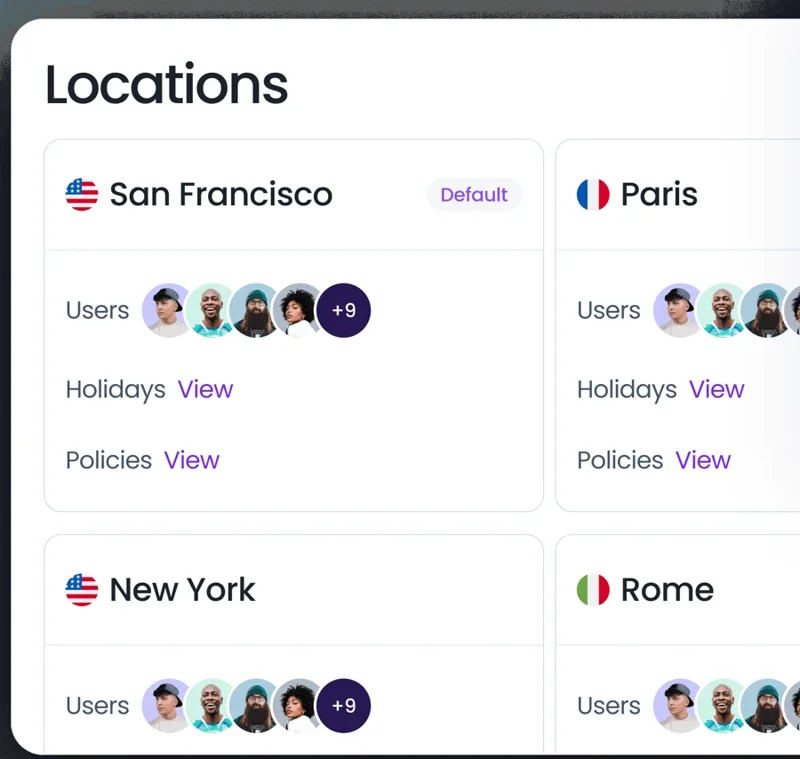
- Create locations and holidays. Expand Leave Setup and click Locations, then Create a Location. Set the time zone and workweek. In the Holidays tab, click Import Holidays and pick next year, the country and the state or province.
- Set the leave-year reset. In the location's General tab, set Leave quota reset based on to Accounting Year (a shared date) or User Employment Date (anniversaries). See the reset-date guide.
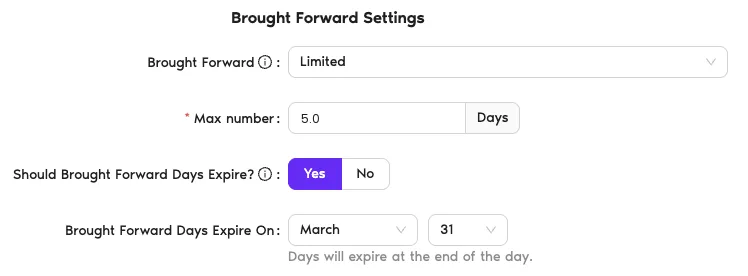
- Create leave types and policies. Under Leave Setup, create your leave types. Then open the location's Edit Leave Policies, set the quota (upfront or accrued) and turn on brought forward with a cap and expiry date.
- Assign departments and approvers. Under Team & Approval Flows, go to Departments, then Create New Department. Add users and approvers, and set a substitute approver for holiday cover.
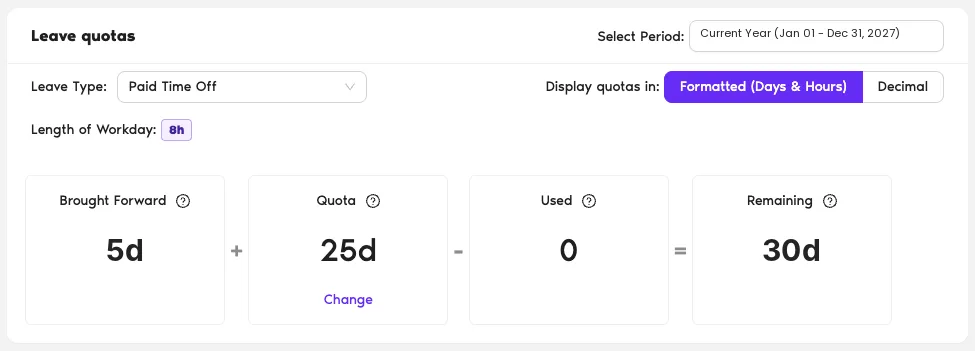
- Load brought-forward balances. Expand Workspace Settings and click Bulk Uploads. On Initial Brought Forward, download the template, fill in each person's carryover and import it. To bring in approved bookings or history, use the leave data import.
- Add rules for busy weeks (optional). Use Blackout Period to block dates and Maximum Users Away to cap how many people are out at once.
- Set summaries and calendar sync. Under Team & Approval Flows, go to Team Notifications, then New Notification. Send a daily or weekly who's-off summary to a Microsoft Teams or Slack channel, or by email. Turn on calendar sync to Google Calendar or Outlook.
- Launch. Employees request leave in Microsoft Teams, Slack, the dashboard or the mobile apps, and see their own balance.
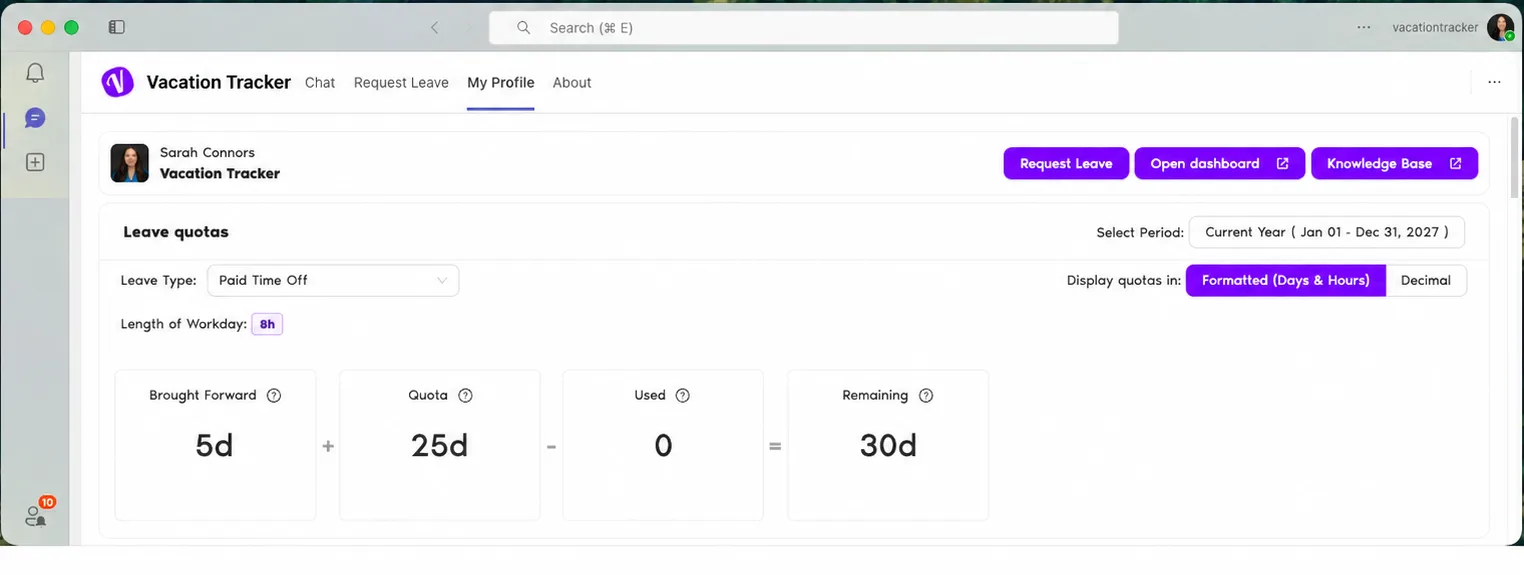
Start Vacation Tracker's 14-day free trial (no credit card needed) for the build and the pilot. On launch day, every location has its own holidays, rules and approvers, and every employee sees their own balance in Microsoft Teams, Slack or Google Workspace.
Manage leave across all your locations
Leave policies and public holidays for every office, state or country, in Microsoft Teams, Slack or Google Workspace.

Lav Crnobrnja

The COO and co-founder of Vacation Tracker. He loves sharing his knowledge and passion for startups, business, and AI. When he’s not working, he can often be found experimenting with AI agents and exploring what the latest technology can do.