Most companies set up next year's holidays the same way: copy the national list and send it round.
Here's the catch: once you have offices in more than one place, one list doesn't fit. New York and London don't share the same public holidays, and even two US states can differ.
2027 adds a twist. Christmas Day falls on a Saturday and Boxing Day on a Sunday, and every country moves the day off differently. In the US, the federal day off for New Year's Day 2028 even lands on Friday, December 31, 2027.
This guide shows which 2027 holidays fall on a weekend in each country, how many paid holidays to give, and how to set up and share a holiday calendar for every location. A checklist at the end covers what to finish before January.
2027 public holidays that fall on a weekend, by country
In 2027, Christmas Day falls on a Saturday and Boxing Day on a Sunday. The US also has Juneteenth on a Saturday and Independence Day on a Sunday. Where the day off goes depends on the country: the UK gives Monday and Tuesday, December 27 and 28, while the US federal calendar moves Christmas to Friday, December 24.
| Country | Holiday | Falls on | Day off moves to |
|---|---|---|---|
| United States (federal) | Juneteenth | Sat Jun 19 | Fri Jun 18 |
| Independence Day | Sun Jul 4 | Mon Jul 5 | |
| Christmas Day | Sat Dec 25 | Fri Dec 24 | |
| New Year's Day 2028 | Sat Jan 1, 2028 | Fri Dec 31, 2027 | |
| United Kingdom | Christmas Day | Sat Dec 25 | Mon Dec 27 |
| Boxing Day | Sun Dec 26 | Tue Dec 28 | |
| 2nd January (Scotland) | Sat Jan 2 | Mon Jan 4 | |
| Canada | Christmas Day | Sat Dec 25 | Depends on the province |
| Boxing Day (where it's a holiday) | Sun Dec 26 | Depends on the province | |
| Australia | Christmas Day | Sat Dec 25 | Mon Dec 27 |
| Boxing Day | Sun Dec 26 | Tue Dec 28 | |
| Anzac Day | Sun Apr 25 | Mon Apr 26 in some states and territories | |
| Ireland | Christmas Day | Sat Dec 25 | No set day: the employer gives another day off, extra leave or pay |
| St Stephen's Day | Sun Dec 26 | No set day: the employer gives another day off, extra leave or pay | |
| Germany | Labour Day | Sat May 1 | Not replaced |
| German Unity Day | Sun Oct 3 | Not replaced | |
| Christmas Day | Sat Dec 25 | Not replaced | |
| Second Christmas holiday | Sun Dec 26 | Not replaced |
In Canada, each province sets its own rule. Alberta, for example, doesn't give a replacement day off when the holiday falls on a day the employee wouldn't normally work.
What happens when a holiday falls on a weekend?
It depends on where the office is. The day off can move to the nearest weekday, become a substitute day, turn into another benefit, or simply not be replaced. Put both dates on the calendar, the holiday and the day the office actually closes, so nobody has to guess.
Friday or Monday (US federal). A Saturday holiday moves to the Friday before, and a Sunday holiday to the Monday after. That weekday is called the observed date. Private employers can follow the same pattern or set their own.
A substitute day (UK and Australia). The next weekday becomes the bank or public holiday instead. You'll also hear this called a day off in lieu: another day off in place of the original holiday.
Another benefit (Ireland). Employees don't automatically get the Monday off. The employer gives eligible employees a paid day off within a month, an extra day of annual leave or an extra day's pay.
No replacement (Germany). A holiday on a Saturday or Sunday doesn't give a Monday-to-Friday employee another day off.
Decide whether US offices close on Friday, December 31. New Year's Day 2028 is a Saturday, so federal employees get Friday, December 31, 2027 off instead. Private employers don't have to do the same. Pick one: close that Friday or stay open. If you close, the day goes on your 2027 calendar.
How many paid holidays should each location get?
Start with what each location's rules require, then add the company days you want to give. Keep three things apart when you count: public holidays, extra company closures and employees' own annual leave.
In the US, the FLSA doesn't require private employers to pay for holidays not worked, so your company holiday schedule is mostly a benefits decision. Choose the dates and publish them before people start booking travel.
Add company days on purpose. Typical candidates are Christmas Eve, New Year's Eve and, in the US, the day after Thanksgiving. Decide which offices get each one and whether it's a full or half day.
You can also offer floating holidays, paid days employees choose for occasions that matter to them. Set the allowance and request process before announcing it.
If one office ends up with far fewer days off than another, extra company days or floating holidays can even it out. Offices don't need identical dates, just a total that feels fair. Many companies already treat offices differently: in our data, 64% of companies with more than one location give different time-off allowances in different locations.
How to set up a holiday calendar for each location
Most companies with more than one office end up with several calendars. In our Leave Trends report, 88% of them run two or more, and two locations differ by a median of 8 public holidays.
Build each location's holiday calendar from three things: its public holidays, the weekday each weekend holiday moves to, and your company days. Then assign every employee to the right one.
- List every location. Split offices by state, province or region wherever their holidays differ, including remote work locations; Ontario and Quebec, for example, need separate entries.
- Load the 2027 holidays. Use the official list for each location; our free multi-location holiday calendar builds a combined 2027 view and exports calendars to Outlook or Google Calendar.
- Mark weekend replacements. Next to each weekend holiday, record the weekday the office actually closes.
- Add company days. Apply each extra day to the offices receiving it, with a clear name and full-day or half-day duration.
- Set the workweek. Record each location's working days, including Sunday-to-Thursday schedules where used, and account for employees whose schedules differ.
- Publish before January. Name one owner per location to maintain the calendar and update it each autumn; tell employees where to find changes throughout the year.
Keep a combined view for coverage planning alongside the individual calendars. An employee needs to know when they're off; a support manager needs to know which offices can answer customers that day.
If one office stays open on a day another office has off, name who covers shared inboxes and urgent requests before you announce the schedule.
Remote employees: whose holidays apply?
Use the place where a remote employee actually works as the starting point for their holiday calendar. Record the agreed arrangement in their employment contract, rather than assigning head-office holidays simply because their manager works there.
Create a location matching the employee's country and region, even if you don't have an office there. Assign their holidays to that location while keeping their department and manager unchanged.
For example, a remote employee can belong to a shared customer support team without following the calendar of everyone on that team. The location determines their calendar; the team still needs a shared coverage schedule.
If you agree that someone follows head-office holidays instead, write it down and make sure local rules allow it. When you manage leave across multiple countries through an employer of record, agree this with them too.
Ask employees to report a permanent change of work location so HR can update the calendar assignment. Don't leave someone on their former location's schedule after a move.
A holiday in one country can be a normal workday elsewhere. Arrange cover for shared teams and move recurring meetings that would otherwise require someone to attend on their day off.
How to share the holiday calendar in Microsoft Teams, Slack, Outlook and Google Calendar
Put the calendar where employees already look: importable dates in Outlook or Google Calendar, plus upcoming holidays and who's off in Microsoft Teams or Slack. Label each calendar with its location and year.
Outlook (classic Outlook for Windows)
- Go to File > Open & Export > Import/Export.
- Choose Import an iCalendar (.ics) or vCalendar file (.vcs) and click Next.
- Select your holiday calendar file.
- Click Open as New, so the holidays sit in their own calendar.
Google Calendar (on the web; the mobile app can't import files)
- Open Settings > Import & export.
- Select your .ics file and choose the calendar it goes into.
- Click Import.
Microsoft Teams and Slack. Post the calendar link or file in the relevant channel, with the location name and upcoming closures. Pin the post so employees can find it after the announcement disappears into the conversation.
Tell employees how updates will reach them. An imported calendar doesn't update itself, so if a date changes, send the new file with a short message saying which dates changed.
For shared departments, include the office name in holiday notices. A message saying only "office closed" leaves colleagues in other countries guessing whether it applies to them.
2027 holiday calendar checklist
Download as PDFBefore December
Before January 1
During the year
How to set up holiday calendars for every location in Vacation Tracker
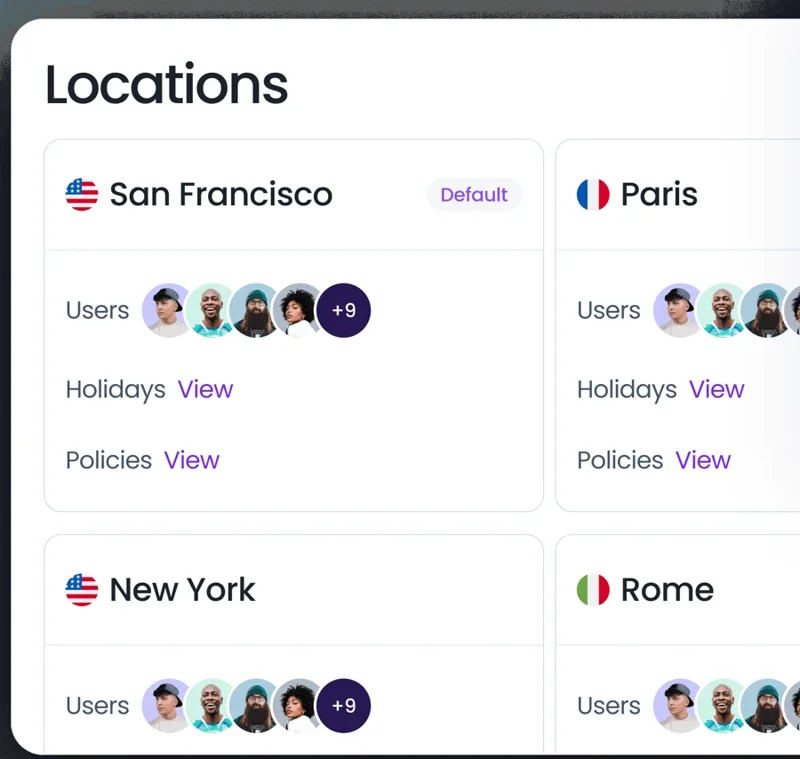
In Vacation Tracker, each location has its own country, region, workweek and holiday calendar. Employees request time off in Microsoft Teams or Slack, and their requests follow their own location's holidays.
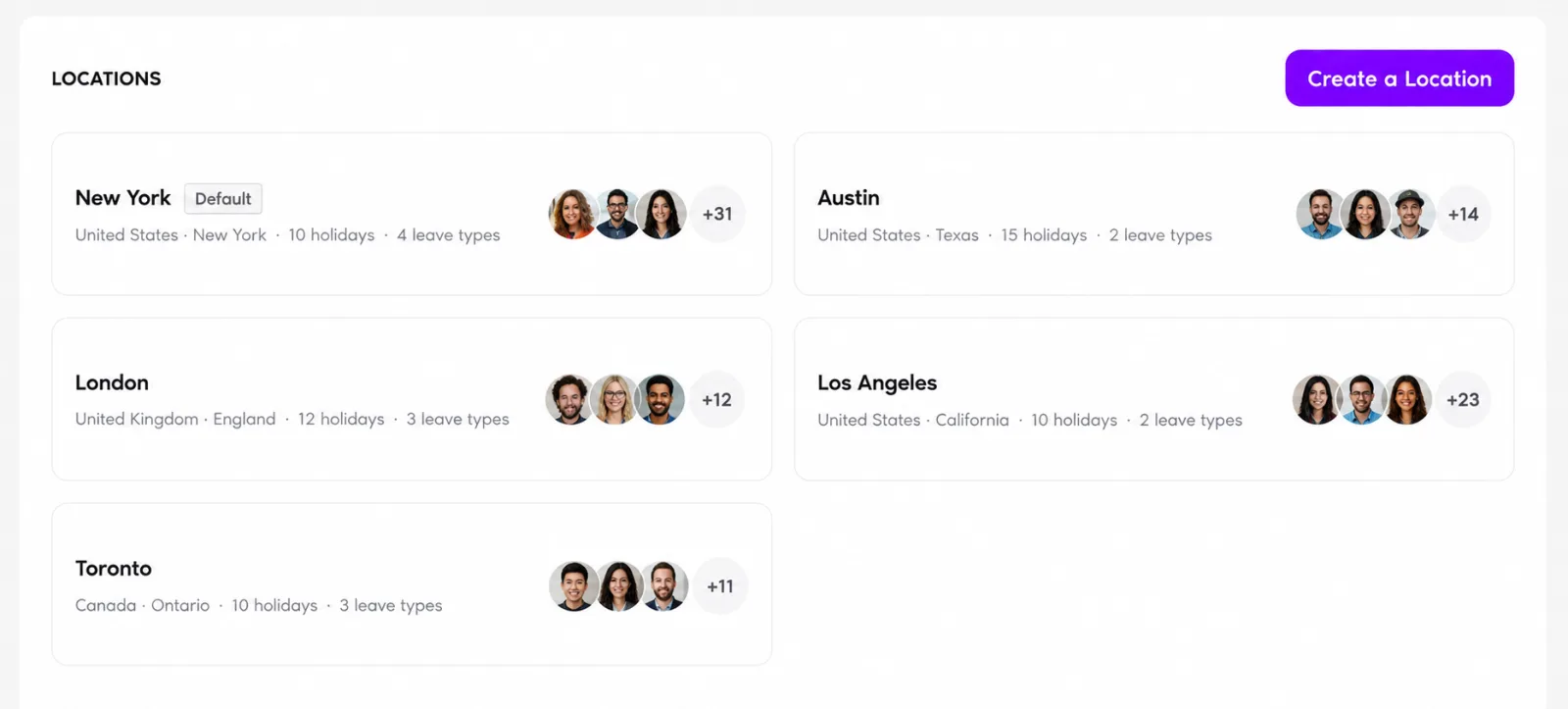
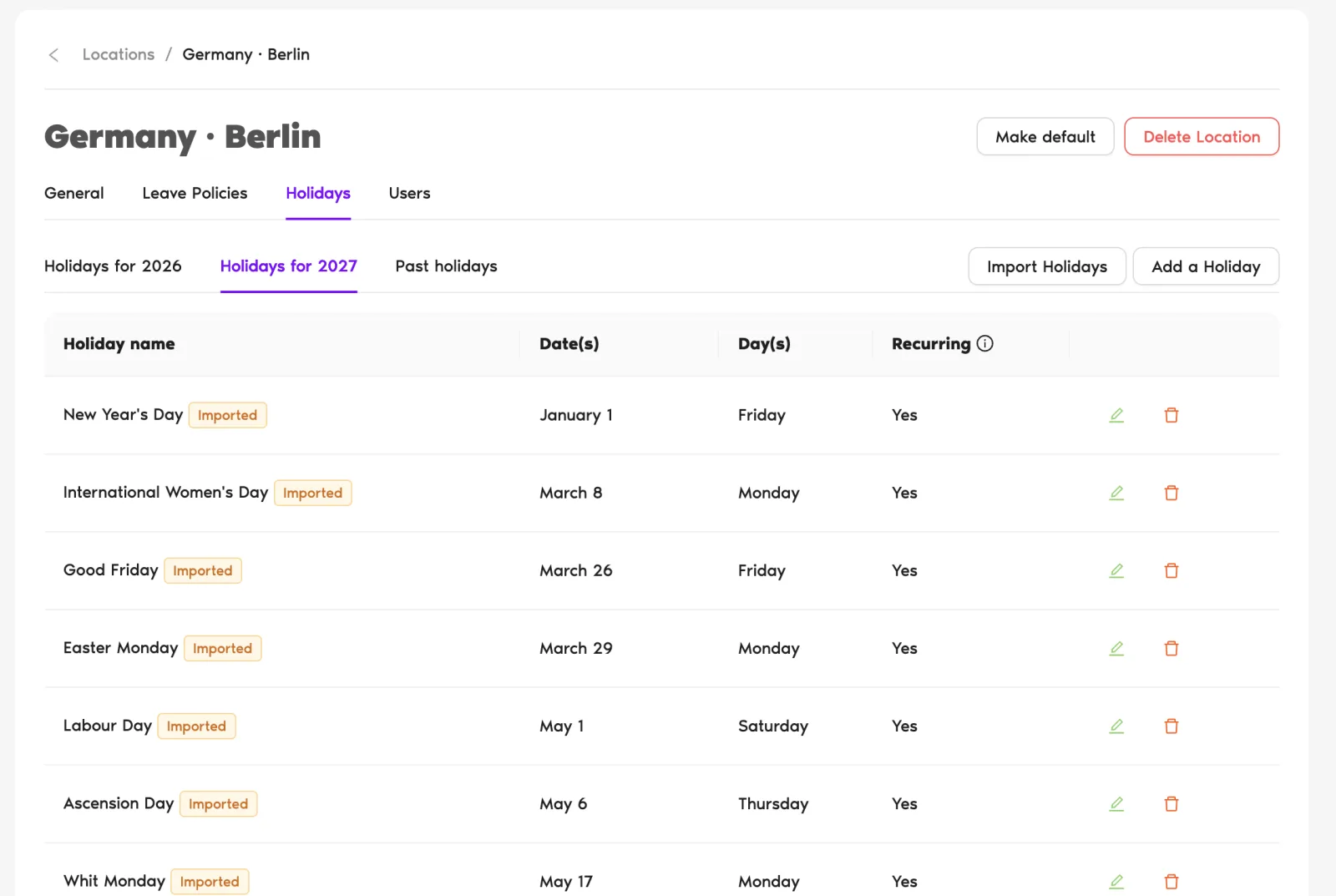
Import each location's 2027 public holidays, country and region, in one click. Then add your own company days, including recurring, multi-day or half-day ones. Holidays are never deducted from leave balances.
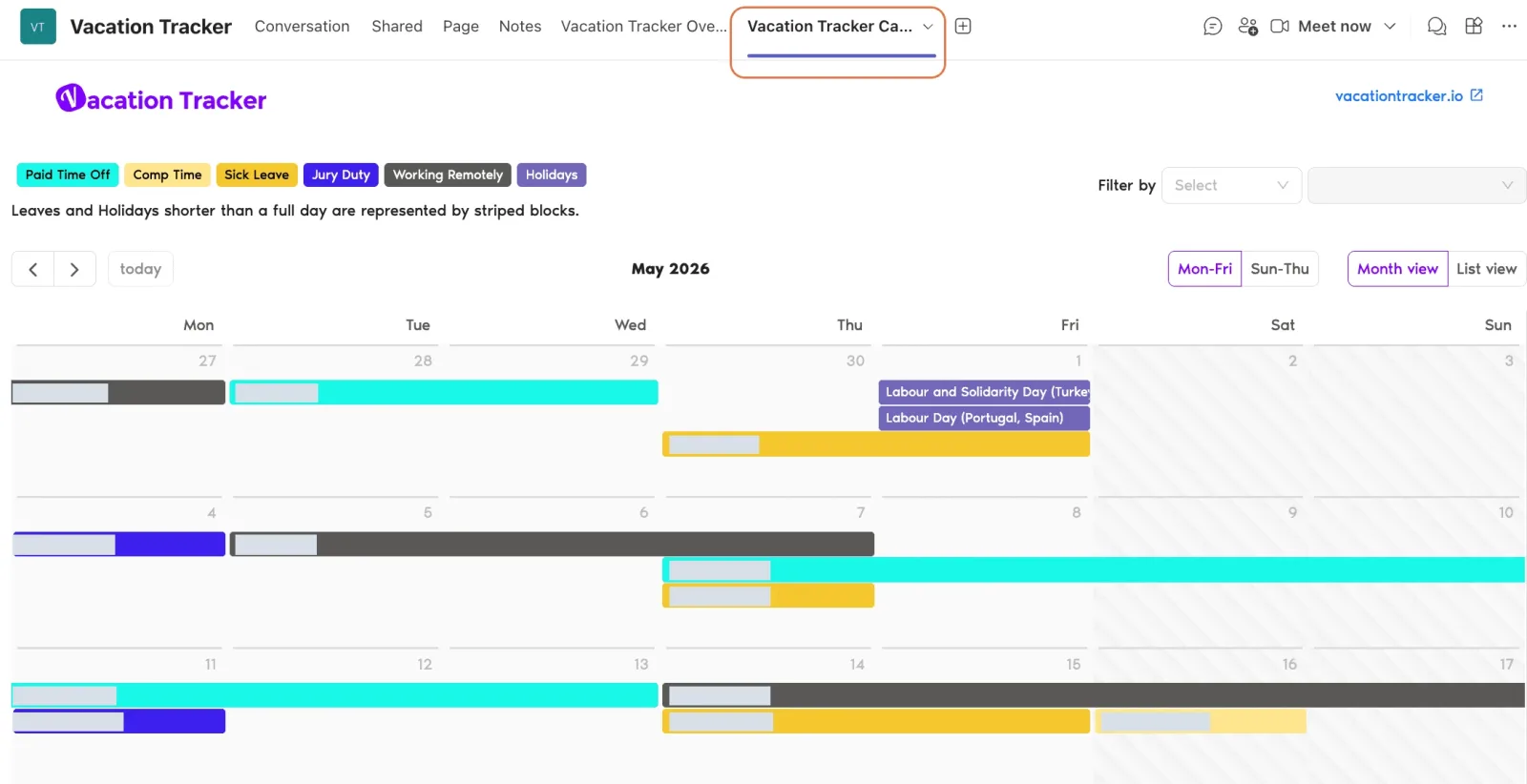
Everyone sees who's off and upcoming holidays in Microsoft Teams or Slack. Daily and weekly who's-out summaries post in a channel, or arrive by email for Google Workspace and email teams.
Approved leave syncs to Outlook and Google Calendar, and managers can filter the calendar by location or department to follow one office or a team spread across several.
For teams spread across offices, the Maximum Users Away rule caps how many people from one team can be off at the same time, so a busy holiday week doesn't leave one team uncovered.
You can also ask Claude, ChatGPT or Copilot Studio "Which offices are closed on December 27, 2027?" through the Vacation Tracker MCP connector.
Set it up once and every office gets the right days off in 2027: holidays imported per location, your company days added, and who's off visible in Microsoft Teams or Slack. Nobody keeps a spreadsheet of which office closes when.
Try Vacation Tracker free for 14 days and have every location's 2027 calendar ready before January.
Manage leave across all your locations
Leave policies and public holidays for every office, state or country, in Microsoft Teams, Slack or Google Workspace.