
Last updated on February 13, 2026
How to Enable or Disable Leave Request Expiration?
Pending leave requests can either sit in the queue waiting for an Approver or drop off after a while if nobody acts on them. The Leave Request Expiration setting on each Department controls which behavior you want. It lives on the same Edit Department form as your Approvers and approval flow, and flips with a single Yes / No toggle.
Find the Setting
The toggle sits inside each Department's Edit form, so you can configure it differently per team.
- Sign in at app.vacationtracker.io.
- In the left-hand menu, under Team & Approval Flows, click Departments.
- On the row of the Department you want to update, click the three-dot menu (...) and choose Edit Department.
- Scroll down to the Leave Request Expiration section.
Yes or No — Which Does What
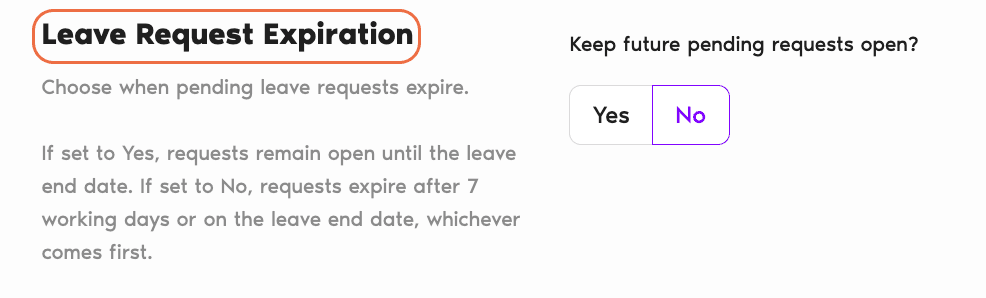
The section asks: Keep future pending requests open? The two choices behave quite differently, so it's worth picking consciously.
Yes — disable expiration
Pending leave requests stay open until the leave end date. No auto-expiry along the way. Requests that aren't actioned within a few days will simply wait. This is the right choice if your Approvers reliably process requests themselves (even late) and you don't want the system auto-rejecting things on them.
No — enable expiration
Pending requests expire after 7 working days or on the leave end date, whichever comes first. Requests that slip through the cracks are cleared automatically so they don't pile up indefinitely. This is the sensible default for most teams — it keeps the queue clean and prompts users to resubmit if they still need the time off.
Save Your Change
Scroll to the bottom of the form and click Update Department. The new setting applies to leave requests submitted from that point forward for this Department. Requests already in-flight keep whatever behavior was in effect when they were submitted.
Common Questions
The count follows the user's configured workweek. If their workweek is set from Monday to Sunday (i.e. all 7 days are working days for that Location), every day will count towards the 7-working-day total. If the workweek excludes weekends, only Monday–Friday count.
An expired request stops being pending — it's marked as expired on the user's profile and no longer takes up space on any Approver's queue. The user isn't blocked from submitting a new request for the same dates if they still need the time off; they just start over.
The cutoff is "the leave end date, whichever comes first," so once a leave is underway and approaching its end date, that becomes the effective deadline — it doesn't matter how many working days have elapsed since submission.
 Book a Call