
Last updated on January 20, 2026
Can a Vacation Tracker Admin or Approver Turn On/Off the OOO Feature for Users?
Short answer: no. The Out-of-Office (OOO) reply feature is tied to a User's own account and depends on that User authorizing access to their personal email provider (Gmail or Outlook). Even an Admin can't enable, disable, or set up OOO on someone else's behalf — each User has to do it themselves under their own Account Settings.
Why Only the User Can Turn It On
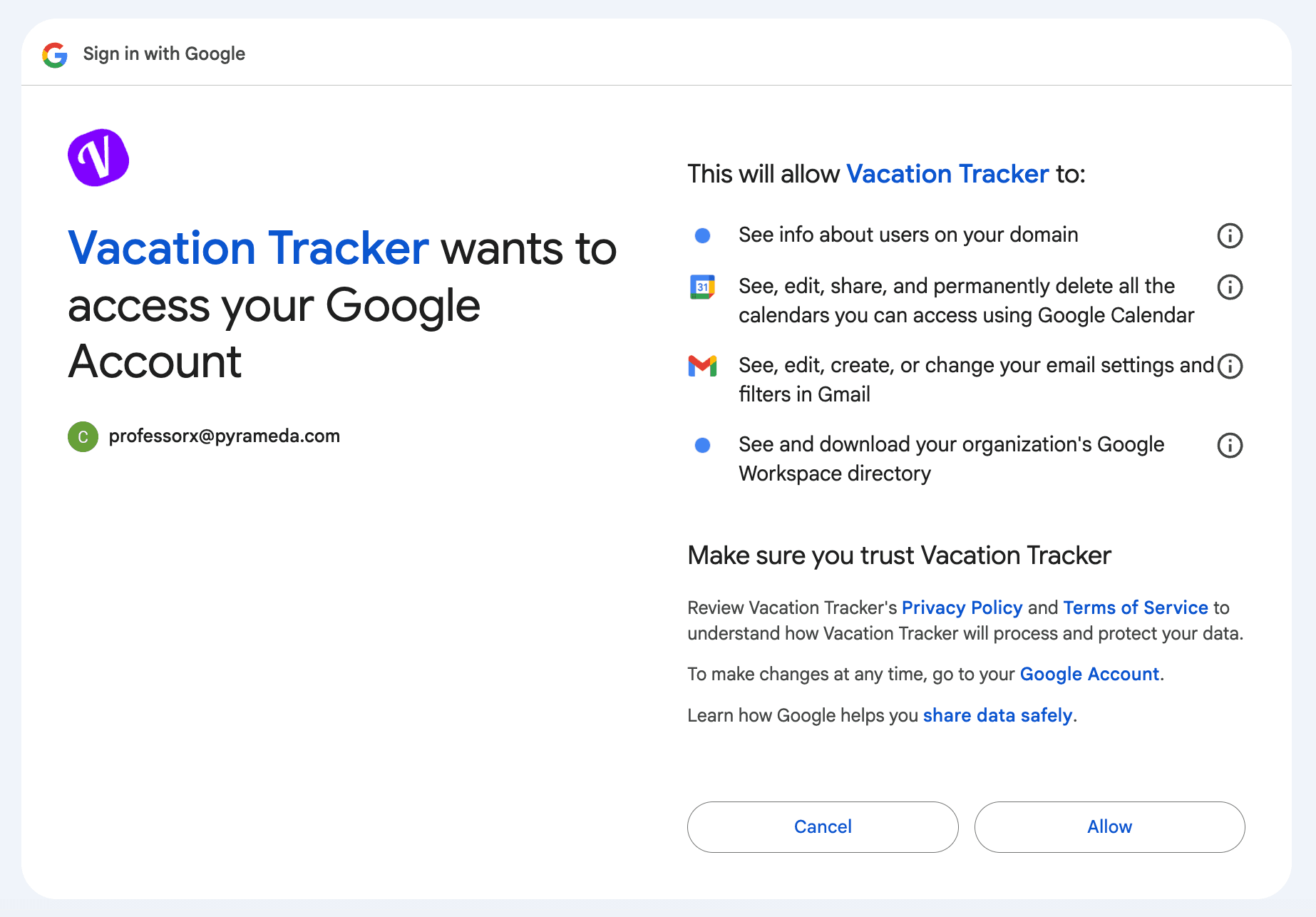
The OOO autoreply works by Vacation Tracker setting an "I'm out of office" message on the User's Gmail or Outlook account when their leave starts, and clearing it when the leave ends. To do that, Vacation Tracker needs write access to that User's mailbox — and the only way to get that access is through an OAuth permission flow that the User runs themselves. Gmail and Outlook both prompt the User for explicit consent during the connection step, showing exactly which scopes Vacation Tracker is asking for.
The screens the User sees during OAuth look like:
Where the User Sets It Up
OOO setup lives on each User's Account Settings page (accessed from the profile menu in the bottom-left of the sidebar). The path is:
- The User signs in to app.vacationtracker.io.
- They click their name in the bottom-left of the sidebar and choose Account Settings from the dropdown menu, or go directly to app/settings/personal.
- Under Configure Automatic Out-of-Office (OOO) Reply, they flip the Enabled toggle on, pick which Leave Types should trigger an OOO prompt, and click Save.
- When the User's email provider's permission flow is needed (typically the first time an OOO reply needs to fire), Gmail or Outlook will prompt them to grant access. Only the User can complete that consent.
Detailed setup walk-through and the per-leave-type filter are covered in the Automatic OOO Reply Guide and the related article Can I Choose Which Leave Types Have the OOO Message?
What an Admin Can Do
While Admins can't toggle OOO on or off for individual Users, they can still help adoption indirectly:
Common Questions
No. There's no Admin-side master switch that hides or disables OOO across the workspace. Each User who hasn't connected their email provider simply won't have an active OOO reply — even with the Account Settings toggle on. So the practical default for non-onboarded Users is "OOO is off for me," which doesn't require any Admin action.
This isn't a recommended path — sharing credentials goes against most security policies and Vacation Tracker doesn't endorse it. Workspace and provider audit logs would still show the connection happening from the actual email account, which is fine technically but a poor security practice. Walk the User through the setup themselves.
The Slack Status Update feature relies on Vacation Tracker's existing workspace-level Slack connection, set up once at install time. That connection covers every User in the workspace (Slack scopes it that way). Email OOO is the opposite — Gmail and Outlook scope mailbox-write permissions per User, so each person has to authorize separately. Same product, different constraint imposed by the upstream platforms.
 Book a Call