
Last updated on May 27, 2026
Can I Set Dark Mode on the Online Dashboard?
Yes, you can! Dark Mode is an option that helps you quickly darken the overall dashboard and options for a better viewing experience in low-light environments. The Vacation Tracker Dark Mode also reacts to your browser's Dark Mode settings.
How to Set Dark Mode
- Go to the Vacation Tracker Dashboard — app.vacationtracker.io/signin.
- On the bottom left-hand side of the dashboard, click on your name.
- Select Color theme from the dropdown menu.
- Choose your preference.
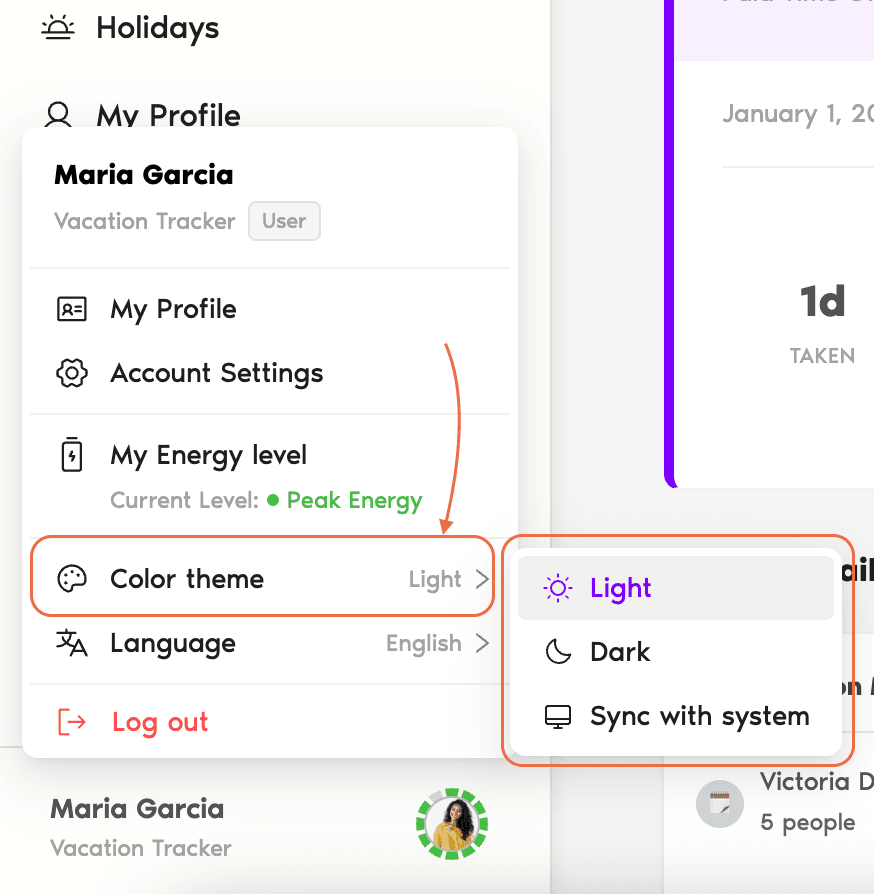
Available Options
Other display preferences
For other view preferences (language, time format), see How Do I Choose My View Preferences? Book a Call