
Last updated on June 17, 2026
How Can I Find Out What My Recharge Type Is?
Finding your Recharge Type takes about 30 seconds. It's a short quiz you take from your My Energy level page, and the result is saved to your dashboard so you can come back to it any time. Once you have a type, the leave suggestions on the same page start using it to tune what they recommend.
Steps to Take the Quiz
- Open My Energy level from the profile menu in the bottom-left of the dashboard.
- Scroll to Your Next Best Moves.
- Click the Discover your Recharge Type link in the short sentence above the suggestions.
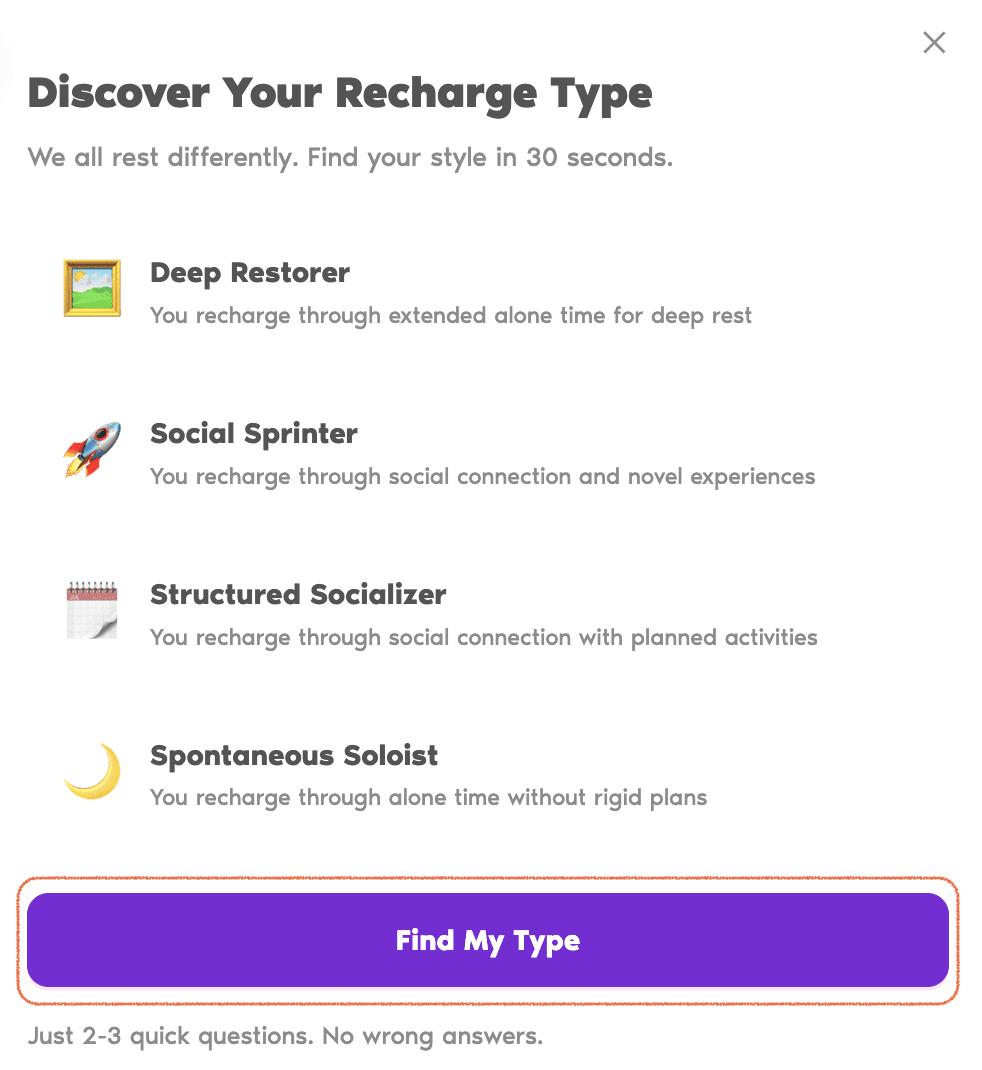
- On the modal that opens, read the short descriptions of the four types, then click Find My Type.
- Answer the two or three quick questions by picking the option closest to you, and click Next between them.
- When you reach the last question, submit your answers. Your Recharge Type and a short tip card appear on your dashboard right away.
Common Questions
No. Your Energy Score and the leave suggestions in Your Next Best Moves work without it. The quiz simply adds your Recharge Type into the mix so the suggestions are more tailored to you. You can take it whenever you'd like.
Your Recharge Type appears on the My Energy level page right after you submit the last answer. It sits below the Score breakdown and Your Next Best Moves sections, as a small card with the type name, a one-line description, and a tip. Only your most recent result is shown; if you'd like a record of past results, write it down before retaking.
Yes, any time. Open the Discover your Recharge Type link again, click Find My Type, and answer the questions again. The most recent result replaces the previous one, and your leave suggestions update to match the new type. There's no limit on how often you can retake it.
 Book a Call