
Last updated on May 27, 2025
Can I Edit Users' Names Within Vacation Tracker?
Yes — Admins can override a User's name from the dashboard. The edit lives in Vacation Tracker only; it doesn't push back to Slack, Microsoft Teams, or Google Workspace, and Vacation Tracker won't overwrite it the next time you run a directory sync.
How to Edit a User's Name
- Sign in at app.vacationtracker.io with an Admin account.
- In the left-hand menu, click Users.
- Click the User's name in the table to open their profile page.
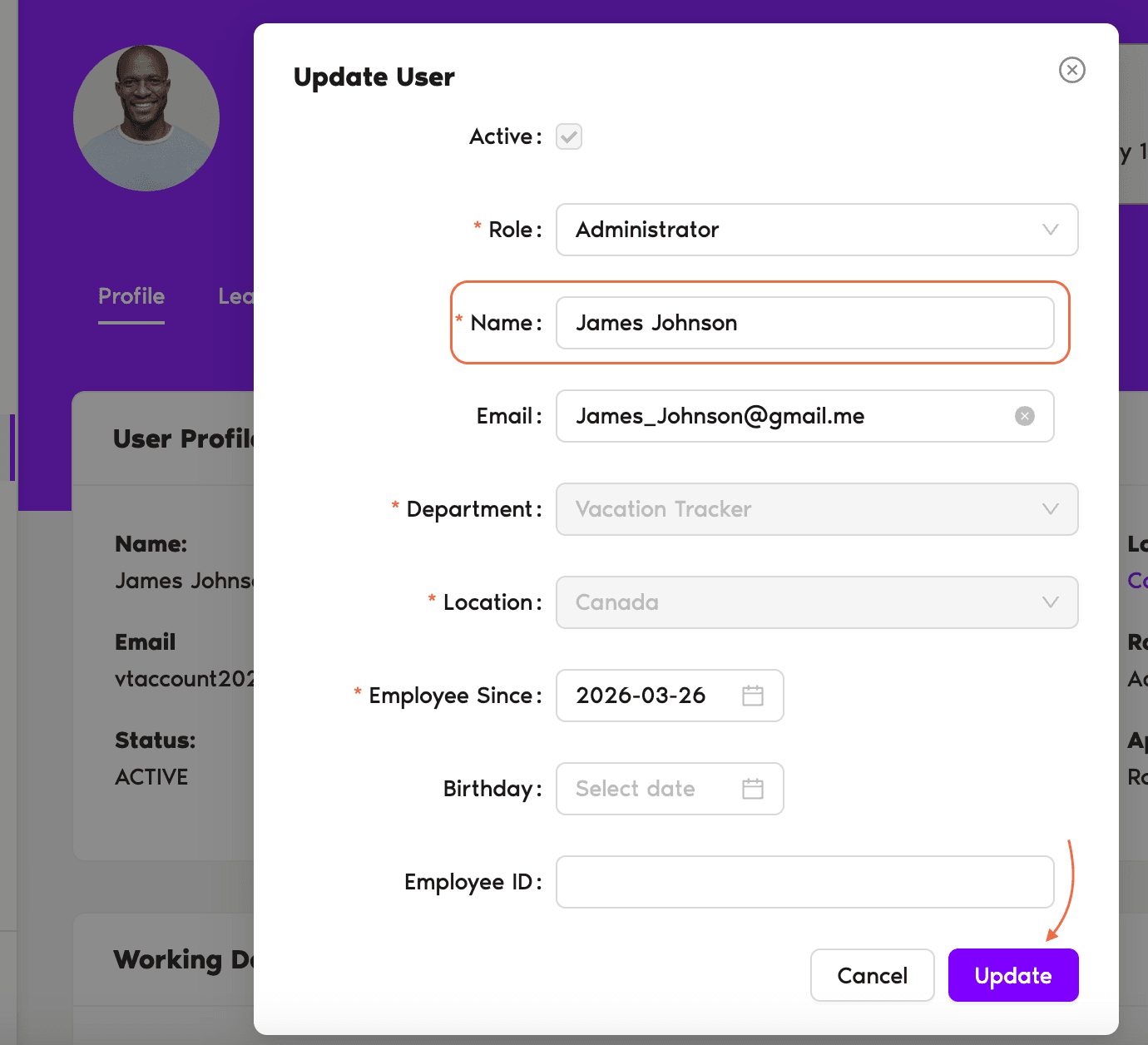
- On the profile page, click Edit in the top-right of the User Profile card.
The Update User modal opens with the User's current details pre-filled. The fields available are:
- Update the Name field with the corrected name.
- Click Update. The modal closes and the new name appears immediately on the profile page, the Users table, the calendar, the Wallchart, and notifications going forward.
You'll see a small lock icon appear next to the name on that User's profile after the edit. That's Vacation Tracker's way of telling you "this name has been manually overridden, the directory isn't the source of truth anymore."
What the Edit Does — and Doesn't Do
Common Questions
Only Admins. The Edit button on the User Profile card and the Update User modal are inside the Admin-only Users section. Approvers and regular Users can't change names — not their own and not anyone else's. To get Admin access, see How Do I Set an Administrator?
Not from inside Vacation Tracker. Users who want a different name showing in VT have two options: change it on their Slack / Microsoft / Google account (if that's how they joined and they haven't been manually edited yet) and then ask an Admin to run Sync Existing Users, or ask an Admin to make the edit directly in Vacation Tracker.
It indicates that the name has been manually overridden in Vacation Tracker and is no longer being pulled from the directory. As long as the lock is there, Sync Existing Users won't touch this User's name. If you ever want the directory to take over again, you'd need to clear the override — contact Support if the User's name should be re-bound to the directory.
 Book a Call