
Last updated on June 10, 2025
Can I Filter My Dashboard View Based On Locations, Departments, or Labels?
Yes — the Dashboard's leave panels can be filtered by Department, Location, or Label (Complete plan). The Calendar and Wallchart pages support the same filters. Useful when you only care about your immediate team or a specific cohort rather than everyone.
Dashboard Filter
- Sign in at app.vacationtracker.io.
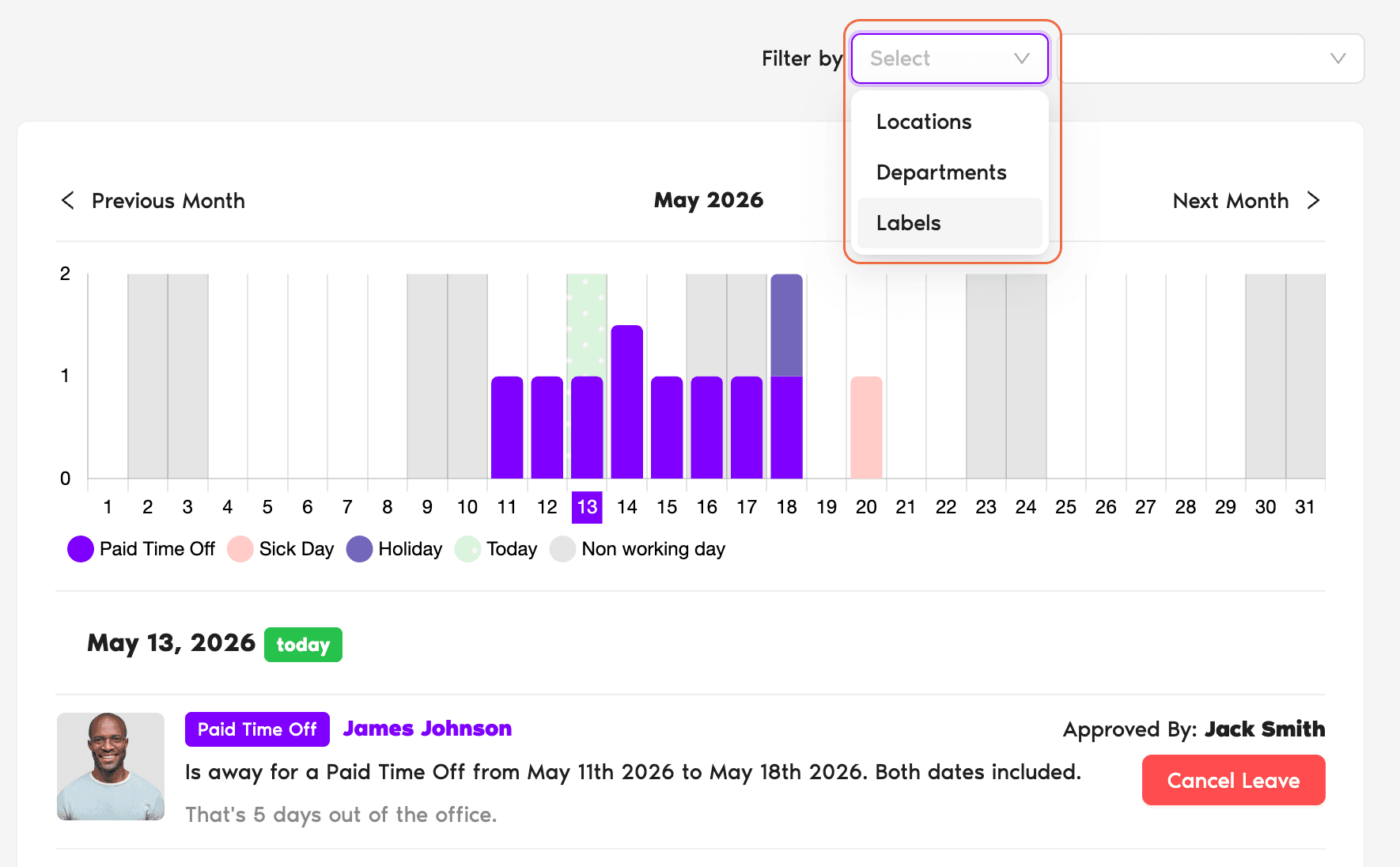
- On the Dashboard, look for the Filter by control near the top-right of the leaves view.
- Open the Filter by dropdown and pick a dimension — Department, Location, or Label (Complete plan only).
- In the second dropdown that appears, pick the specific value(s) you want included.
- Stack additional filter dimensions if you need to combine them — e.g. Department and Location.
Microsoft Teams
- Open Teams and go to the team where Vacation Tracker is installed.
- Click the Vacation Tracker tab.
- Use the filter controls to scope the view by Department, Location, or Label — same options as on the dashboard.
Common Questions
Labels are a Complete plan feature. On Free and Core, only Department and Location appear in the Filter by dropdown.
Filters apply within your current session — refreshing might reset them depending on browser caching. If you find yourself reapplying the same filter daily, consider using the Wallchart instead, which preserves filter state more reliably across sessions.
Yes. The filter dimensions stack — you can filter by Department and Location and Label simultaneously to drill into a specific slice (e.g. Engineering Department × US Location × Manager Label).
 Book a Call