
Last updated on July 1, 2026
How Do I Set Shorter Leave Durations?
Not every leave is a full day. The Shortest Leave Duration setting on each leave policy controls the smallest slice an employee can request — from full days and half-days down to 1 hour, 30 minutes, or 15 minutes.
The Five Duration Options
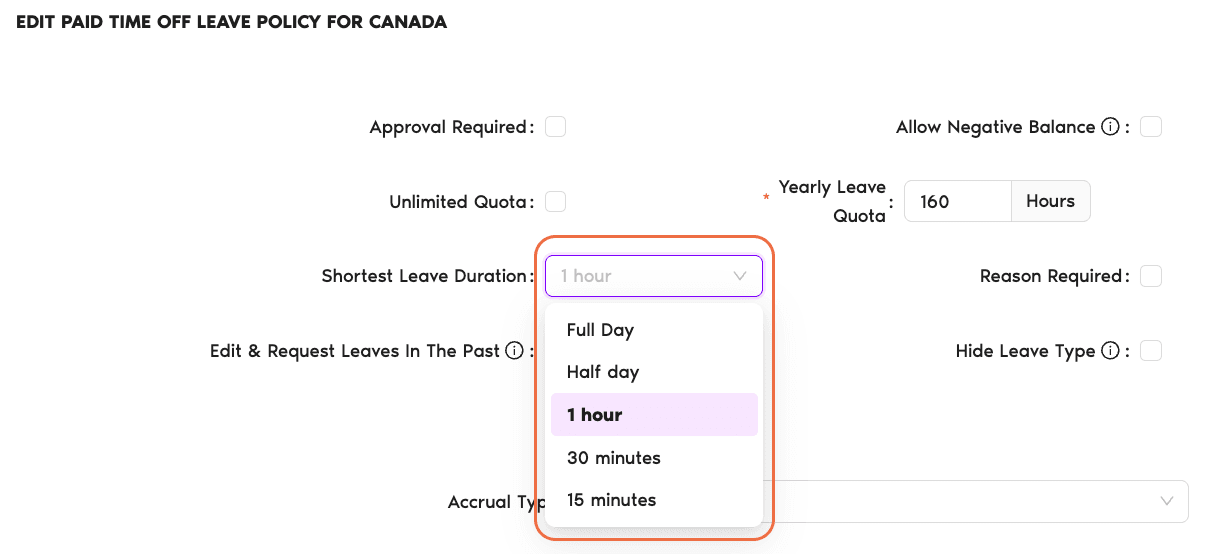
Every leave policy carries a Shortest Leave Duration dropdown with five choices. Pick the one that matches how the team actually uses that leave type.
Full Day All plans
Requests are in whole-day blocks only. A Sick Day or a Maternity Leave where it doesn't make sense to split the day.
Half day All plans
Employees can request a morning or afternoon half. Useful for appointments, early starts, or half-day Fridays. See How Do I Set Half-Day Intervals? for the full walkthrough.
1 hour Complete plan
One-hour increments. Good fit for quick errands, short appointments, or office time-off policies where hours are the natural unit.
30 minutes Complete plan
Half-hour increments — useful for walk-in appointments or short pickups that genuinely aren't an hour.
15 minutes Complete plan
Fine-grained quarter-hour tracking. The most granular option, appropriate for teams that bill or audit time by the quarter-hour.
How to Change the Setting
The setting lives on each leave policy — per Location, per Leave Type. A Sick Day policy can require Full Day while the same Location's Work From Home policy allows 15-minute increments. The toggles are independent.
- Sign in at app.vacationtracker.io.
- In the left-hand menu, expand Leave Setup and click Locations.
- On the Location you want to configure, click Edit Leave Policies.
- Find the leave policy you want to update and click the edit (pencil) icon on its row.
- Open the Shortest Leave Duration dropdown and pick one of the five options.
- Click Update at the bottom of the page to save your changes.
Which Option Should I Pick?
A few patterns we see in the wild:
Common Questions
Shortest Leave Duration is the smallest unit a policy will accept — a setting on any leave policy. An Hourly leave type (e.g., Vacation (Hourly)) is a distinct leave type whose quota is measured in hours rather than days, and whose request form asks for a Date + Time range directly. If you want employees to punch in specific start and end times, use an Hourly leave type; if you just want to shorten the minimum increment on an existing days-based policy, change Shortest Leave Duration.
The 1 hour, 30 minute, and 15 minute increments are all part of the Complete plan — Core covers Full Day and Half day only. You can upgrade any time — see How Can I Change My Subscription? for the steps.
No — it's per leave policy, and every leave policy is tied to one Leave Type at one Location. You can allow 15-minute Work From Home on the Canada team while keeping US Vacation at Full Day. Each policy's setting is independent.
 Book a Call