
Last updated on January 20, 2026
How Can I Set Leave Quotas in Hours Instead of Days?
If your team's leave policies are written in hours rather than days — common for shift work, part-time roles, and companies with mixed working schedules — you can switch the whole workspace's tracking unit with a single dropdown. The change rolls through Leave Policies, reports, and User profiles in one go.
Where the Setting Lives
- Sign in at app.vacationtracker.io with an Admin account.
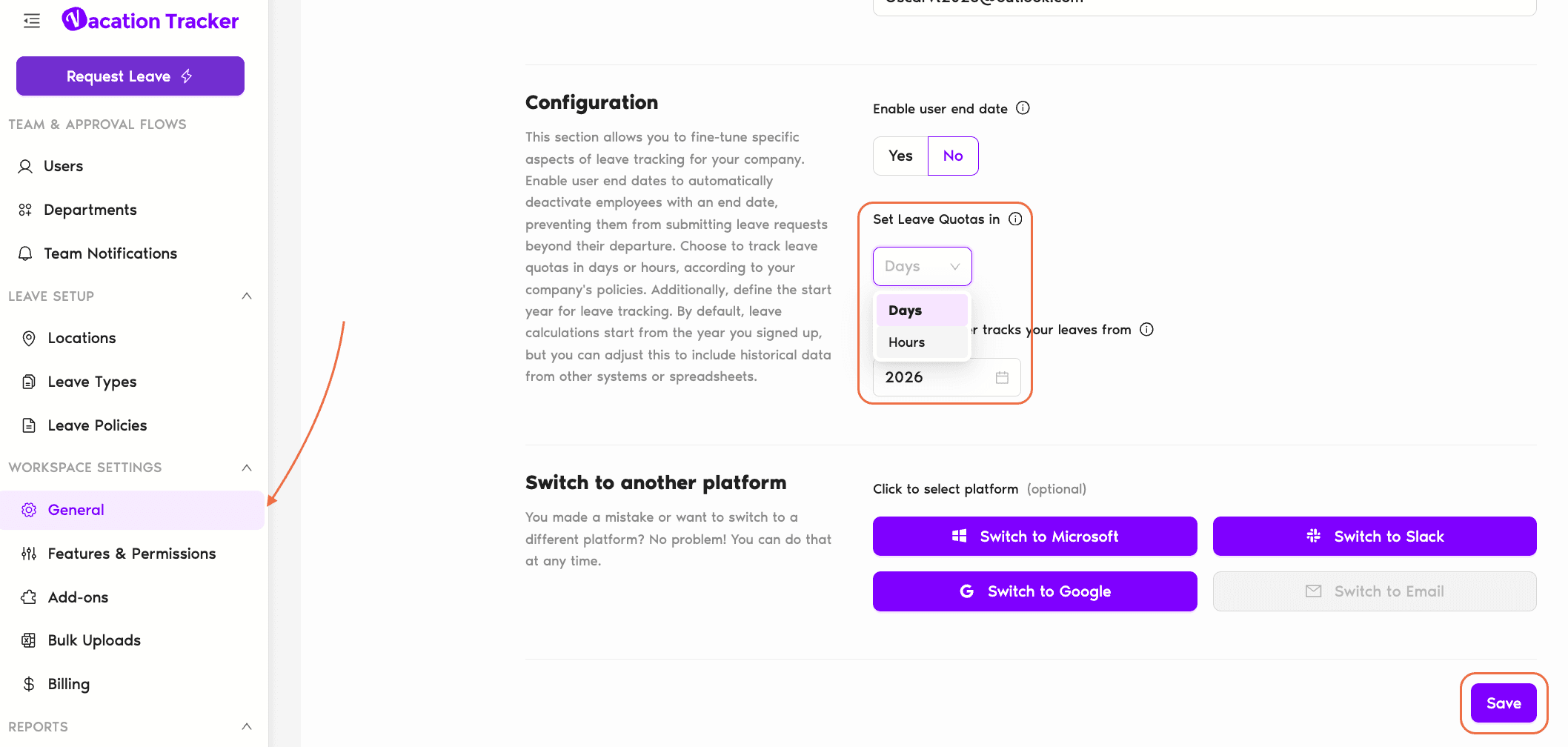
- In the left-hand menu, expand Workspace Settings and click General.
- Scroll to the Configuration section. The dropdown labeled Set Leave Quotas in sits below the Enable user end date toggle.
- Open the dropdown and pick Hours (the alternative is Days, the default).
- Click Save at the bottom of the page.
What Changes When You Switch to Hours
Flipping the unit re-renders quota information across three places:
Leave requests submitted by Users will collect duration in the same hours-based unit going forward, which pairs naturally with the Shortest Leave Duration options for hourly granularity (1 hour, 30 minutes, or 15 minutes — also Complete-plan).
How Working-Day Length Plays Into It
Hours-based tracking lives on top of each Location's working-day configuration. A Location set to "8-hour workday" treats one calendar day off as 8 hours of leave; a Location set to "6.5-hour workday" treats it as 6.5 hours. Vacation Tracker keeps that math consistent — when you switch to Hours, every existing day-based balance is re-interpreted using the Location's working-day length so nobody gains or loses leave from the unit change. The day-equivalent display on profiles uses the same conversion.
Common Questions
No. The switch is a unit conversion, not a recalculation. A User who had 10 days remaining on an 8-hour-workday Location will simply see "80 hours" after the toggle — same time off, different label. Reverting to Days converts back the same way.
No — Set Leave Quotas in is a workspace-wide preference, not a per-Location one. Every Location in the workspace runs in the same unit. If you have a mix of teams on hourly and daily policies, switch to Hours globally and let each Location's working-day length handle the conversion to a sensible day-equivalent on User profiles.
Yes — Vacation Tracker shows both representations on the User profile. The headline reads in days (e.g. "3 days remaining") with the hourly breakdown a click away in the info bubble next to the quota. So the day-based intuition stays even though the underlying tracking unit is hours.
 Book a Call