





Last updated on August 5, 2026
How Do I Set Up an Accrual Cap?
An accrual cap sets the maximum leave balance an employee can hold. Once they hit the cap, accruals pause until they use some leave — preventing balances from growing indefinitely.
Before You Begin: Accruals Are a Prerequisite
Accrual Cap is a setting on top of an existing accrual schedule — it doesn't enable accruals on its own. Before turning the cap on, the leave policy needs an Accrual Type other than "None" (Monthly, Semimonthly, Biweekly, or Weekly). The cap option simply doesn't appear in the policy editor until accruals are active.
If accruals aren't set up yet on this leave policy, configure them first: How Do I Set Up and Configure Accruals? Then come back here to add the cap.
How to Set Up an Accrual Cap
- Sign in at app.vacationtracker.io.
- In the left-hand menu, expand Leave Setup and click Locations.
- Click Edit Leave Policies on the Location you want to configure.
- Click the edit icon next to the leave policy you want to update.
- Scroll down to the Accruals section and make sure an Accrual Type other than "None" is selected — the cap option only appears when accruals are active.
- Next to Enable Accrual Cap, click Yes.
- In the Cap earned days to field, enter your multiplier (e.g., 1.50). This is applied to the annual accrual rate to calculate the maximum balance. The default is 2.00.
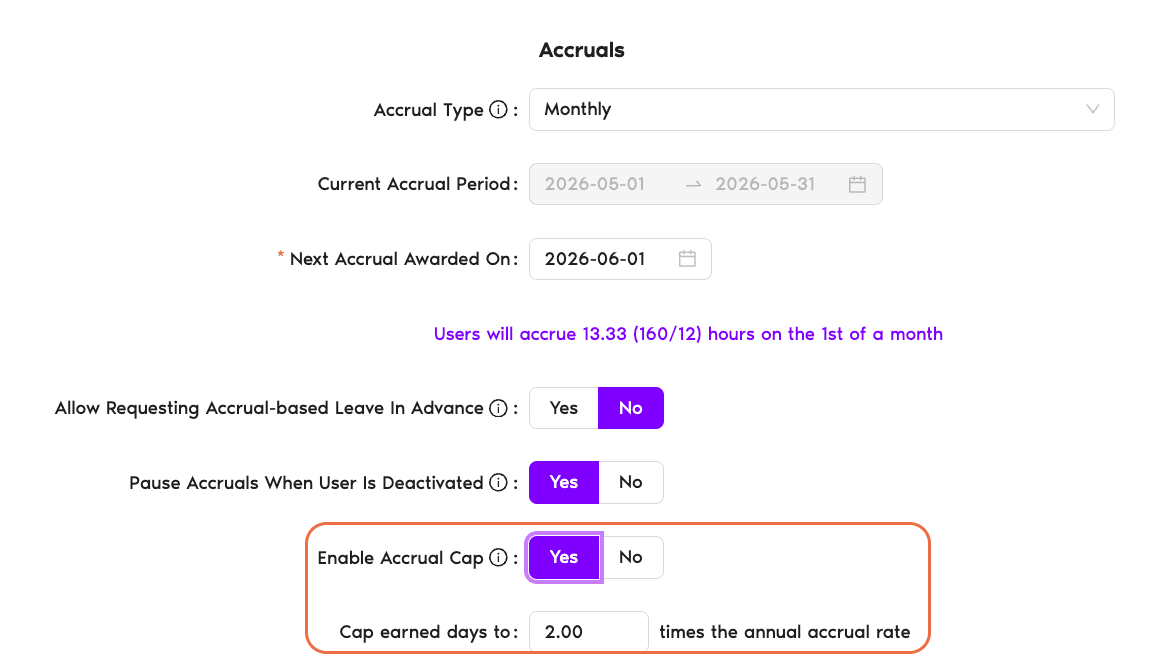
The cap applies to the User's total balance — that includes both current-year accrued days and any days carried over from the previous year via Brought Forward. If a User has additional days from role-based or seniority entitlements, those are included in the calculation too.
- Click Update to save your changes.
How the Cap Works in Practice
Let's say an employee has a yearly quota of 12 days, accruing monthly at 1 day/month, with the cap set to 1.5x (= 18 days max).
They carry over only 2 days from last year. They can accrue their full 12 days this year because 2 + 12 = 14, which is under the 18-day cap. Accruals run normally all year.
They carry over all 12 unused days into the new year. They can only accrue 6 more days before hitting the 18-day cap (12 + 6 = 18). If they haven't used any leave by July, accruals stop.
They hit the 18-day cap in July, then take 2 days off (balance drops to 16). Accruals resume — they earn 1 day in August and 1 in September, hitting 18 again. Accruals pause once more until they use more leave.
 Book a Call