
Last updated on January 20, 2026
How Do I Set My Company's Start Year in Vacation Tracker?
By default, Vacation Tracker calculates leave from the year you signed up — but if you're migrating from a spreadsheet or another system and have years of historical data to bring in, you'll want to backdate the start year. Once it's set, leave quotas, Brought Forward calculations, and the per-year balance dropdown on user profiles all start counting from that year forward.
Set the Start Year
- Sign in at app.vacationtracker.io.
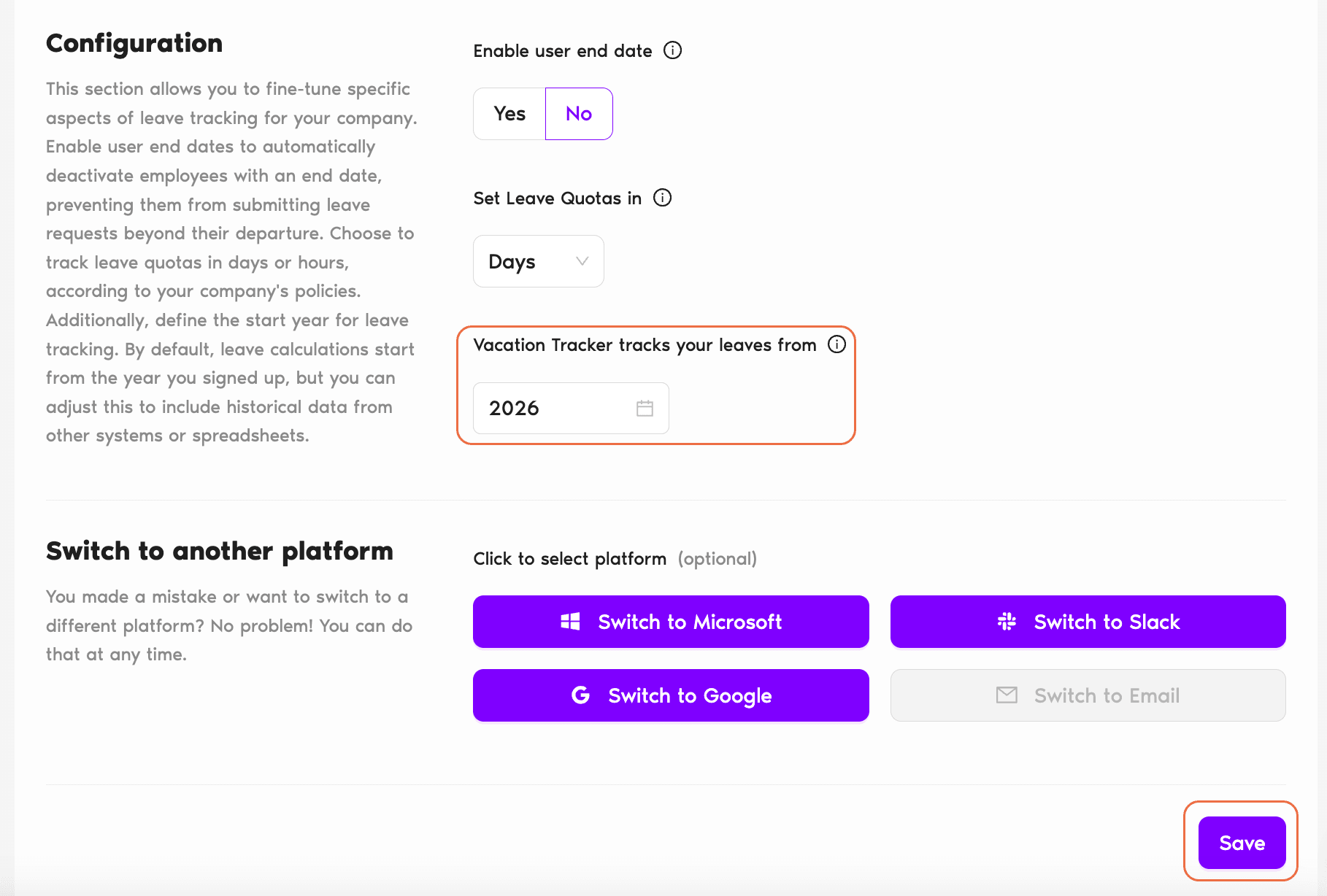
- In the left-hand menu, expand Workspace Settings and click General. The page opens with sections for Company settings, Configuration, Switch to another platform, and Import Users Configuration.
- In the Configuration section, look for a field labelled Vacation Tracker tracks your leaves from (or a year selector with similar wording). Pick the year you want Vacation Tracker to count as the starting year.
- Scroll to the bottom of the page and click Save to commit the change.
What Changes After You Save
Quota calculation
Vacation Tracker starts calculating leave quotas from the new start year forward. You can populate historical data — actual leaves taken in those past years — so balances and reports include the full timeline rather than only the period since signup.
Brought Forward calculations
If a leave policy has Brought Forward enabled, the system calculates rollover from the new start year. Historical Brought Forward amounts will appear on user profiles for each prior year, alongside the corresponding quotas and used days.
The Select Period dropdown on user profiles
The new start year appears in the Select Period dropdown under Leave Quotas on every user's profile. Switching the dropdown to a past year shows that year's quota, used days, and Brought Forward — the full picture of what was earned and taken in that period.
Common Questions
Admins. The Workspace Settings section is Admin-only — Approvers and regular Users don't see it in the menu.
No. The start year is a workspace-wide setting that applies to every Location at once. If you have Locations with very different historical data ranges, pick the earliest year that needs to be tracked anywhere — the others can simply have empty data for the years they didn't exist.
No. The change extends the period the system tracks; it doesn't remove anything. Existing leave records, balances, and Brought Forward amounts all stay in place. The new earlier year just becomes available as an additional historical period.
 Book a Call