
Last updated on June 2, 2025
Why Am I Receiving Reminders?
A pinging notification at 9 AM about a leave request from last week isn't Vacation Tracker being chatty — it's Vacation Tracker watching out for you. If you're seeing reminders, it means you're an active Approver for at least one Department, and there's a request sitting in your queue that hasn't been actioned yet.
Why Reminders Exist
Approvers usually have plenty already on their plate. Approval requests slip down the inbox, get half-read in a Slack thread, or simply fall behind a deadline that felt important at the time. The result for the person who submitted the request: they wait, sometimes for days, not knowing whether their leave is going to land or not.
Vacation Tracker's reminders are designed to nudge you back to the request before it stalls, so the person waiting on an answer doesn't end up in limbo right before a planned trip or a doctor's appointment.
Who Gets Reminders
Active Approvers — yes
If you've been added as an Approver to one or more Departments, you'll receive both the original leave request and the reminders that follow if you haven't acted on it.
Regular Users — no
Reminders aren't sent to people who submitted the leave or to teammates of the requester. Only the people responsible for approving see them.
Admins who aren't also Approvers — no
The Admin role on its own doesn't trigger reminders. You only see them for Departments where you're listed in the Approver(s) field. (See How Do I Set an Approver within Vacation Tracker?)
Where Reminders Show Up
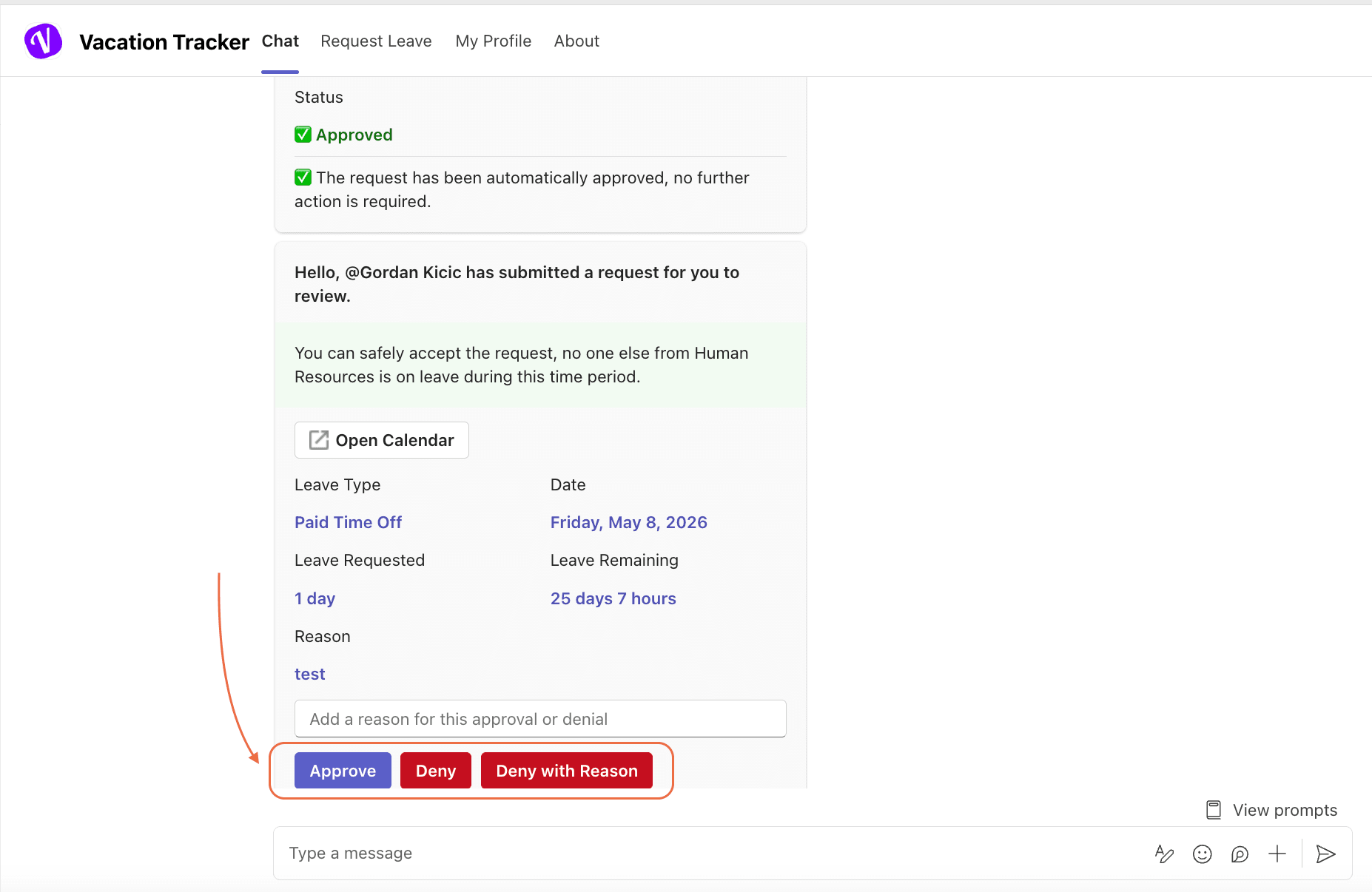
Reminders ride on the same channel you originally received the leave request on. The exact look varies by integration, but the content is the same — who requested what, when, and a quick way to act on it.
How Long They Keep Coming
Reminders are automated and follow a specific schedule. They keep arriving until one of two things happens:
- You respond to the request — either approving or denying it. Once a decision is recorded, the reminder schedule stops for that request.
- The request expires. If your Department has Leave Request Expiration enabled, pending requests expire after 7 working days or on the leave end date, whichever comes first. Once a request expires, no further reminders are sent for it. (See How to Enable or Disable Leave Request Expiration?)
Common Questions
Reminders go to every Approver listed on the Department until any one of you acts on the request. If your colleague approves it, the reminder schedule stops for everyone — but until that happens, you'll all keep seeing nudges. It's deliberately redundant so a request doesn't stall on a single person being out.
Reminders are part of the core approval flow and aren't a per-user toggle you can flip off from your profile. The right pressure release is usually one of two things: act on the pending requests, or have an Admin add a second Approver to the Department so the workload is shared. There are also ways to set leave request expiration so stale requests fall off automatically. See Can I turn off leave reminders? for what's actually configurable.
The reminders follow a predefined cadence that ramps up as a request gets older without being acted on. The full schedule is documented in What is the schedule / flow of leave reminders?
 Book a Call