
Last updated on February 13, 2026
Can Approvers View Their Users' Leave Quotas?
Yes. Approvers can open the profile page for any User in a Department they approve for, with view-only access to their upcoming leaves, leave history, remaining quotas, and Logs. The information is a planning aid — useful when forecasting team capacity or sanity-checking a request before approving it.
Steps
- Sign in at app.vacationtracker.io with your Approver account.
- In the left-hand menu, click Users.
- Click any User's name in the table to open their profile.
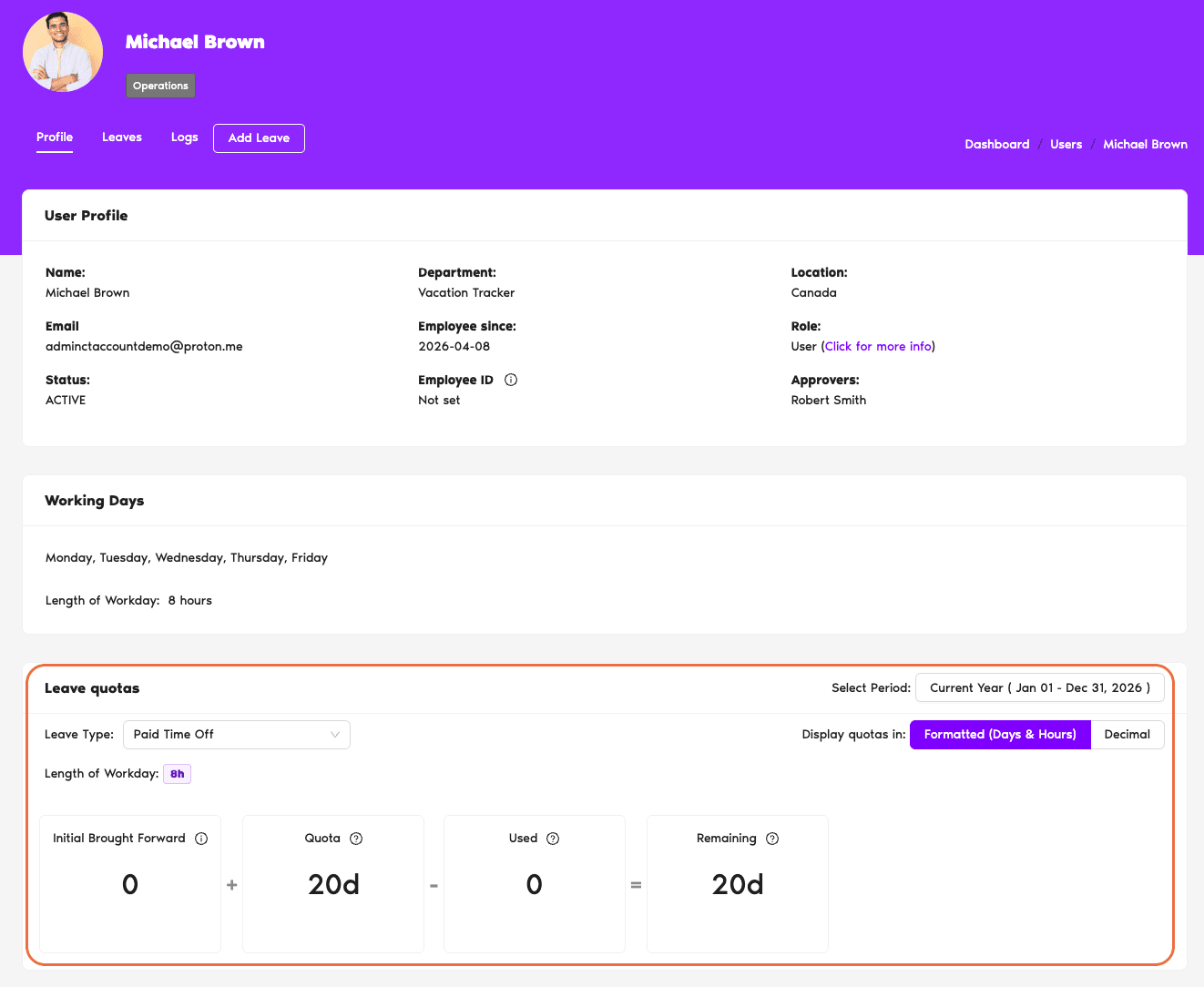
The profile has a few tabs and sections you'll use:
What Approvers Can't Do from a User Profile
The view is intentionally view-only on most fields:
Common Questions
No. Approvers only see Users from Departments where they're assigned to the Approver(s) field — there's no way to view Users outside those Departments, regardless of Visibility Manager settings. Visibility Manager restricts visibility further (within or down to personal records) but doesn't extend an Approver's reach to other Departments. If you need access to someone outside your Departments, an Admin has to add you as an Approver on theirs.
Because you're a regular User, not an Approver. The Users tab is only visible to Approvers and Admins. If you do see the Users tab but it looks empty, that's a different situation — it means you're an Approver, but you haven't been assigned to any Department's Approver(s) field yet, so there are no Users routed to you. In that case, ask your Admin to add you as an Approver on the relevant Department(s).
Live. The Leave Quotas section reflects the User's current remaining balance for each Leave Type, updated in real time as leaves are approved, edited, or cancelled. If you approve a 5-day Vacation request, refresh the profile and that User's Vacation balance drops by 5 immediately.
 Book a Call